In today’s fast-paced business world, efficiency, space optimization, and reliability are more critical than ever—especially for remote workers and small business owners. Traditional desktop computers, while powerful, can be bulky, energy-consuming, and difficult to move or integrate into flexible workspaces. This is where Mini PCs come in as a game-changing solution.

Mini PCs combine high performance with a compact design, providing all the capabilities of a full-sized desktop without taking up unnecessary space. They are ideal for tasks such as video conferencing, document management, cloud-based applications, web development, and even light creative work. With the increasing demand for remote work, small office setups, and flexible business environments, Mini PCs allow teams to remain productive, efficient, and connected—no matter where they are.
Beyond their small footprint, Mini PCs are energy-efficient, cost-effective, and easy to maintain, making them perfect for businesses that need reliable computing power without the overhead of traditional desktops. They also support a wide range of operating systems, from Windows and ChromeOS to macOS, offering versatility to meet the specific needs of any workspace.
Whether you’re a startup, a remote team, or a small business looking to maximize productivity while minimizing space and energy usage, Mini PCs are the perfect choice to combine performance, convenience, and reliability in one compact package
Why Mini PCs Are Perfect for Remote Work and Small Business
Mini PCs offer several advantages for professionals and businesses:
-
Compact Design: Take up minimal desk space while still providing full PC functionality.
-
Energy Efficiency: Consume less power than standard desktops, lowering operational costs.
-
Portability: Easy to move between workstations, ideal for flexible office setups.
-
Performance: Modern Mini PCs come with capable processors, sufficient RAM, and fast storage to handle everyday productivity needs.
-
Versatility: Compatible with multiple operating systems, monitors, and peripherals for a customized workflow.
These features make Mini PCs the ideal choice for home offices, remote teams, startups, and small businesses that want reliable computing without the clutter and cost of traditional desktops.
Pondesk Recommended Mini PCs for Remote Work and Small Business
Here are some top-performing Mini PCs available at Pondesk:
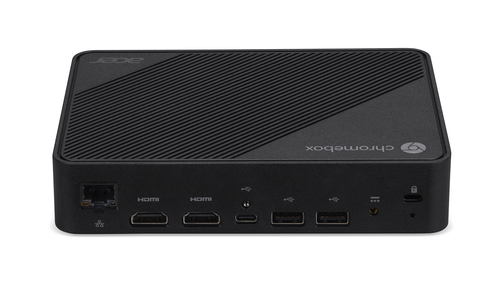
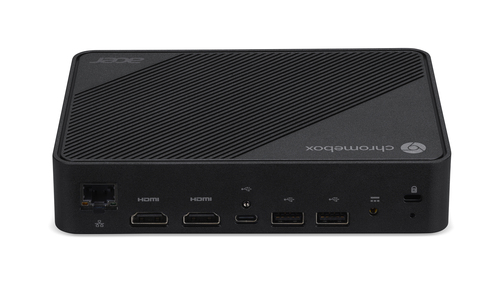
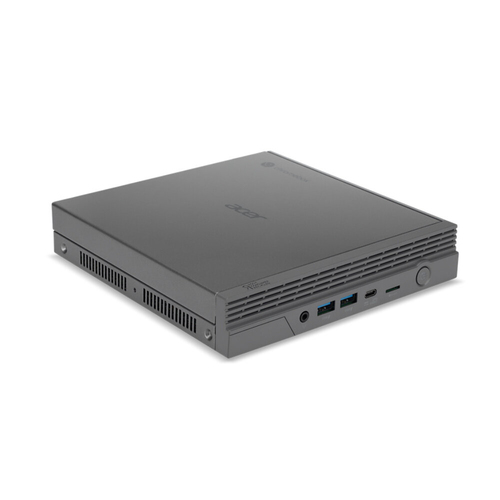
Acer Chromebox Mini CXM1-IN4832 Intel Celeron N4500 8 GB 32GB ChromeOS
A compact and reliable mini PC running ChromeOS, ideal for web-based tasks, online collaboration, and cloud applications. Perfect for businesses relying on Google Workspace or lightweight productivity tools.
Key Points:
-
Intel Celeron N4500 processor
-
8GB RAM and 32GB storage
-
ChromeOS for secure, cloud-centric workflows
-
Ideal for online collaboration and remote tasks
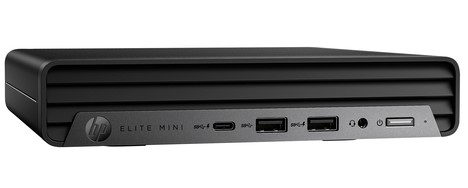
HP Elite 800 G9 Intel Core i5-12500T 8GB 256GB Windows 11 Pro
A versatile Windows 11 Mini PC, combining performance with security features suitable for professional environments. Handles multitasking, office productivity, and light media editing seamlessly.
Key Points:
-
Intel Core i5-12500T processor
-
8GB RAM and 256GB SSD
-
Windows 11 Pro with enterprise security
-
Great for small business workflows and remote setups
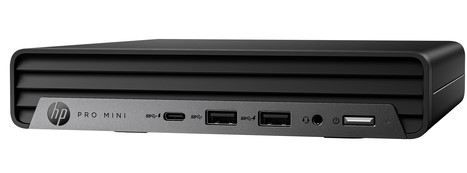
HP Pro 400 G9 Intel Core i5-13500T 16GB 512GB Windows 11 Pro 64-bit
Designed for business professionals who need enhanced multitasking and storage, this Mini PC is perfect for intensive office applications, video conferencing, and productivity tools.
Key Points:
-
Intel Core i5-13500T processor
-
16GB RAM and 512GB SSD
-
Windows 11 Pro 64-bit for enterprise-level security
-
Suitable for heavy multitasking and business applications
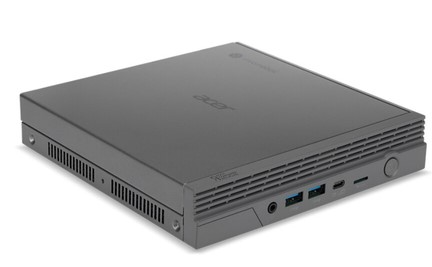
Acer Chromebox CXI5 Intel Celeron 7305 4GB 64GB ChromeOS Mini PC
An affordable ChromeOS mini PC ideal for cloud-based operations, online meetings, and light office work. Perfect for startups or remote teams needing a secure and simple solution.
Key Points:
-
Intel Celeron 7305 processor
-
4GB RAM and 64GB storage
-
ChromeOS optimized for online applications
-
Energy-efficient and compact
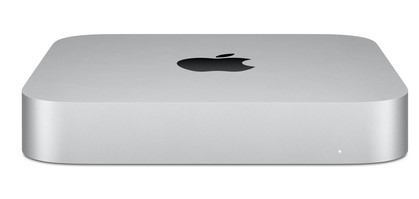
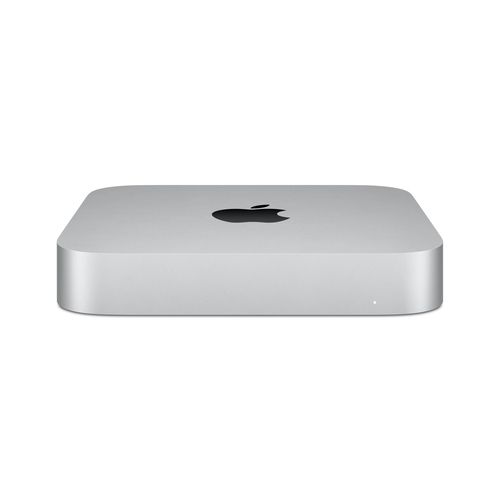
Apple Mac Mini 2020 M1 8GB 256GB Silver Desktop PC
Apple’s M1 Mac Mini delivers exceptional performance in a tiny form factor, ideal for creative work, remote business applications, and multitasking. Its seamless macOS environment ensures efficiency and reliability.
Key Points:
-
Apple M1 processor
-
8GB RAM and 256GB SSD
-
macOS optimized for productivity and creative tools
-
Perfect for remote work and creative small business setups
Final Thoughts
Mini PCs provide a perfect combination of performance, portability, and efficiency, making them an ideal choice for remote work and small business environments. From ChromeOS-based models to Windows 11 and macOS Mini PCs, there’s a solution for every professional need.
Explore all Mini PC options at Pondesk here: Explore Mini PCs
FAQs (Frequently Asked Questions)
Q1: Are mini PCs powerful enough for small business tasks?
Yes, modern mini PCs are equipped with capable processors, sufficient RAM, and SSD storage, making them perfect for office productivity, video conferencing, and light media editing.
Q2: Can I use multiple monitors with a mini PC?
Absolutely. Most mini PCs include HDMI, DisplayPort, or USB-C ports to connect multiple monitors, supporting productivity and multitasking setups.
Q3: Are mini PCs energy-efficient?
Yes, mini PCs consume significantly less power than traditional desktops, lowering operational costs while delivering the required performance for everyday business tasks.
Q4: Can I upgrade a mini PC’s RAM or storage?
Many mini PCs allow for RAM and storage upgrades, but it’s important to check the specific model’s specifications to ensure compatibility.
Q5: Which operating system is better for mini PCs—Windows, ChromeOS, or macOS?
It depends on your workflow. ChromeOS is ideal for cloud-based tasks, Windows for versatile office and professional software, and macOS for creative workflows and Apple ecosystem integration.


Comments (0)