In 2025, upgrading your storage is more crucial than ever. While traditional hard drives (HDDs) have served us well, their limitations in speed and reliability make them less suitable for modern computing needs. Solid State Drives (SSDs) have become the standard, offering faster boot times, quicker file transfers, and enhanced overall system performance.
When considering an SSD upgrade, two primary types come into play: SATA SSDs and NVMe SSDs. Each has its advantages, and the right choice depends on your specific requirements, budget, and system compatibility.
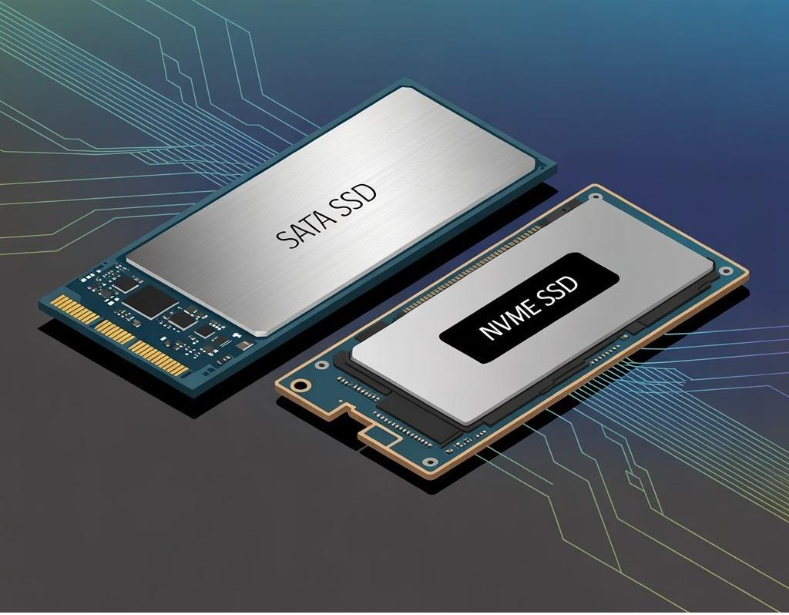
SATA SSD: Reliable & Affordable
SATA (Serial ATA) SSDs are the traditional choice for SSD upgrades. They use the same interface as HDDs, making them widely compatible with most systems.
Key Benefits:
-
Compatibility: Works with nearly all desktops and laptops.
-
Affordability: More budget-friendly compared to NVMe SSDs.
-
Ease of Installation: No need for specialized slots; fits into standard SATA ports.
Performance: Up to ~550 MB/s
Best for: Budget builds, everyday users, light gaming
Check these SATA SSDs on Pondesk:
NVMe SSD: Next-Gen Speed & Performance
NVMe (Non-Volatile Memory Express) SSDs utilize the PCIe interface, offering significantly faster data transfer speeds compared to SATA SSDs. This makes them ideal for tasks that require high-speed data access, such as gaming, video editing, and running virtual machines.
Key Benefits:
-
Speed: Much faster read/write speeds, reducing load times and improving system responsiveness.
-
Efficiency: Lower latency and power consumption compared to SATA SSDs.
-
Future-Proofing: Suitable for high-performance applications and next-gen computing needs.
Performance: 3000 MB/s – 7000 MB/s (up to 12x faster than SATA!)
Best for: Gaming PCs, video editing, 3D design, enterprise servers
Check these NVMe SSDs on Pondesk:
SATA vs. NVMe — Quick Comparison
|
Type |
Interface |
Form Factor |
Best For |
|
2.5" SATA SSD |
SATA III |
2.5-inch drive |
Affordable upgrades, desktops & laptops |
|
mSATA SSD |
SATA III |
Compact (card-like) |
Older laptops & embedded systems |
|
M.2 SATA SSD |
SATA III |
M.2 2280 stick |
Slim laptops needing SATA compatibility |
|
M.2 NVMe SSD |
PCIe (Gen 3/4/5) |
M.2 2280 stick |
Gaming PCs, modern laptops, high performance |
|
U.2 NVMe SSD |
PCIe |
2.5-inch enterprise |
Servers & workstations |
|
U.3 NVMe SSD |
PCIe |
Enterprise-class |
Data centers & enterprise storage |
Which One Should You Buy?
Choose SATA SSD if:
-
You’re upgrading from HDD
-
You want affordable speed for daily use
-
Compatibility with older systems matters
Choose NVMe SSD if:
-
You’re a gamer, creator, or power user
-
You want future-proof performance
-
High workloads (AI, editing, 3D) are part of your routine
Final Word
From affordable SATA SSDs to blazing-fast NVMe drives, the right choice depends on your budget and performance needs. Both are far better than HDDs, but if you want long-term value and extreme speed, NVMe is the clear winner.
Explore all Storage Devices on Pondesk and find the one that fits your build.
Frequently Asked Questions
1. Is NVMe always better than SATA?
Not always. NVMe drives are much faster, with speeds up to 12x higher than SATA SSDs, making them ideal for gaming, editing, and heavy workloads. However, SATA SSDs are still a great choice if you need affordable storage and are upgrading from an HDD. They’re reliable, cheaper, and widely compatible.
2. Can I install NVMe in any laptop or PC?
No, not every system supports NVMe. Your motherboard must have an M.2, U.2, or U.3 PCIe slot to run NVMe drives. Older laptops and desktops may only support SATA, so always check your system specifications before buying.
3. Is SATA SSD still worth buying in 2025?
Yes, absolutely. SATA SSDs remain valuable for budget-conscious users or anyone upgrading older systems that don’t support NVMe. They still provide a huge performance boost compared to HDDs — faster boot times, quicker file transfers, and smoother everyday performance.
4. Which is better for gaming — SATA or NVMe?
For pure gaming performance, NVMe SSDs are better because they drastically cut down load times and make open-world games smoother. But if you’re playing less demanding titles or building a budget rig, SATA SSDs still deliver a good experience and are much more affordable.



Comments (1)