In today’s fast-paced business environment, storage speed and reliability are critical for maintaining efficiency and productivity. Small businesses often rely on multiple applications, cloud services, and file-sharing platforms simultaneously, which can put a strain on traditional storage solutions like SATA SSDs or HDDs.
Upgrading to NVMe SSDs is a game-changer: they deliver significantly faster data transfer rates, lower latency, and superior reliability, helping both desktops and servers handle demanding workloads. Whether it’s improving system boot times, speeding up application launches, or enhancing server I/O performance, NVMe storage provides tangible benefits that directly impact business operations.
This guide will help you understand the differences between M.2, U.2, and U.3 NVMe SSDs, identify when to upgrade, and explore the recommended Pondesk SSDs for small businesses.

When to Upgrade
1. Slow System Performance
If your desktops, laptops, or servers are taking longer to boot or load applications, NVMe SSDs provide significant speed improvements over SATA SSDs or traditional HDDs.
2. High Data Demands
Businesses dealing with large files, multiple users, virtual machines, or databases will notice improved efficiency and reduced latency with NVMe storage.
3. Server Optimization
For servers, NVMe drives reduce I/O bottlenecks, improve multitasking, and increase uptime.
4. Future-Proofing Your System
NVMe SSDs, especially U.3 and high-speed M.2 drives, prepare your systems for upcoming workloads and next-generation software that require higher storage performance.
5. Frequent Multitasking and Heavy Applications
Video editing, 3D rendering, large spreadsheets, or virtual desktop environments all perform better with NVMe SSDs.
Why NVMe SSD Upgrade Is Important
1. Blazing Fast Speeds – NVMe drives leverage PCIe lanes for extreme read/write performance, reducing load times and boosting productivity.
2. Better Multitasking – Multiple applications, cloud software, and virtual environments run smoother.
3. Higher Reliability – Enterprise-grade NVMe drives withstand heavy workloads, ensuring uptime and data integrity.
4. Scalable Storage – NVMe supports high-capacity configurations, making it suitable for growing businesses.
5. Future-Proofing – Investing in NVMe ensures compatibility with next-generation hardware and software requirements.
M.2 NVMe SSD
M.2 NVMe SSDs are small, compact drives designed for desktops, laptops, and compact workstations. They are directly mounted on the motherboard, saving space and reducing cable clutter. Despite their small size, they deliver high-speed read/write performance, making them ideal for faster boot times, application loading, and daily productivity tasks.
Usage:
-
Home and small business desktops
-
Light content creation like photo or video editing
-
Office productivity, document management, and media storage
-
Systems with limited physical space requiring fast storage
Advantages:
-
Compact and easy to install
-
High-speed performance for consumer and small business workloads
-
Energy-efficient and quiet operation
Pondesk Recommended M.2 NVMe SSD Products
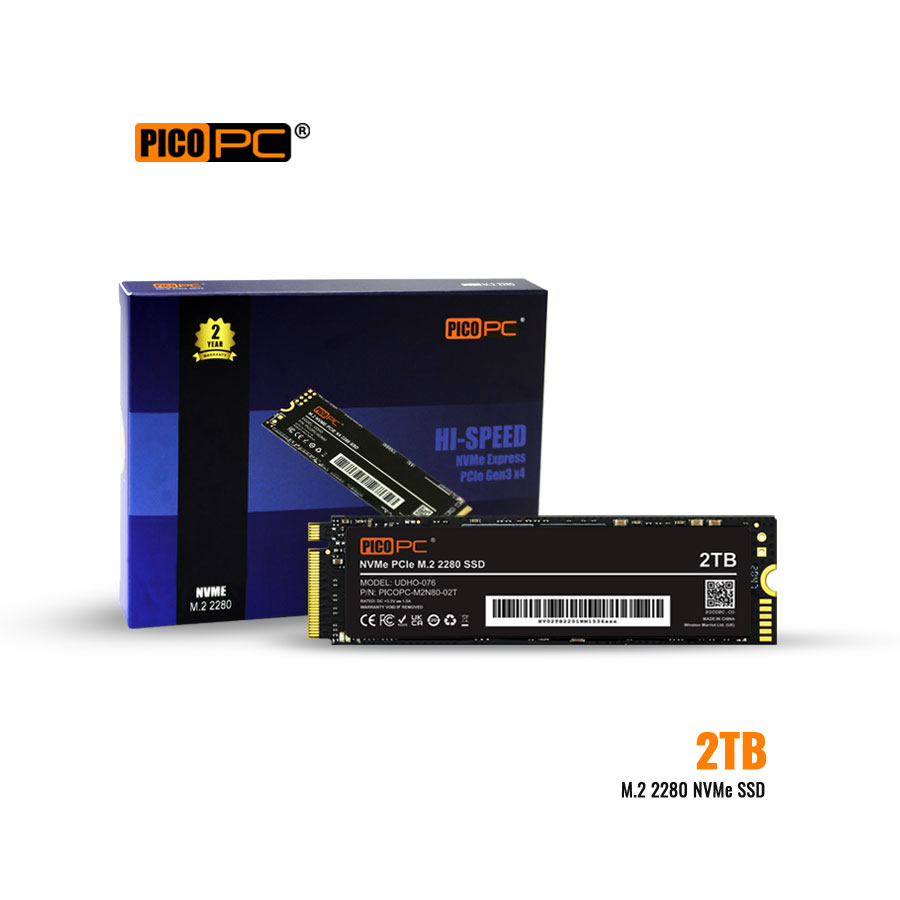
PICOPC 2TB M.2 2280 PCIe x4 NVMe SSD
High-capacity NVMe drive for fast data access, smooth multitasking, and efficient storage for business applications.
PICOPC 512GB M.2 2280 PCIe x4 NVMe SSD
Affordable and reliable M.2 NVMe SSD for small to medium workloads, suitable for desktops and compact business systems.
Kingston 2TB NV3 M.2 2280 NVMe SSD
High-performance M.2 NVMe drive with fast read/write speeds, ideal for data-intensive tasks and office productivity.
U.2 NVMe SSD
U.2 NVMe SSDs are enterprise-grade, hot-swappable drives that use a 2.5-inch form factor with NVMe interface. They provide high endurance, larger capacities, and reliable performance under heavy workloads, making them ideal for server environments and small to medium-scale business storage systems. U.2 SSDs connect via PCIe lanes, enabling ultra-fast data transfer rates while supporting hot-swapping, which is critical for uptime in business-critical systems.
Usage:
-
Enterprise servers and storage arrays
-
Virtualization and multi-user environments
-
Business-critical databases and transactional systems
-
Backup and archival storage with high reliability
Advantages:
-
Hot-swappable for easy maintenance and upgrades
-
High endurance and reliability for 24/7 server operations
-
Supports large capacities for growing storage needs
Pondesk Recommended U.2 NVMe SSD Products
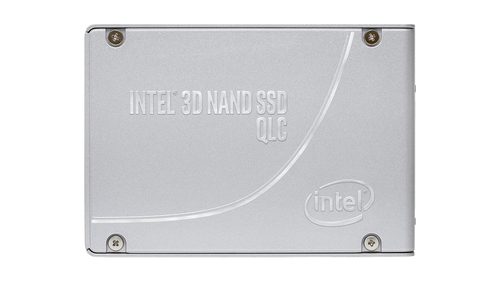
Intel D5 P4420 7.68TB U.2 NVMe SSD
Enterprise SSD offering high reliability and consistent performance for servers and data centers.
Solidigm D7 P5520 15.4 TB U.2 NVMe SSD
High-capacity U.2 SSD built for server workloads and virtualized environments, providing low latency and high throughput.
Solidigm D7 P5520 1.92TB U.2 NVMe SSD
Enterprise-grade NVMe drive for heavy-duty storage systems, ensuring speed and reliability for business-critical data.
U.3 NVMe SSD
U.3 NVMe SSDs are the latest evolution of enterprise storage, compatible with both U.2 and PCIe NVMe slots. They combine the high speed of NVMe with hot-swappable capabilities, supporting extremely large capacities and high endurance. U.3 SSDs are designed for data centers, cloud storage, and AI-driven workloads, where performance, reliability, and scalability are critical. They allow businesses to future-proof storage infrastructure while maintaining energy efficiency and operational flexibility.
Usage:
-
Data centers and cloud computing
-
AI, machine learning, and big data analytics
-
Enterprise storage servers requiring maximum uptime
-
Large-scale virtualization and database applications
Advantages:
-
Ultra-high performance with low latency
-
Hot-swappable and backward compatible with U.2 systems
-
Supports extremely large capacities for enterprise workloads
-
Ideal for mission-critical storage environments
Pondesk Recommended U.3 NVMe SSD Products
Micron 7450 MAX 1.6 TB U.3 NVMe SSD
High-capacity, high-performance U.3 SSD for enterprise servers and data-intensive business applications.
Western Digital Ultrastar DC SN655 3.84 TB U.3 NVMe SSD
Ultra-reliable NVMe SSD designed for large-scale storage systems and continuous data access.
Micron 7500 MAX 1.6TB U.3 NVMe SSD
Enterprise-grade U.3 SSD delivering maximum performance and endurance for mission-critical storage
Final Thoughts
NVMe SSDs offer small businesses the perfect combination of speed, reliability, and future-proof performance. Whether you need M.2 NVMe for compact systems or U.2/U.3 for enterprise servers, Pondesk has the right SSDs for every application.
Explore the full collections:
· Pondesk M.2 NVMe SSD Collection
· Pondesk U.2 NVMe SSD Collection
· Pondesk U.3 NVMe SSD Collection
FAQs
Q1: What is the difference between M.2, U.2, and U.3 SSDs?
A1: M.2 is compact and ideal for laptops and desktops, offering fast speeds in small form factors. U.2 is enterprise-focused, 2.5” drives that support higher capacity and hot-swapping, perfect for servers. U.3 is next-generation enterprise storage, backward compatible with U.2, with ultra-high speed and capacity for data centers.
Q2: Can I replace my SATA SSD with an NVMe SSD?
A2: Yes, if your system supports NVMe over PCIe slots or M.2 connectors. NVMe drives are much faster than SATA SSDs, providing significant performance improvements.
Q3: Do NVMe SSDs improve server multitasking?
A3: Absolutely. NVMe SSDs handle multiple data requests simultaneously with low latency, allowing servers to manage heavy workloads efficiently.
Q4: Are NVMe SSDs more expensive than SATA SSDs?
A4: Generally, yes. NVMe drives cost more due to faster performance and advanced technology. However, they provide higher speed, reliability, and longevity, which often justifies the investment.
Q5: Which NVMe type is best for small business desktops?
A5: M.2 NVMe SSDs are ideal for desktops in small offices. They offer a good balance of speed, cost, and ease of installation.
Q6: How much NVMe storage do small businesses typically need?
A6: For everyday office tasks, 512GB–1TB is sufficient. For large databases, content creation, or server workloads, 2TB or higher is recommended.
Q7: Can U.3 SSDs be used in U.2 slots?
A7: Yes, U.3 drives are backward compatible with U.2 slots, allowing seamless upgrades in enterprise storage environments.
Q8: What is the lifespan of an NVMe SSD under heavy use?
A8: Enterprise-grade NVMe SSDs can last 5–10 years depending on workload, write cycles, and endurance rating. Consumer NVMe SSDs typically last 3–5 years.
Q9: Are NVMe drives compatible with older PCs?
A9: Compatibility depends on the motherboard. Older PCs may not have M.2 or PCIe NVMe support, but adapters can sometimes be used. Always check your system specifications before upgrading.




Comments (0)