In today’s fast-paced digital world, data has become the new fuel of innovation. From AI-driven healthcare solutions to complex 3D product designs and real-time financial analytics, businesses rely on powerful computing tools to stay ahead. At the heart of these innovations lies the workstation graphics card — a specialized GPU designed not for gaming, but for serious computational workloads
Imagine training a complex AI model, designing an intricate 3D structure, or analyzing terabytes of real-time data. A typical GPU would struggle under such workloads, but a workstation card ensures seamless performance, longer runtimes, and the reliability enterprises demand. These cards don’t just render graphics, they accelerate workflows, reduce downtime, and help you unlock higher levels of productivity.
Unlike consumer GPUs, workstation graphics cards are engineered with optimized drivers, higher VRAM, and stability-focused architectures. This means professionals can run demanding software like MATLAB, SolidWorks, AutoCAD, Blender, or TensorFlow without worrying about crashes or bottlenecks. They are built to handle long runtimes, large datasets, and enterprise-level reliability, making them essential for industries like AI, machine learning, data science, and 3D visualization.
If you’re a data scientist training neural networks, an architect creating detailed 3D models, or a researcher analyzing massive simulations, a workstation GPU isn’t just a luxury, it’s a necessity for productivity and innovation.
Why Workstation Graphics Cards Matter for AI / ML / Data Viz
-
Precision and Stability: Tailored drivers ensure compatibility with professional software like AutoCAD, Blender, MATLAB, or TensorFlow.
-
Powerful Compute Performance: Ideal for running AI training, neural networks, and real-time simulations.
-
Scalability: Multiple display outputs and higher VRAM support large-scale visualization and multitasking.
-
Enterprise Reliability: ECC memory and optimized cooling keep systems stable under heavy use.
-
Multi-display & High Resolution Support: For data viz, being able to work with several monitors or ultra-high resolutions (8K, 10K, etc.) is essential.
-
Vendor Ecosystems & Software Certification: NVIDIA, AMD, Intel etc. provide optimized toolchains (CUDA, ROCm, OpenVINO, etc.), which matter a lot in production environments.
Whether you’re an engineer, researcher, designer, or developer, choosing the right workstation GPU can drastically transform your workflow.
Key Benefits of Using Workstation GPUs for AI, ML, and Data Visualization
-
Faster Model Training / Inference — Accelerated parallelism means less waiting, more iterations.
-
Visual Feedback — Real-time or near-real-time rendering / visualization of results helps with debugging and design.
-
Data Handling & Preprocessing — GPU accelerated libraries can speed up everything from data augmentation to transformations.
-
Scalability & Future-Proofing — Investing in a powerful GPU means handling bigger datasets, more complex models, or higher resolution outputs later.
-
Improved Work Efficiency & User Experience — Less lag, smoother viewport, better reliability reduces downtime or errors.
Choosing the Right Workstation GPU: Factors you should consider
-
VRAM size to accommodate large models or data.
-
Memory bandwidth for faster transfers.
-
Support for professional drivers & certifications (e.g. NVIDIA Studio / RTX Enterprise, AMD Pro drivers).
-
Power draw & form factor especially for compact workstations.
-
Multi-monitor & display output options if you need many screens or high resolutions.
-
Ray tracing / Tensor / AI acceleration hardware if your tasks leverage those features.
Pondesk Recommended Workstation Graphics Cards
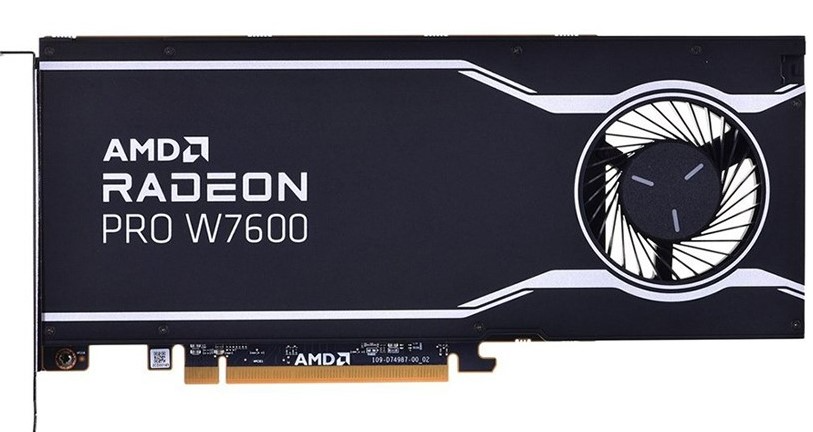
AMD Radeon Pro W7600 8GB GDDR6 RDNA3 Professional Graphics Card
Built with AMD’s RDNA3 architecture, this single-slot card balances performance and efficiency. With 8GB of GDDR6 memory and support for four displays, it’s perfect for content creators, CAD professionals, and engineers needing smooth multitasking and reliable visualization.
Key Points:
-
8GB GDDR6 VRAM
-
Single-slot, 4-display support
-
Optimized for design and visualization workflows
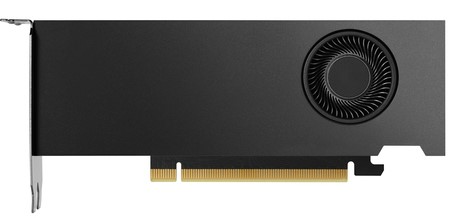
PNY NVIDIA RTX 4000 Ada Quadro 20GB GDDR6 PCIe 4.0 GPU
The RTX 4000 Ada Quadro brings 20GB of GDDR6 memory, making it an ideal choice for AI workloads and advanced rendering tasks. With powerful CUDA cores and ray-tracing capabilities, this workstation card is a powerhouse for professionals demanding high compute power.
Key Points:
-
20GB GDDR6 VRAM
-
PCIe 4.0 with ray tracing support
-
Perfect for AI, simulation, and heavy 3D rendering
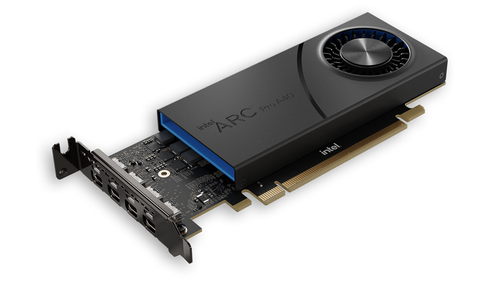
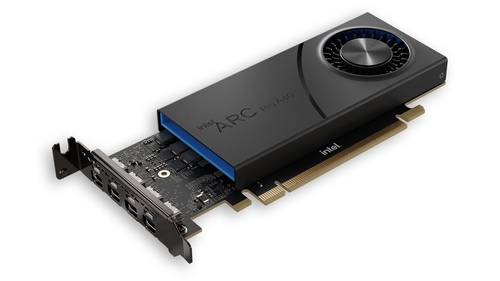
Intel Arc Pro A40 6GB GDDR6 PCIe 4.0 Workstation Graphics Card
Intel’s Arc Pro A40 delivers affordability without compromising on essential features. With 6GB GDDR6 memory, ray tracing, and PCIe 4.0 support, it’s a great option for startups, researchers, and small businesses stepping into AI and visualization.
Key Points:
-
6GB GDDR6 VRAM
-
Compact, energy-efficient design
-
Best for entry-level AI and visualization tasks
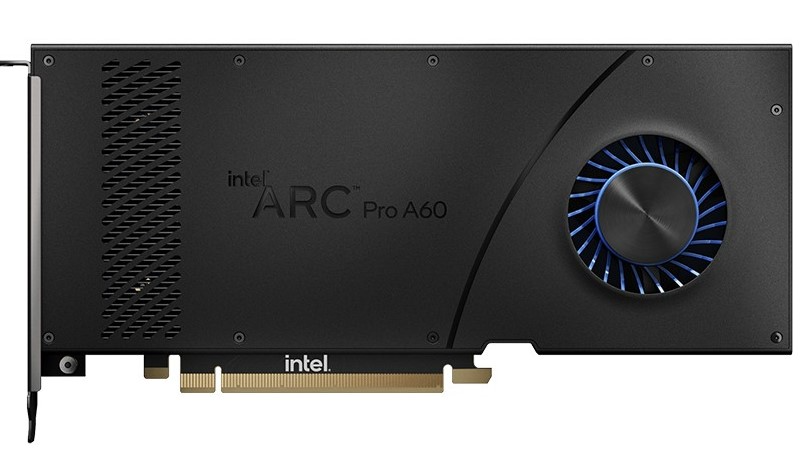
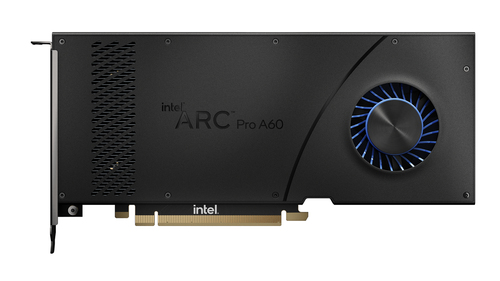
Intel Arc Pro A60 12GB GDDR6 Dual-Slot Workstation GPU
Stepping up from the A40, the Intel Arc Pro A60 doubles the VRAM to 12GB and offers support for up to four displays. Designed for professionals handling medium to heavy workloads, this card combines cost-effectiveness with robust performance.
Key Points:
-
12GB GDDR6 VRAM
-
Dual-slot design with 4 display outputs
-
Great for AI development, CAD, and multitasking
NVIDIA RTX 6000 Ada 48GB GDDR6 ECC Workstation Graphics Card
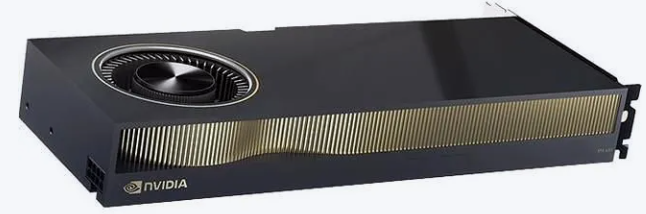
The flagship of workstation GPUs, NVIDIA’s RTX 6000 Ada is designed for enterprises pushing the boundaries of AI, ML, and real-time rendering. With 48GB ECC GDDR6 memory, it offers unmatched performance for large-scale visualization, simulation, and enterprise workloads.
Key Points:
-
48GB ECC GDDR6 VRAM
-
PCIe 4.0 x16 dual-slot
-
Enterprise-grade for AI, ML, and big data visualization
Final Thoughts
Workstation graphics cards are more than just hardware upgrades, they are investments in productivity, reliability, and innovation. Whether you’re handling advanced AI models, designing complex 3D assets, or managing large-scale visualization, choosing the right GPU ensures your workflow remains smooth and future-ready.
Explore all workstation graphics cards here
Frequently Asked Questions
Q1: Do I always need ECC memory on a workstation GPU?
Answer: Not always. ECC (Error-Correcting Code) is beneficial in scenarios where data integrity is critical (e.g. scientific computing, financial modelling, long-running simulations, medical imaging). For many creative or AI workloads, non-ECC is acceptable—especially if the rest of your pipeline (storage, CPU) is reliable. But ECC adds cost, and sometimes lowers performance slightly.
Q2: How much RAM (VRAM) do I need for machine learning or data visualization?
Answer:
-
For lightweight ML models or small datasets (e.g. experimentation): 8–12 GB may suffice.
-
For deep learning, larger models, or large image / video datasets: 20 GB or more is preferable.
-
If you’re working with super high resolution (8K, 10K) visualization or multiple big displays, you’ll also want enough VRAM to handle the framebuffers.
Q3: Is GPU compute (Tensor / AI cores) more important than raw GPU core count?
Answer: Yes, depending on your workload. For AI/ML tasks, features like Tensor Cores (in NVIDIA), AI Acceleration Units (AMD, Intel) give huge speedups in inference/training. For visualization or rendering, raw shader / rasterization performance matters more. Best GPU picks often balance both.
Q4: How important are driver certifications and vendor support?
Answer: Very important. Workstation GPUs tend to have drivers that are certified for stability in professional apps (e.g. CAD software, 3D rendering suites). These reduce the risk of crashes or artifacts, which saves time and effort. Also, vendor ecosystem tools (e.g. NVIDIA’s CUDA / RTX Studio, AMD’s Pro drivers, Intel’s development tools) optimize performance for specific workloads.
Q5: Can a GPU for gaming work well for data viz or AI?
Answer: To an extent—yes. Many gaming GPUs are powerful and can handle data visualization or even smaller ML tasks. But gaming GPUs may lack certain professional features: certified drivers, ECC support, optimized compute (tensor) units, or reliability under sustained high loads. For production-grade work, workstation GPUs are safer choices.



Comments (0)