Best Laptops for College Students
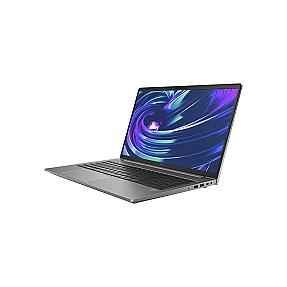
Product Code: LTHO-007
HP ZBook Power G10 Core i9-13900H 32GB 1TB Nvidia RTX 3000 Workstation Lap...
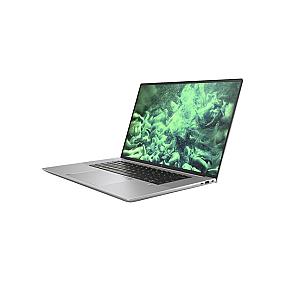
Product Code: LTHO-008
HP ZBook Studio G10 Core i7-13700H 32GB 1TB Nvidia RTX 3000 Mobile Worksta...
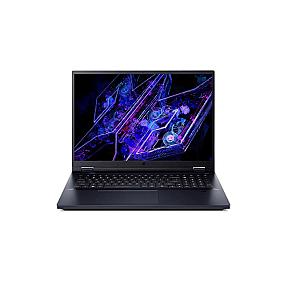
Product Code: LTHO-009
Acer Predator Helios 18 Core i9-14900HX 32GB 2TB Nvidia RTX 4090 Mobile Wo...
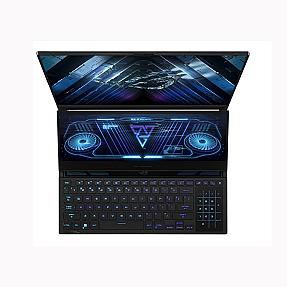
Product Code: LTHO-010
ASUS ROG Zephyrus Duo 16 GX650 Ryzen™ 9 7945HX 32GB 2TB Nvidia RTX 4090 Mo...
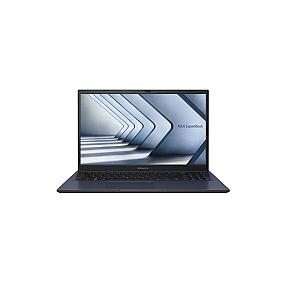
Product Code: LTHO-011
Asus ExpertBook B1 B1502CV-BQI515X Core i5-1335U 10 Core 16GB 512GB Mobile...
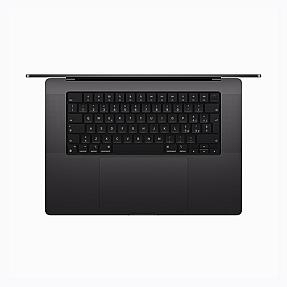
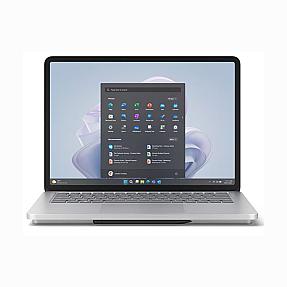
Product Code: LTHO-013
Microsoft Surface Studio 2 For Business Core i7-13800H 64GB 1TB RTX 4050 M...
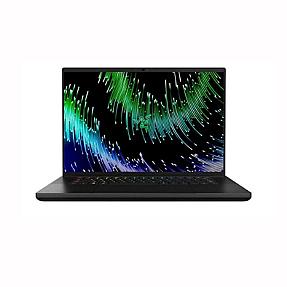
Product Code: LTHO-015
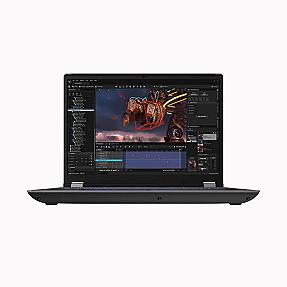
Lenovo 21FA004SUK ThinkPad P16 Gen 2 Core i7-14700HX 32GB 1TB RTX 2000 Mob...
Finding the best laptop for students in Ireland is harder than it looks. Too many options, too many specs, and half the reviews online are written for the US market. At Pondesk, we supply laptops to Irish students, teachers, schools, and universities every day. We know what works in a lecture hall and what dies after one semester. This page cuts through the noise and shows you exactly what to buy in 2026, whether you're a student buying one laptop or a school buying two hundred.
Best Laptops for College Students & Teachers – Business Deals
Pondesk is a B2B tech retailer serving schools, colleges, and universities across Ireland. We stock HP, Lenovo, Acer, Dell, and more at business pricing with proper invoicing, warranty documentation, and bulk order support. If you are a procurement officer, IT manager, or department head, you are in the right place. If you are a student buying your first college laptop, you are also in the right place. Everything below is organized to help you find the right machine fast, without reading a 5,000-word review that never actually answers your question.
Best Laptops for College Students Ireland 2026
Most Irish students need a laptop that handles coursework, video calls, browser tabs, and the odd presentation without slowing down mid-semester. The sweet spot in 2026 is an Intel Core i5 or AMD Ryzen 5, 8GB to 16GB RAM, and at least a 256GB SSD.
The HP Laptop 14s-dq5009na (LTHO-022) checks all those boxes. Core i5, 8GB RAM, 256GB SSD, Windows 11 Home, 14-inch Full HD display. It is light, quick, and handles everything from Google Docs to Microsoft Teams without drama. Teachers moving between classrooms like the 14-inch size. Students who mostly sit at a desk often prefer the HP Laptop Intel Core i5 15.6" (LTHO-272), which gives you 512GB storage and a bigger screen for the same kind of money.
If budget is tight, the HP Laptop 14s-dq5013na (LTHO-597) runs Core i3 with 128GB storage on Windows 11. It covers basic coursework. Just know that 4GB RAM starts showing its limits when you have eight browser tabs and Teams open at the same time. If you can stretch the budget, go to 8GB.
The Lenovo IdeaPad Slim 3 15IAH8 (LTHO-1406) is another strong pick for Irish students in 2026. Core i5, 16GB RAM, 512GB SSD, Windows 11. That 16GB means it will still feel fast in your final year of college, not just your first week.
Bulk Student Laptops – Lenovo, HP Omnibook, Acer, Chromebook Plus
Schools and universities buying in bulk need something different from a student buying one laptop. You need consistency across units, easy IT management, reliable warranty support, and a price that makes sense at volume. This is exactly what Pondesk is set up for.
| Brand | Model | Key Specs | Best For |
|---|---|---|---|
| Lenovo | IdeaPad 1 15ALC7 (LTHO-1401) | Ryzen 7, 16GB, 1TB | University bulk orders |
| Lenovo | IdeaPad Slim 3 15IAH8 (LTHO-1406) | Core i5, 16GB, 512GB | Secondary schools, colleges |
| HP | HP Laptop 15 AMD (LTHO-150) | Ryzen 5, 8GB, 512GB | Budget bulk deployments |
| HP | HP Laptop 14s Pentium (LTHO-441) | Pentium Silver, 4GB, 128GB | Basic classroom use |
| Acer | Aspire Go 15 (LTHO-1386) | Ryzen 3, 8GB, 256 GB | Entry-level student laptops |
| Acer | Chromebook 315 (LTHO-1390) | Celeron N4500, 8GB, 128GB | Google Workspace schools |
| Dell | Latitude 3340 2-in-1 (LTHO-1052) | Core i5, 8GB, 256GB | Teacher fleet deployments |
The Acer Chromebook 315 (LTHO-1390) is a genuine option for schools already running Google Workspace. It has a 15.6-inch Full HD touchscreen, 8GB RAM, and 128GB storage. Chromebooks used to feel limited. The Acer Chromebook Plus lineup has changed that. For a school environment where most work happens in a browser, the price-to-reliability ratio is hard to argue with.
The HP Omnibook range sits in the commercial-grade tier. Built tougher than consumer laptops, easier to maintain over a three to five year deployment cycle, and backed by proper business warranty terms. If your IT team is tired of replacing keyboards and hinges every year, the Omnibook lineup is worth pricing up. Contact us for bulk quotes on any of the above.
Windows Laptop & MacBook Air for Students
The Windows vs macOS question comes up constantly. Here is the honest answer: most Irish students should buy a Windows laptop. Engineering, accounting, science, law, and most professional programs run their required software on Windows. The ecosystem is wider, the price range is broader, and you will not hit compatibility walls mid-semester.
The Lenovo ThinkPad E14 Gen 7 (LTHO-1780) is the best Windows laptop on this page for students who need real power. Intel Core Ultra 7 processor, 16GB RAM, 512GB SSD, 14-inch display, Windows 11 Pro. Engineering students, postgrads running data analysis, and anyone using CAD or simulation software will feel the difference. It is a proper work machine that will not need replacing after two years.
For students who want Windows 11 at a more manageable price, the Acer Aspire 15 (LTHO-1522) delivers Core i5 processor, 16GB RAM, 512GB SSD, and a Full HD display. Good battery life, solid build, no obvious weak points for everyday college use. Windows is best for students.
MacBooks Air is the right call for design students, media students, and arts students doing a lot of creative work. The display quality and build hold up well. If you need a Apple MacBook Air, get in touch with our team. For most Irish students though, a Windows laptop at the same price point does more, runs more software, and leaves money in your pocket.
2 in1 Laptops with 16GB RAM & SSD
A 2-in-1 laptop works as a regular laptop and flips or folds into a tablet. For students who prefer writing notes by hand during lectures, presenting directly from a touchscreen, or just want one device that does everything, a 2-in-1 makes real sense.
The Lenovo IdeaPad 5 2-in-1 14AHP9 (LTHO-1475) is the pick here. AMD Ryzen 7, 16GB RAM, 512GB SSD, 14-inch touchscreen. That is not a stripped-down tablet pretending to be a laptop. It is a full-powered machine that also happens to fold flat. Multitasking between a research browser, a Word document, a Zoom call, and a notes app is no problem with that spec.
The ACER Aspire Spin 14 (LTHO-1779) is another strong option in the 2-in-1 category. Intel Core Ultra 5, 16GB RAM, 1TB SSD. The larger storage suits students who save a lot locally, video files, project folders, recorded lectures. It works well with a stylus, which makes it popular with architecture and design students who want to sketch digitally.
For schools buying 2-in-1 laptops in bulk, the Dell Latitude 3340 2-in-1 (LTHO-1052) is the practical choice. Core i5, 8GB RAM, 256GB SSD, Windows 11 Pro, 13.3-inch display. Dell builds these for business and education environments. They hold up better than consumer models and Dell's warranty support in Ireland is straightforward to deal with.
On specs: 16GB RAM in a 2-in-1 is worth paying for. Students constantly switch between apps. Eight gigabytes starts feeling tight faster than most people expect, especially with browser-heavy coursework. If you plan to use this laptop for four years, the 16GB version is the one to get.
Best Budget Laptops for Irish Students, School & Universities – Buy Bulk
Budget laptops for students do not have to be unreliable. They just need honest expectations about what they can and cannot do.
The Acer Aspire Lite AL14-32P (LTHO-1664) is a fair starting point. Intel Core 3, 8GB RAM, 256GB SSD, Windows 11, 14-inch display. It handles essays, research, email, and online portals without issues. It is not fast, but it is consistent, and for a first-year student doing mostly text-based work, consistent is enough.
The Acer TravelMate B3 (LTHO-1411) at 11.6 inches with Intel N150 and 128GB is built for school environments. Small, light, and designed to survive being shoved in a bag by a teenager. Schools issuing laptops to younger students tend to choose this form factor for a reason.
The HP Laptop 14s-dq0007na (LTHO-1424) with Intel Celeron and 64GB is the most affordable option we carry. It works for fully web-based tasks. Students saving files locally will hit 64GB fast. If your school uses cloud storage for everything, it is manageable. If students save locally, step up to the 128GB version.
One thing worth saying directly: avoid 4GB RAM if you can. It is the single biggest source of frustration in budget student laptops. Everything feels slow. Tabs crash. Teams struggles. Stretching to 8GB makes a bigger difference to day-to-day use than almost any other spec upgrade. The Acer Aspire Go 15 (LTHO-1386) gets you Ryzen 3, 8GB RAM, and 256GB SSD at a budget price point, and it is genuinely usable.
For schools and universities buying in bulk, contact Pondesk for volume pricing. We supply schools across Ireland with full procurement documentation, consistent unit specs, and warranty support you can actually rely on.
What are the best laptops for Students to Buy
The answer depends on what you study and how you work. Here is a straight breakdown by student type.
Laptop for Arts, Business, and Humanities students
They do not need anything fancy. The Lenovo IdeaPad Slim 3 (LTHO-1406) or HP Laptop 14s Core i5 (LTHO-022) covers everything. Prioritize battery life and portability. You are writing essays, doing research, and sitting in lectures, not running software that needs a dedicated graphics card.
Best Laptop for Engineering and Computer Science students
Engineering and Computer Science students need at least 16GB RAM. The Lenovo ThinkPad E16 Gen 3 (LTHO-1658) with Intel Core Ultra 5, 16GB RAM, and 512GB SSD on Windows 11 Pro handles heavy workloads, virtual machines, and development environments without slowing down. If your program involves simulation software or CAD, consider the Lenovo ThinkPad P14s Gen 6 (LTHO-1428) with AMD Ryzen AI 7 and 16GB RAM.
Laptops for Design and Media students
Design and Media students should look at screen quality before anything else. The ACER Swift Go 14 AI OLED (LTHO-1782) has an OLED display, AMD Ryzen AI 7, and 1TB SSD. The OLED screen makes a real difference for color-accurate creative work, not just a visual upgrade for its own sake.
Students who also game often look at the Lenovo Legion 5 16IRX9 (LTHO-1235). Core i7 processor, 16GB RAM, 1TB SSD, 16-inch 2560x1600 display. This machine also know as a gaming laptops. It handles coursework fine. Battery life is shorter than a standard laptop, so you will be near a plug more often.
Best Laptops for Teachers and School staff
Teachers and school staff are best served by the ThinkPad lineup. The Lenovo ThinkPad T14 Gen 5 (LTHO-1778) with AMD Ryzen 5 and 16GB RAM is a reliable daily machine with a good keyboard, solid battery, and no surprises. IT departments prefer ThinkPads because they are easier to manage and service at scale.
When you are buying a laptop in Ireland for college, the single best advice is this: do not save money on RAM and regret it for four years. Get at least 8GB, aim for 16GB if your budget allows, pick a brand with a real warranty, and choose a screen size you can carry comfortably every day.
What are the most reliable laptops for students in Ireland?
HP and Lenovo are the safest bets. The HP Laptop 14s Core i5 (LTHO-022) and Lenovo IdeaPad Slim 3 (LTHO-1406) hold up well through a full college cycle. Both are stocked by Pondesk with warranty support for Irish buyers.
Top laptop recommendations for college students
For most Irish students in 2026: the Lenovo IdeaPad Slim 3 15IAH8 (Core i5, 16GB RAM, 512GB SSD) or HP Laptop 14s Core i5 (8GB, 256GB SSD). If budget is tight, the Acer Aspire Go 15 with Ryzen 3 and 8GB RAM is the lowest you should go.
Which laptop brands offer the best value for student budgets?
Acer and HP give you the most for your money at the budget end. The Acer Aspire Lite and HP 14s range cover everyday coursework without unnecessary extras. Lenovo sits slightly higher but lasts longer worth the stretch if you can manage it.
Affordable laptops for university study
The Acer Aspire Go 15 (Ryzen 3, 8GB, 256GB) is the best cheap laptop that won't frustrate you daily. If you go below 8GB RAM, you'll feel it every time you open Teams and a browser at the same time. Pondesk stocks these at student-friendly prices with bulk options for schools.
Where can I find reviews of top student laptops?
You can check real user reviews on product pages like Pondesk. These reviews show performance, battery life, and daily usage experience. It helps you choose the best laptop for college students with confidence.
Laptops with long battery life for students
The HP Laptop 14s and Lenovo IdeaPad Slim 3 both manage a full lecture day on a single charge. Avoid gaming laptops like the Lenovo Legion if battery matters. They're powerful but you'll need a plug by afternoon.
Best lightweight laptops suitable for carrying around campus
14-inch is the sweet spot. The HP 14s and Lenovo IdeaPad Slim 3 are both light enough to carry all day without noticing. The 15.6-inch models are better for desk use — fine if you're mostly stationary.
Best value laptops for a student budget
The Acer Aspire Go 15 (Ryzen 3, 8GB, 256GB) hits the right balance of price and usability. The HP 14s Core i5 costs a bit more but gives you noticeably better speed. Both are available through Pondesk with proper Irish warranty support.
What laptops have the longest battery life for studying all day?
HP and Lenovo 14-inch models consistently last through a full day of lectures and note-taking. Gaming laptops and OLED-screen machines drain faster. Stick to a standard IPS display if battery life is a priority.
Lightweight and portable laptops for students
The HP Laptop 14s and Lenovo IdeaPad Slim 3 are both well under 1.7kg. The Acer TravelMate B3 is even smaller at 11.6 inches popular for younger students and school deployments where bag space is tight.
Which laptops come with student discounts in Ireland?
Pondesk offers business and bulk pricing for schools, colleges, and universities across Ireland, with full procurement documentation. Individual students can also buy directly. Contact the team for current pricing on specific models.
Durable laptops suitable for high school
The Acer TravelMate B3 and Dell Latitude 3340 2-in-1 are built for school environments. The TravelMate is compact and handles rough bag use. Dell builds the Latitude for business and education. The hinge and chassis hold up better than consumer models over a few years.
Top laptops with powerful processors for engineering students
Engineering students need at least 16GB RAM. The Lenovo ThinkPad E14 Gen 7 (Core Ultra 7, 16GB, 512GB) handles CAD, virtual machines, and data analysis without slowing down. For heavy simulation work, the ThinkPad P14s Gen 6 with AMD Ryzen AI 7 is the step up.
What features should a student laptop have?
Minimum: Core i5 or Ryzen 5 processor, 8GB RAM, 256GB SSD, Windows 11. Aim for 16GB RAM if your budget allows, it's the single upgrade that makes the biggest difference across four years of use. Screen size depends on whether you're mostly mobile (14-inch) or desk-based (15.6-inch).
Where can I buy affordable student laptops with good warranties?
Pondesk supplies laptops to students, schools, and universities across Ireland with proper warranty documentation and business invoicing. They stock HP, Lenovo, Acer, and Dell at pricing that reflects actual Irish market conditions, not US-market recommendations.
Student laptops for graphic design courses
Screen quality matters more than raw speed for design work. The Acer Swift Go 14 AI OLED (AMD Ryzen AI 7, 1TB SSD) has an OLED display that makes a genuine difference for color-accurate work. The Acer Aspire Spin 14 2-in-1 also works well with a stylus for sketching and architecture students.
What laptops are recommended for graphic design students?
The Acer Swift Go 14 AI OLED is the top pick OLED display, fast processor, 1TB storage. If you also need to handle video or 3D work, the Lenovo Legion 5 has the GPU for it, though battery life takes a hit.
Where to find student laptop deals in Ireland?
Pondesk is a B2B tech retailer based in Ireland stocking HP, Lenovo, Acer, and Dell. They supply schools and universities in bulk but also sell to individual students. Worth checking before buying from a general retailer, especially if you want a proper warranty.
Which laptops have the best keyboards and screens for writing essays?
ThinkPads have the best keyboards in the business. The Lenovo ThinkPad T14 Gen 5 and E14 Gen 7 are both excellent for long writing sessions. For screen quality, anything with a Full HD IPS display works fine for essays. OLED is better but costs more than most essay-writers need.
Reviews of popular student laptop models
Pondesk's student laptop guide covers current Irish-market models with practical notes on who each suits not generic spec sheets. Models like the HP 14s Core i5, Lenovo IdeaPad Slim 3, and Acer Aspire Go 15 are covered with context from actual school and university deployments.
How to choose a laptop that can run online learning software smoothly
Any laptop with 8GB RAM and a Core i5 or Ryzen 5 processor handles Zoom, Teams, Moodle, and browser-based platforms without problems. The mistake is buying 4GB RAM to save money, it will struggle with three tabs and a video call open simultaneously.
Laptops for computer science students
16GB RAM is non-negotiable for CS. The Lenovo ThinkPad E16 Gen 3 (Core Ultra 5, 16GB, 512GB, Windows 11 Pro) handles development environments, virtual machines, and compilers comfortably. It will still feel fast in final year, not just during Freshers' Week.
Are touchscreen laptops good for university?
Yes, with the right use case. The Lenovo IdeaPad 5 2-in-1 (Ryzen 7, 16GB, 512GB) and Dell Latitude 3340 2-in-1 work well for students who want to annotate slides or sketch notes. For standard essay and research work, a touchscreen adds cost without adding much. Design and architecture students get the most out of it.
Best laptops with SSD storage under a student budget?
The Acer Aspire Go 15 (256GB SSD, Ryzen 3, 8GB RAM) and HP Laptop 14s Core i5 (256GB SSD) are the picks here. Avoid 64GB or 128GB models unless your school uses cloud storage for everything local storage fills up faster than most students expect.