16GB DDR4 RAM for Laptop, PC & Servers
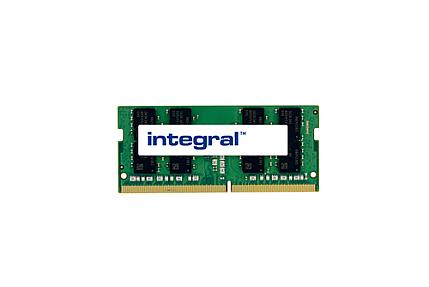
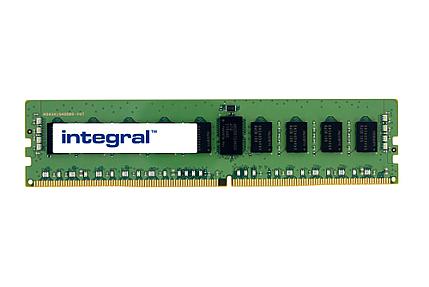
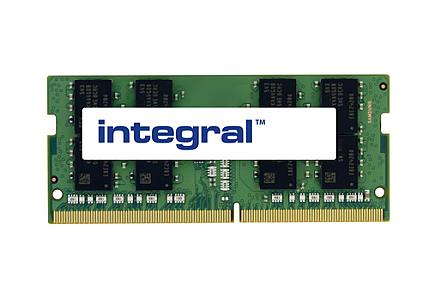
Your computer feels slow when your memory cannot keep up with modern apps, games, and multitasking. A smart and affordable fix is upgrading to 16GB DDR4 RAM. With the right ddr4 ram, you can open more tabs, edit files smoothly, and enjoy better gaming without lag.
Many users still run on 4gb or 8gb memory, which struggles with today’s software. Moving to a 16gb ddr4 setup gives your pc or laptop the speed and stability you expect. Whether you want faster gaming memory, smoother office work, or a reliable upgrade for your desktop or sodimm laptop system, this collection helps you find ram that fits your platform, budget, and performance needs.
16GB DDR4 RAM Memory for Laptop & PC
Buying RAM does not have to be confusing. 16GB DDR4 is the most popular choice right now for both everyday users and serious gamers. It gives you enough capacity to run browsers, editing software, and games at the same time without any slowdown.
Most modern laptops and desktops still use DDR4 memory, making it widely available and very affordable. Whether you need a single 1 x 16GB module or a dual channel 2 x 8GB kit, there is an option for every build and budget. This page helps you find the right RAM fast.
Choose the Right 16GB DDR4 RAM Memory Kit for Your PC or Laptop
Before buying, check two things. First, does your machine use DIMM slots (desktop) or SODIMM slots (laptop)? They are not interchangeable. Second, what speed does your motherboard support?
Most systems today support 2666MHz or 3200MHz DDR4. If your board supports XMP 2.0 or AMD EXPO, you can run higher speeds without manual tuning. A 2 x 8GB dual channel kit always performs better than a single 1 x 16GB module, especially in games and creative apps.
High-Performance SODIMM DDR4 RAM for Gaming, Desktop & Laptop Upgrade
For laptops, SODIMM DDR4 running at 1.35v keeps heat low and battery life stable. Brands like Crucial and Kingston offer reliable laptop memory that just works out of the box.
For desktops, you have more choice. If you want RGB lighting with your performance, the Corsair Vengeance RGB Pro and Vengeance RGB Pro SL are both popular picks. They look great in a windowed case and deliver consistent speeds. For clean builds without lighting, the Corsair Vengeance LPX Black is a proven favourite that fits under most CPU coolers.
3200MHz, 2666MHz & 3600MHz DDR4 Memory Kits Explained
Speed matters, but the difference between some tiers is small in real use. Here is a quick guide to help you decide.
| Speed | Best For | Notes |
|---|---|---|
| 2666MHz | Budget laptops, older desktops | Entry level, widely compatible |
| 3200MHz | Gaming PCs, AMD Ryzen builds | Sweet spot for most users |
| 3600MHz | High-end gaming, overclocking | Best with Ryzen 5000 and above |
3200MHz CL16 is the most recommended kit for most builds. AMD Ryzen CPUs in particular respond well to faster DDR4 memory. Intel systems also benefit, though the gap is smaller. Always enable XMP 2.0 or AMD EXPO in your BIOS after installing to run RAM at its rated speed.
Corsair, Kingston & Crucial 16GB DDR4 RAM Memory Options
These three brands cover almost every need and budget.
Corsair leads for gaming. The Corsair Vengeance LPX Black is slim, fast, and fits most builds. The Corsair Vengeance RGB Pro SL 16GB adds clean RGB lighting without sacrificing performance. For premium builds, Corsair Dominator Platinum offers the tightest timings available.
Kingston Fury Beast RGB supports both Intel XMP 2.0 and AMD EXPO. It runs stable at 3200MHz and above and suits both Intel and AMD Ryzen platforms. Kingston has built computer memory for decades and their reliability record speaks for itself.
Crucial is the safest pick for a straightforward upgrade. Good speed, fair price, and works with almost everything. Their SODIMM DDR4 range is especially popular for laptop upgrades.
Single 16GB Module or 2x8GB / 2x16GB Memory Kit – Which to Pick
A single 1 x 16GB module leaves one slot free for a future upgrade but runs in single channel mode. It is fine for basic laptop use.
A 2 x 8GB kit runs in dual channel mode and performs noticeably better in games and apps. This is the recommended setup for most desktop and laptop builds. If you already know you will need more capacity soon, a 2 x 16GB kit gives you 32GB total today with no extra steps later.
DDR4 RAM Compatibility Guide for Intel & AMD Systems
DDR4 RAM works across both Intel and AMD platforms. Intel systems from 10th gen onward work well with 3200MHz DDR4 using XMP 2.0. AMD Ryzen systems get the best results with 3200MHz to 3600MHz DDR4 and AMD EXPO support.
Desktop RAM uses a 288-pin UDIMM form factor. Laptop RAM uses SODIMM. Both must be non-ECC unbuffered for consumer boards. PC4-25600 is just another way of saying 3200MHz DDR4, you will see both terms in product listings.
Always check your motherboard's maximum supported capacity before buying. Most consumer boards support up to 64GB across four slots.
16GB DDR4 RAM vs 32GB vs 8GB
Choosing the right capacity depends on how you use your computer daily. More gb means better multitasking, but not everyone needs maximum memory.
Here is a simple breakdown:
8GB RAM
- Basic browsing and office work
- Struggles with gaming and heavy apps
16GB DDR4 RAM
- Best balance of price and performance
- Smooth gaming and multitasking
- Ideal for most pc and laptop users
32GB RAM
- Professional editing and heavy workloads
- Useful for streamers and creators
- Often sold as rgb 32gb or rgb pro 32gb kits like kf556c36bbeak2-32
Example: A student using browsers, editing software, and games runs perfectly on 16gb ddr4. A video editor working with large files benefits from 32gb.
For most buyers worldwide, 16gb remains the sweet spot before moving toward expensive ddr5 upgrades.
Best Deals on 16GB DDR4 RAM for Businesses & Industries
At Pondesk, we work directly with companies, IT teams, and industries across the world who need reliable, high performance memory in bulk. Whether you are upgrading ten machines or a hundred, we have got the stock and the pricing to match your needs.
Every B2B order comes with our best deals guarantee, meaning the more you buy, the better your price. We also offer free delivery across the UK on qualifying orders, so there are no hidden costs eating into your budget.
From small businesses refreshing their office PCs to large industries upgrading server workstations, Pondesk makes bulk RAM sourcing simple and cost effective. Get in touch with our team for a custom quote tailored to your order size.
What are the best 16GB DDR4 RAM kits for gaming PCs?
The best 16GB DDR4 RAM kits for gaming PCs are the Corsair Vengeance LPX Black, Corsair Vengeance RGB Pro SL, and Kingston Fury Beast RGB. A 2x8GB dual channel kit at 3200MHz CL16 is the top recommended setup for smooth gaming performance on both Intel and AMD Ryzen builds.
Best value 16GB DDR4 RAM kits available.
The best value 16GB DDR4 RAM kits are Crucial, Kingston, and Corsair Vengeance LPX. A 2x8GB 3200MHz dual channel kit offers the best balance of price and performance for most PC and laptop users today.
Where can I buy 16GB DDR4 RAM with fast UK delivery?
You can buy 16GB DDR4 RAM with fast and free UK delivery from Pondesk. We offer free delivery across the UK on qualifying orders, with bulk pricing available for businesses and IT teams needing multiple units.
Will 16GB DDR4 RAM work with my current motherboard?
Yes, 16GB DDR4 RAM works with most modern motherboards. Desktop boards use 288-pin DIMM slots and laptops use SODIMM slots. Check that your motherboard supports DDR4 at 2666MHz or 3200MHz. Most consumer boards support up to 64GB total capacity.
Which 16GB DDR4 RAM modules are compatible with my motherboard?
For Intel motherboards, choose DDR4 3200MHz with XMP 2.0 support. For AMD Ryzen boards, pick DDR4 3200MHz to 3600MHz with AMD EXPO support. Desktop builds need UDIMM modules and laptops need SODIMM. Brands like Corsair, Kingston, and Crucial are compatible with almost all consumer motherboards.
How much 16GB DDR4 RAM is enough for PC gaming?
Yes, 16GB DDR4 RAM is enough for PC gaming. It handles modern games, browser tabs, and background apps simultaneously without lag. It is the recommended sweet spot for most gamers before considering a DDR5 upgrade.
Compare prices of 16GB DDR4 RAM from popular UK retailers.
Pondesk offers competitive pricing on 16GB DDR4 RAM across top brands including Corsair, Kingston, and Crucial. Bulk B2B orders receive the best deals guarantee with better pricing the more you buy, plus free UK delivery on qualifying orders.
Step-by-step guide to installing 16GB DDR4 RAM in a desktop PC.
- Power off your PC and unplug it
- Open the side panel and locate the DIMM slots on your motherboard
- Press down the slot clips to unlock them
- Align the RAM notch with the slot key
- Press firmly until both clips click into place
- For a 2x8GB kit, use slots 2 and 4 for dual channel mode
- Boot up and enable XMP 2.0 or AMD EXPO in BIOS to run RAM at rated speed
Where to find deals on 16GB DDR4 RAM during sales events?
The best place to find deals on 16GB DDR4 RAM during sales events is Pondesk. They offer a best deals guarantee on bulk orders year-round, with free UK delivery on qualifying orders. For businesses and IT teams, bulk purchasing unlocks even better pricing without waiting for seasonal sales.
Affordable 16GB DDR4 RAM options under a specific price point.
The most affordable 16GB DDR4 RAM options are Crucial and Kingston ValueRAM. Both offer reliable DDR4 performance at budget-friendly prices. A single 1x16GB module costs less upfront, while a 2x8GB dual channel kit gives better performance for only a little more. Pondesk stocks a range of options across every budget.
Which 16GB DDR4 RAM offers the best value for money?
The Corsair Vengeance LPX Black and Crucial 16GB DDR4 3200MHz offer the best value for money. Both deliver reliable speeds, wide compatibility, and competitive pricing. For most users, a 2x8GB 3200MHz CL16 kit from either brand is the smartest purchase without overspending.
What is the difference between single and dual channel 16GB DDR4 RAM?
A single 1x16GB module runs in single channel mode, which is fine for basic laptop use and leaves one slot free for a future upgrade. A 2x8GB kit runs in dual channel mode, which performs noticeably better in games, creative apps, and multitasking. For most desktop and laptop builds, the 2x8GB dual channel kit is always the recommended choice.
What warranty options come with popular 16GB DDR4 RAM products?
Corsair, Kingston, and Crucial all offer lifetime warranties on most of their DDR4 RAM products, covering manufacturing defects. Kingston and Crucial are particularly known for hassle-free warranty support. Always check the product listing for warranty details before purchasing. Pondesk supplies genuine branded RAM, ensuring full manufacturer warranty coverage on every order.