16GB RAM for Laptops, PCs & Servers
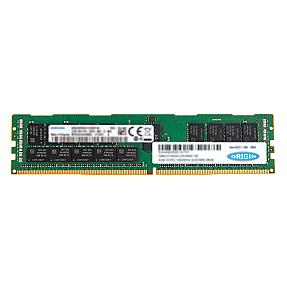
Product Code: RMHO-5673
Origin (T9V40AT-OS) 16GB DDR4 2400MHz 2Rx4 ECC RDIMM RAM for NAS/storage s...
$124.99
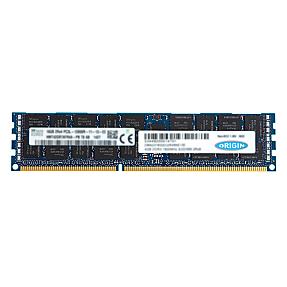
Product Code: RMHO-5708
Origin (A6994465-OS) 16GB DDR3 1600MHz 2Rx4 ECC RDIMM RAM for NAS/storage...
$55.99
Product Code: RMHO-5710
Origin (713985-B21-OS) 16GB DDR3 1600MHz ECC RDIMM RAM for NAS/storage ser...
$55.99
Product Code: RMHO-5711
Origin (836220-B21-OS) 16GB DDR4 2400MHz ECC RDIMM RAM for NAS/storage ser...
$124.99
Product Code: RMHO-5712
Origin (672631-B21-OS) 16GB DDR3 1600MHz ECC RDIMM RAM for NAS/storage ser...
$55.99
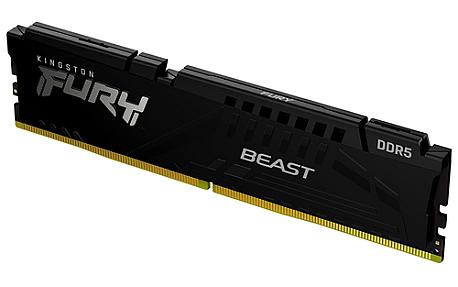
Product Code: RMHO-8013
Kingston Technology KF564C32BBE-16,16GB 6400MT/s, DDR5, 288-pin DIMM, Blac...
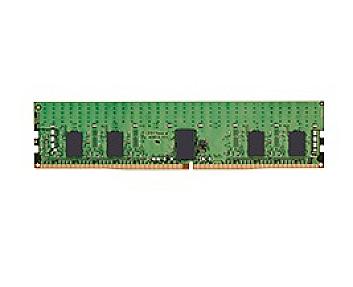
Product Code: RMHO-8023
Kingston Technology KSM32RS8/16HCR, 16GB DDR4, 288-pin DIMM For PC/Server...
Product Code: RMHO-8025
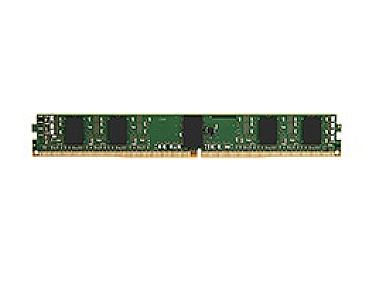
Kingston Technology KSM32RS8L/16MFR, 16GB DDR4 288-pin DIMM For PC/Server...
Product Code: RMHO-8027
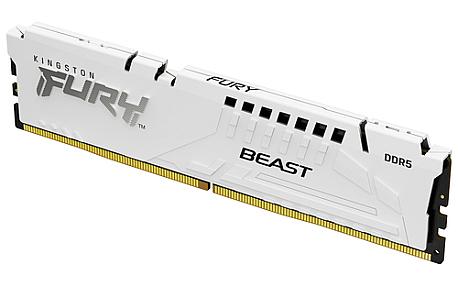
Kingston Technology FURY Beast 16GB 6000MT/s ,1 x 16 GB DDR5 288-pin DIMM...
If you're shopping for 16GB RAM, you're probably trying to fix one specific problem: a machine that grinds to a halt the moment you open more than a few things at once. 16GB is the point where that stops happening for most people, whether the machine in question is a laptop, a desktop, or a rack server that's running out of headroom. PonDesk stocks 16GB RAM across DDR3 and DDR4, in SODIMM and DIMM/RDIMM formats, matched to the platform you're actually upgrading.
This isn't a one-size-fits-all product. A 16GB stick for a laptop looks nothing like a 16GB ECC RDIMM for a Dell PowerEdge server, and buying the wrong one is the single most common reason an upgrade doesn't work. Below is what to check before you order, and how PonDesk sources and tests its stock.
Is 16GB RAM Enough?
For most laptop and desktop users, yes. 16GB comfortably covers everyday multitasking: a dozen browser tabs, an office suite, video calls, and background apps running at the same time without the system slowing down. It's also enough for most modern 1080p gaming and light photo or video work.
Where 16GB starts to feel tight is heavier, sustained workloads: 4K video editing, running several virtual machines, large datasets, or CAD and simulation software. For those, 32GB is worth the jump. On the server side, 16GB per module is a standard building block rather than a total ceiling. IT teams typically fit several 16GB modules across the available channels to reach the total capacity a workload needs, which is exactly why buying in matched sets and getting the population rules right matters more than the number on one stick.
It's also worth separating RAM from the rest of the spec. A laptop with 16GB RAM and a weak processor or a slow hard drive won't feel fast, and a laptop with 16GB RAM and a strong SSD and modern chip will. Memory removes one specific bottleneck — running out of working space when several apps are open at once — but it isn't the only thing determining how a machine feels day to day. That's worth keeping in mind if you're deciding between upgrading the RAM in an otherwise capable machine versus replacing the whole thing.
16GB RAM for Laptops and Desktops
Laptop memory comes as SODIMM (small outline dual in-line memory module) — the compact format that fits a laptop's memory slot. Desktops use the larger standard DIMM. The two are not interchangeable, so the first thing to confirm is which format your machine takes, not just the capacity.
The second thing is generation. DDR4 is the current mainstream standard and what most laptops and desktops built in the last several years use. DDR3 is older but still perfectly usable in machines that predate DDR4, and it's often the cheaper way to extend the life of an existing fleet rather than replacing hardware that still works. DDR3 and DDR4 are physically keyed differently and won't fit in the wrong slot, but it still pays to check your machine's supported memory type before ordering rather than assuming.
Speed (measured in MHz) matters less than people expect for everyday use. A module running slightly faster than your system's rated speed will simply run at the system's speed instead — it won't cause a fault, but it also won't give you anything extra. Matching capacity and format correctly does far more for real-world performance than chasing the highest MHz figure on the box.
16GB RAM for Servers
Server memory adds a layer that consumer laptops and desktops don't have: ECC, or error-correcting code. ECC memory catches and corrects small data errors on the fly, which matters a lot more on a machine that's expected to run uninterrupted for months than it does on a personal laptop. Most server platforms require ECC memory specifically, so a standard consumer stick simply won't work even if the capacity and generation are right.
Within ECC memory, you'll typically see RDIMM (registered DIMM) and UDIMM (unbuffered DIMM). RDIMMs are the common choice for dense, multi-socket servers because the registered design takes some of the electrical load off the motherboard, letting you populate more memory channels reliably. Rank, chip organisation, and how modules are populated across channels also affect whether a server boots cleanly at full capacity, which is why mismatched or oddly sourced server memory is the most frequent cause of a machine that won't POST after an upgrade.
For servers already running DDR4, matching new 16GB modules to what's installed is usually the safer route than mixing generations. DDR5 is the direction new server builds are heading, but DDR4 remains a genuinely solid, lower-cost option for extending the working life of Dell PowerEdge, HPE ProLiant, Lenovo, and similar platforms that are still well within their useful lifespan.
Choosing Compatible 16GB RAM
A few checks before ordering save almost every return:
- Format: SODIMM for laptops, DIMM for desktops, RDIMM/UDIMM for servers.
- Generation: DDR3 or DDR4, matched to what your motherboard or laptop actually supports.
- ECC or non-ECC: required for most servers, not used in typical laptops and desktops.
- Existing modules: if you're adding capacity rather than replacing everything, matching the brand, speed, and timings of what's already installed avoids compatibility quirks.
- Maximum supported capacity: check your system's total ceiling so a 16GB module (or a pair of them) doesn't exceed what the board can actually address.
If you're not sure which spec your machine needs, PonDesk's team can confirm compatibility against your exact laptop, desktop, or server model before you order, rather than leaving you to guess from a spec sheet.
It's also worth checking whether your device even supports a memory upgrade before buying. Many modern thin-and-light laptops solder RAM directly to the motherboard, which means the capacity you buy the machine with is the capacity it keeps for life. Most business and older consumer laptops still use a removable SODIMM slot, but it's a five-minute check worth doing before you order rather than after.
Why Buy 16GB RAM From PonDesk
PonDesk works with IT teams, resellers, and businesses across the UK sourcing memory in volume, alongside individual buyers upgrading a single machine. Every module is checked for genuine compatibility with the platform it's sold for, not just matched on paper capacity. Pricing is aimed at giving bulk buyers a genuinely competitive rate, and orders over the qualifying threshold get free UK delivery, so upgrading ten machines doesn't come with ten separate delivery charges eating into the saving.
Whether you need one 16GB SODIMM for a single laptop or a matched batch of RDIMMs for a server refresh, PonDesk can quote against your exact requirement rather than a generic listing.
Is 16GB RAM enough for a laptop in 2026?
For the large majority of everyday, study, and work use, yes. It handles multitasking, streaming, video calls, and most 1080p gaming comfortably. Heavy 4K editing, large virtual machine setups, or the most demanding creative software are where 32GB starts to make a real difference.
Should I buy DDR3 or DDR4 16GB RAM?
Whichever your motherboard or laptop already supports — the two aren't interchangeable, and the sockets are keyed differently so the wrong one won't physically fit. If you're upgrading an older machine that only supports DDR3, there's no benefit to sourcing DDR4; it simply won't work. DDR4 is standard in newer systems and the more future-facing option if you're building or buying new.
What's the difference between SODIMM and DIMM 16GB RAM?
SODIMM is the compact format used in laptops. Standard DIMM is the larger format used in desktop towers. Server memory generally uses RDIMM or UDIMM, which are DIMM-format modules built specifically for server motherboards, often with ECC support. Checking your device type before ordering avoids buying a module that physically won't fit.
Is refurbished or tested 16GB server RAM reliable?
Yes, provided it's been properly tested rather than just pulled and resold. Server memory is frequently removed from hardware during refreshes or lease returns long before it fails, so a load-tested module can offer the same reliability as new stock at a lower cost. The key is buying from a supplier that verifies capacity, speed, and ECC function against real hardware rather than taking the label at face value.
16GB RAM is enough for most laptop, desktop, and everyday business use, covering multitasking, common software, and most gaming. For laptops and desktops, check whether you need SODIMM or DIMM and confirm DDR3 or DDR4 compatibility. For servers, 16GB modules are typically combined in matched sets and almost always need ECC support.