Best Budget Microphones
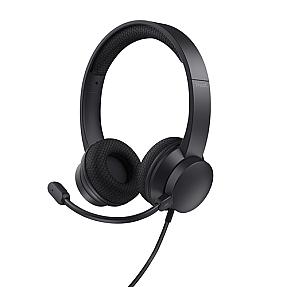
Product Code: EHEL-1795
Trust HS-260 Wired Office USB Headset with Noise-Cancelling Microphone
$35.99
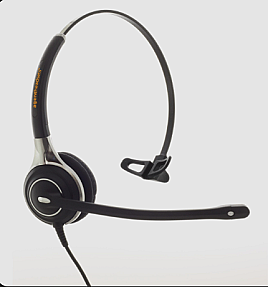
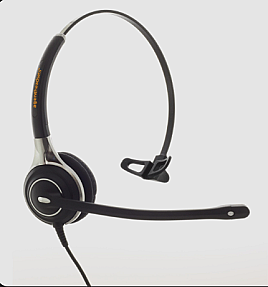
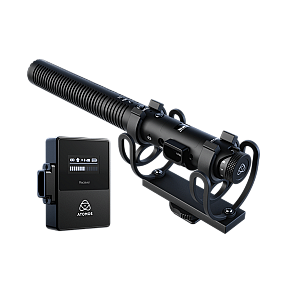
Product Code: MREL-066
Atomos Professional-grade wireless/wired shotgun microphone with locking U...
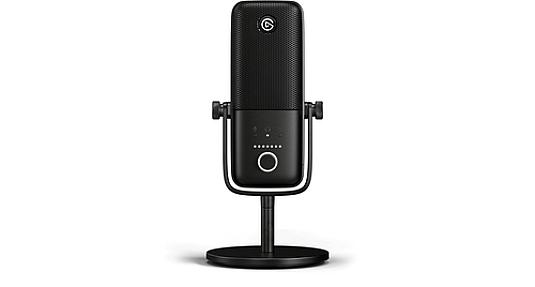
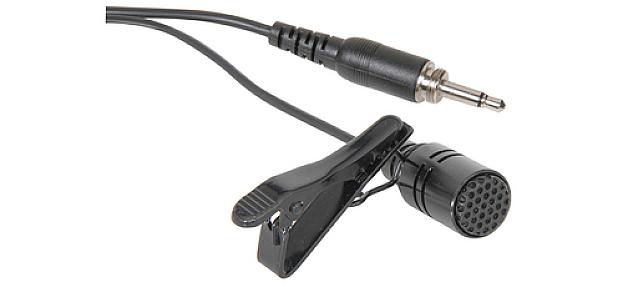
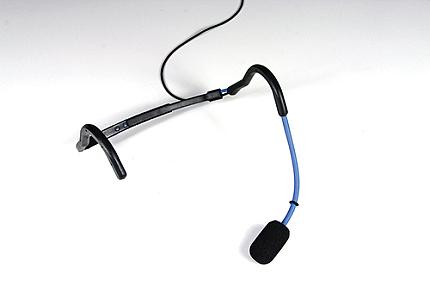
Product Code: MREL-073
Trantec MIC-SJ66 Stage/performance microphone 125 dB 20 - 16000 Hz Superca...
$186.99
Looking for the best budget microphones without paying studio prices? Whether you're podcasting, streaming, recording vocals, or setting up for gaming and remote work, there's a mic out there that sounds far better than its price tag suggests. This guide breaks down what actually matters when you're shopping on a budget, so you don't end up with a mic that looks good on paper but performs badly in your room.
What's the Best Budget Microphone Right Now?
For most people starting out, a USB condenser mic with a cardioid pickup pattern is the safest choice. It plugs straight into your laptop, needs no extra gear, and handles vocals, podcasting and streaming well in a quiet room. If you're recording in a noisy space or want something more rugged, a dynamic XLR mic is the better call, since it rejects background noise far more effectively.
What to Look For in a Budget Microphone
Before comparing specific models, it helps to know which specs actually change how a mic performs day to day:
- Microphone type: condenser mics capture more detail and are great for vocals in treated rooms; dynamic mics reject more noise and suit untreated or noisy spaces.
- Polar pattern: cardioid is the standard for solo recording since it picks up sound from the front and rejects the sides and rear. Look for omnidirectional or multi-pattern mics only if you're recording groups or roundtable conversations.
- Connectivity: USB mics are plug-and-play and need no extra hardware. XLR mics need an audio interface or mixer but generally offer a cleaner, more upgradeable signal path.
- Build quality: metal housings and shock mounts hold up far better over years of use than plastic bodies.
- Included accessories: a mic that comes with a stand, pop filter and cable saves you buying them separately.
None of these specs matter on their own. A mic that's great for gaming commentary can be the wrong pick for vocal recording, so match the spec sheet to what you'll actually be doing with it most of the time.
Condenser vs Dynamic: Which Budget Microphone Type Do You Need?
This is the first fork in the road for anyone shopping for budget microphones. Condenser mics use a more sensitive capsule that captures a wider frequency response and more subtle detail, which is why they're the go-to for vocals, acoustic instruments and voiceover work. The tradeoff is that they pick up everything in the room, including your fan, your keyboard and traffic outside the window.
Dynamic mics are less sensitive and less detailed, but that's exactly what makes them useful. They handle loud sources without distorting, reject off-axis noise, and don't need a treated room to sound decent. If you're recording in a bedroom, shared flat or open-plan office, a dynamic mic will usually sound more professional than a condenser mic in the same space, simply because it isn't capturing the room along with your voice.
Most condenser mics also need phantom power to operate, which is built into USB versions but must be supplied by an audio interface if you're going the XLR route.
USB vs XLR: Which Connection Suits You?
USB microphones are the easiest entry point. They plug directly into a computer, need no interface, and are recognised instantly by streaming software like OBS, Discord, Zoom and Streamlabs. For anyone just starting out with podcasting, streaming or remote meetings, USB removes almost every technical barrier.
XLR microphones need a separate audio interface or mixer to convert the signal, which adds cost upfront. In exchange, you get a balanced connection that's far less prone to interference, plus the option to upgrade your interface or add more mics later without replacing the microphone itself. If you can see yourself growing into a proper home studio setup, XLR is worth the extra step even at the budget end.
Best Budget Microphones by Use Case
For vocals and singing: prioritise a cardioid dynamic or condenser mic with a tailored frequency response that flatters the voice and controls plosives. A built-in pop filter or foam windscreen is a genuine bonus here.
For podcasting and interviews: look for a mic with tight noise rejection and, ideally, both USB and XLR outputs so you can start simple and upgrade later without buying new gear.
For streaming and gaming: a USB condenser with onboard gain control and a mute button covers most needs, since you'll usually be recording solo in a reasonably quiet room.
For group recording or multi-host podcasts: a mic with switchable polar patterns, including omnidirectional, makes it far easier to capture more than one person without repositioning gear.
Key Features That Matter Most on a Budget
When the price gap between models is small, a few extra features can make the decision easy:
- Built-in shock mount to reduce handling and desk noise
- An on/off switch, which surprisingly not every budget mic includes
- A headphone output for zero-latency monitoring while recording
- Adjustable gain so you're not stuck relying on software levels alone
- A carry case or stand included in the box
Why Buy Your Budget Microphones from PonDesk
PonDesk sources its microphones through verified suppliers, so you're buying genuine stock rather than grey-market imports of dubious origin. We keep our pricing competitive across the range, and every order shipped within the UK comes with free delivery, so the price you see is the price you pay. Kitting out a home studio or fitting out a small office for calls and content? Our team can also help with bulk-order pricing.
Do budget microphones sound good enough for streaming and YouTube?
Yes, for most creators. A well-chosen budget microphone in the £50 to £100 range will comfortably outperform a laptop's built-in mic or a gaming headset, especially when paired with basic room treatment like curtains or a rug to cut down on echo.
What's the difference between a budget microphone and a professional one?
The gap is smaller than most people expect. Professional mics generally offer a wider frequency response, tighter build tolerances and more consistent output across units, but for spoken-word content like podcasting or streaming, a good budget microphone gets you 80 to 90 percent of the way there.
Should I choose a USB or XLR microphone as a beginner?
Start with USB if you want to be recording within minutes of unboxing. Choose XLR if you already own or plan to buy an audio interface, or if you expect to add more microphones down the line.
Do I need a pop filter with a budget microphone?
If the mic doesn't already include a built-in windscreen or foam cover, yes. A pop filter is one of the cheapest upgrades you can make and noticeably reduces the popping sound on words starting with "p" and "b".
Ready to find your next mic? Browse PonDesk's full range of budget microphones and filter by connection type, polar pattern and use case to find the right match for your setup.