Best Tablets for Students
Product Code: TBEL-193
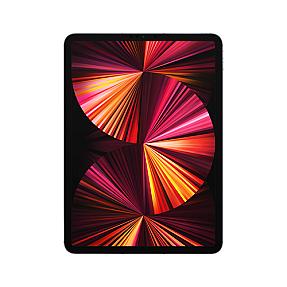
Apple iPad Pro 5th Gen, 11in, Wi-Fi + Cellular, 2.05 TB, 16 GB, iPadOS 14,...
Product Code: TBEL-325
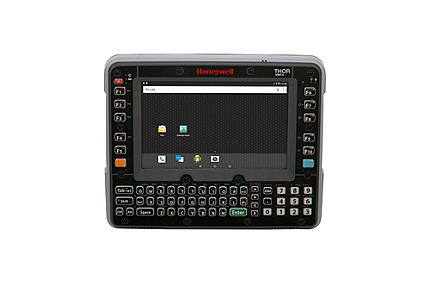
Honeywell VM1A 8" 1280 x 768 pixels 32 GB, 4 GB Android 8.0 Black Tablet
$3,961.99
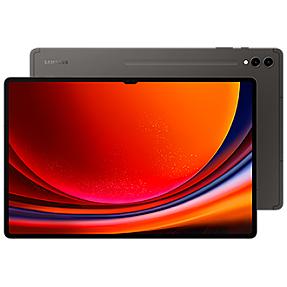
Product Code: TBEL-326
Samsung Galaxy Tablet S9 Ultra SM-X916B 14.6" 256 GB 12 GB Android 13 - Gr...
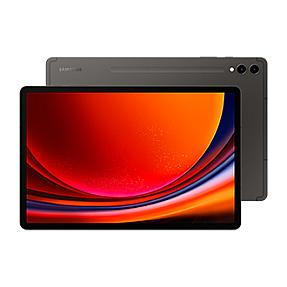
Product Code: TBEL-327
Samsung Galaxy Tablet S9+ SM-X810N, 12.4" 256 GB, 12 GB Android 13 - Graph...
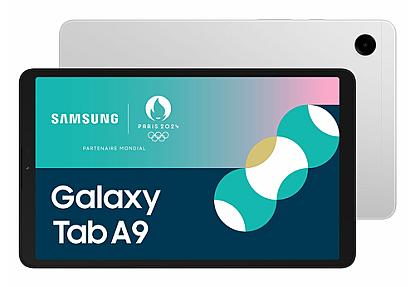
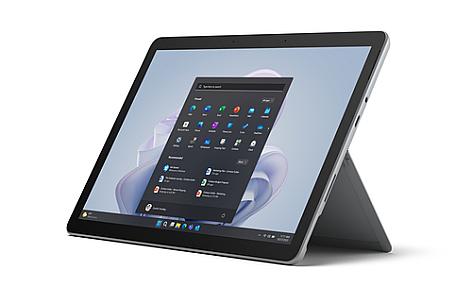
Product Code: TBEL-329
Microsoft Surface Go 4 10.5" 128 GB, 8 GB, Windows 11 Pro - Platinum Table...
Finding the best tablet for students comes down to matching a device to how you actually study, not just picking whatever ranks first on a spec sheet. If you're taking handwritten notes in lectures, annotating PDFs, running video calls, and writing papers late at night, the right tablet can genuinely replace a stack of textbooks and a good chunk of your laptop's workload. The wrong one just becomes an expensive way to watch videos between classes.
This guide breaks down what actually matters when choosing a student tablet, compares the main platforms, and points you toward the option that fits your major, your budget, and how you like to work.
Quick Answer: What's the Best Tablet for Students?
For most students, an 8GB RAM, 128GB storage tablet with stylus support hits the sweet spot between price and performance. Students who take a lot of handwritten notes or annotate PDFs should prioritize a tablet with an included stylus, since Apple Pencil and S Pen accessories often cost $100 or more on their own. Engineering, CAD, or business students who need full desktop software should lean toward a Windows tablet instead of iPadOS or Android.
What to Look for in a Student Tablet
Before comparing specific models, it helps to know which specs actually change your day-to-day experience and which ones are just marketing noise.
Screen size matters more than most students expect. A 10 to 11-inch display is easiest to carry between classes and fits comfortably in a backpack. Anything 12 inches or larger trades some portability for a better reading and multitasking experience, which is useful if you spend a lot of time with side-by-side PDFs or research papers.
Build quality and durability count for more over a four-year degree than they do in a one-week review. A tablet that survives being dropped in a dorm room or knocked off a lecture desk saves you money in the long run, even if it costs a bit more upfront.
Software support is easy to overlook when you're comparing prices, but a tablet that stops getting updates two years in becomes a security risk and a slow, laggy device right when you need it most for finals.
RAM and Storage: How Much Do Students Actually Need
RAM decides how well a tablet handles multitasking, and storage decides how long it lasts before you're deleting old lecture recordings to make room for new ones.
- 4-6GB RAM is fine for browsing, watching lecture videos, and light note-taking, but it starts to struggle once you're running several apps at once.
- 8GB RAM is the sweet spot for most coursework: split-screen note-taking during a Zoom class, multiple browser tabs for research, and switching between apps without lag.
- 12GB or more is worth paying for if you're in design, engineering, or another creative or technical major that runs heavier software.
On storage, 64GB fills up faster than students expect once lecture recordings, textbook PDFs, and project files start piling up. 128GB is the safer baseline for most degrees, and students in media-heavy or research-heavy programs should look at 256GB or higher.
Display, Battery Life, and Portability
A tablet display is your notebook, your textbook, and your lecture screen all at once, so it's worth getting right.
Look for at least a 2K resolution if you're reading dense PDFs or academic papers regularly, since sharper text reduces eye strain during long study sessions. A 90Hz or higher refresh rate makes scrolling through notes and documents noticeably smoother, though it's a nice-to-have rather than a dealbreaker.
Battery life is where a lot of otherwise good tablets fall short. Aim for at least 10 hours of real-world use so you can get through a full day of back-to-back classes without hunting for an outlet. Tablets that push past 14 hours give you real flexibility during exam weeks when charging breaks between study sessions aren't always realistic.
Stylus and Keyboard Support for Note-Taking
If you take handwritten notes, annotate slides, or sketch diagrams for STEM subjects, stylus support should be near the top of your checklist rather than an afterthought.
Some tablets include the stylus in the box, which changes the total cost more than people realize. Apple Pencil Pro runs around $149 separately, and Surface Pen adds roughly $100 on top of the tablet price. A tablet with a bundled stylus can end up cheaper overall than a slightly less expensive tablet that charges extra for one.
A physical keyboard, similarly, turns a tablet from a reading device into something you can actually write essays and build presentations on. If you plan to use your tablet as a laptop replacement for classwork, budget for the keyboard accessory alongside the tablet itself rather than treating it as optional.
iPad vs Android vs Windows: Which Platform Fits Your Major
The operating system decision shapes almost everything else about your student tablet experience.
iPadOS tablets tend to offer the strongest note-taking apps, longer software support windows, and the most polished tablet-optimized app ecosystem. They also carry a higher price tag, and stylus and keyboard accessories are sold separately.
Android tablets generally deliver more value per dollar, often bundle a stylus in the box, and come in a wider range of screen sizes and price points. The tradeoff is a smaller pool of tablet-optimized apps compared to iPadOS.
Windows tablets are the only real option if your coursework depends on desktop-only software: CAD programs, advanced Excel modeling, or engineering tools that don't have a mobile equivalent. They typically cost more and see shorter battery life than Android or iPadOS alternatives, but for the right major, nothing else fully replaces them.
If you're not sure which one to pick, match the platform to your coursework rather than your phone brand. Design and pre-med students usually lean toward iPadOS for its creative and note-taking apps. Engineering, accounting, and business students who need full desktop software should default to Windows. Everyone else, especially students prioritizing value and battery life, tends to be well served by an Android tablet.
Which Tablet Type Fits Your Study Needs
Different students need different things from a tablet, and matching the type to your situation saves you from overpaying for features you won't use.
Budget-conscious students should prioritize a tablet with at least 8GB RAM and 128GB storage over one with a bigger name but weaker specs. A well-specced mid-range tablet outperforms an underpowered flagship for daily coursework.
Heavy note-takers should treat stylus support as non-negotiable, since PDF annotation and handwritten lecture notes are where a tablet earns its keep over a laptop.
Research and reading-heavy majors benefit from a larger 12-inch-plus display, since more screen space makes split-screen work with PDFs and reference material far less cramped.
Students needing a true laptop replacement should look at Windows tablets or Android tablets with strong keyboard and DeX-style desktop support, since these come closest to replacing a laptop entirely for coursework and writing.
Why Buy Your Student Tablet from PonDesk
PonDesk sources tablets through verified channels and prices them competitively against retail, so you're not paying a premium just for the convenience of shopping. Every listing reflects genuine specs and current stock, not recycled marketing copy, which matters when you're comparing RAM, storage, and stylus support across multiple models before committing to one for the next four years. If you're weighing a few options, browsing PonDesk's student tablet collection lets you compare specs and pricing side by side before you buy.
What is the best tablet for students in 2026?
There isn't one universal answer, since it depends on your major, budget, and how you study. For most students, a tablet with 8GB RAM, 128GB storage, and stylus support covers everyday coursework, note-taking, and online classes without overspending on features you won't use.
Is an iPad better than an Android tablet for students?
Not necessarily. iPads tend to offer stronger note-taking apps and longer software support, while Android tablets usually deliver better value and often include a stylus in the box. The better choice depends on your budget and which app ecosystem you already use.
How much storage do students need in a tablet?
128GB is the safer baseline for most students once lecture recordings, PDFs, and project files start adding up over a semester. Heavy cloud storage users can get by with 64GB, but students in media-heavy or research-heavy majors should consider 256GB or more.
Can a tablet replace a laptop for college?
For many students, yes, especially when paired with a keyboard and productivity apps. Students whose coursework depends on desktop-only software, like CAD tools or advanced engineering programs, are usually better served by a Windows tablet or a laptop instead.