Best Work Laptop
Product Code: LTHO-159
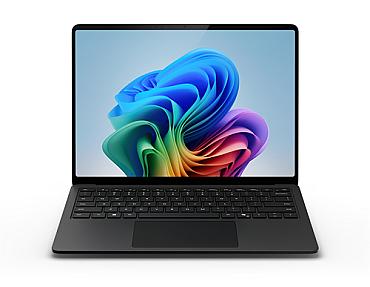
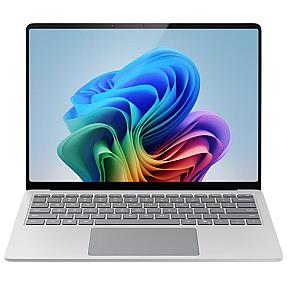
Microsoft Surface Laptop 7 Copilot+ PC, Intel Core Ultra 5 13.8" 2304 x 15...
Product Code: LTHO-165
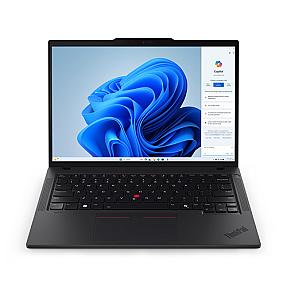
Lenovo ThinkPad T14 Gen 5, Intel Core Ultra 7, 14" 32 GB 1 TB Windows 11 P...
Product Code: LTHO-1669
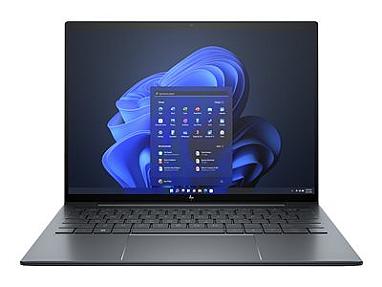
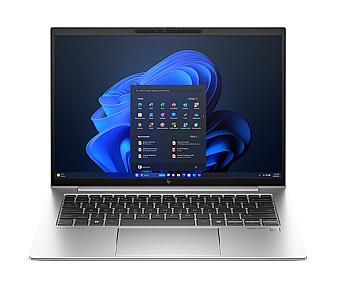
HP Dragonfly 13.5" G4 Notebook PC Intel® Core™ i7 32 GB, 512 GB, Windows 1...
Product Code: LTHO-348
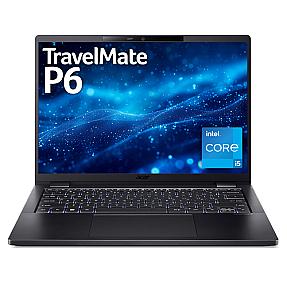
Acer TravelMate P6 Intel Core i5 16GB 512GB SSD 14" WUXGA Win11Pro Noteboo...
Product Code: LTHO-907
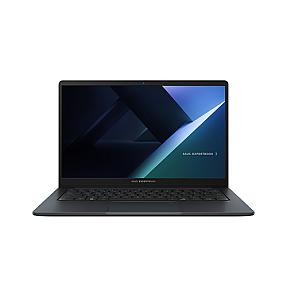
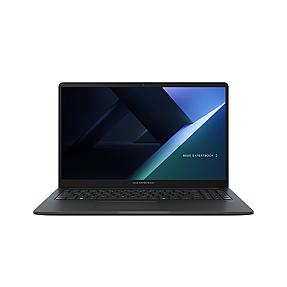
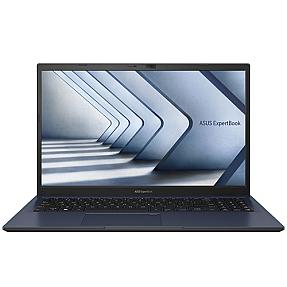
ASUS ExpertBook B1 Intel Core i3 15.6" 8 GB, 128 GB, Windows 11 Pro Educat...
If you're hunting for the best work laptop UK shoppers actually recommend, the shortlist usually comes down to three things: a processor that doesn't choke on video calls and spreadsheets at once, a battery that survives a full office day, and a build light enough to carry between home and the office.
PonDesk stocks laptops from Lenovo, HP, ASUS, Dell, Microsoft and Apple built for exactly this kind of work, and below are 12 models worth shortlisting, plus what actually matters when you're choosing between them.
What Makes a Laptop Right for Work
A work laptop isn't judged by the same checklist as a gaming rig. You want a processor from the current or previous generation (Intel Core Ultra 5/7 or AMD Ryzen 7 cover most office workloads comfortably), at least 16GB of RAM so Teams, a browser with 20 tabs and Excel can run together without stuttering, and a 512GB SSD so you're not constantly clearing space.
Battery life matters more than raw power for most office jobs, since a laptop that dies mid-meeting is worse than one that's slightly slower. Weight counts too if you're hybrid working or travelling between sites, and a decent webcam and mic have become non-negotiable since video calls turned into a daily fixture.
Security is worth a look as well. Fingerprint readers, IR cameras for facial login, and TPM chips are increasingly standard on business-focused ranges like the ThinkPad and EliteBook lines, and they matter if your laptop carries client data.
The Best Work Laptop for Most People
For most UK professionals, a 14-inch laptop with an Intel Core Ultra 5 or 7, 16GB of RAM and a 512GB SSD hits the sweet spot of speed, portability and price. The Lenovo ThinkPad T14 Gen 5 and HP EliteBook 840 G11 both fit that brief and are built specifically for business use, while the Dell XPS 13 9345 and Microsoft Surface Laptop 7 are the picks if you want longer battery life from an ARM-based chip.
12 Best Work Laptops in the UK, Picked from PonDesk's Range
1. Lenovo ThinkPad T14 Gen 5
Intel Core Ultra 7, 14", 32GB RAM, 1TB SSD, Windows 11 Pro. The ThinkPad line has been the standard business laptop for years for good reason: a tough chassis, a keyboard that holds up to heavy typing, and specs here that handle multitasking without any hesitation. A strong pick if you want one laptop that lasts several years of daily use.
2. HP EliteBook 840 G11
Intel Core Ultra 5, 14", 16GB RAM, 512GB SSD, Windows 11 Pro. HP's EliteBook range targets the same office-and-travel crowd as the ThinkPad, with a slightly lighter build and HP's own security suite built in. A solid all-rounder for client-facing roles.
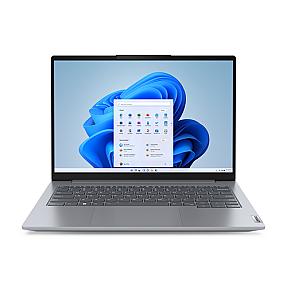
3. Lenovo ThinkBook 14 G6 IRL
Intel Core i5, 14", 16GB RAM, 512GB SSD. A more affordable step down from the ThinkPad, aimed at everyday office and remote work rather than heavy multitasking. Good value if your day is mostly email, documents and browser tabs.
4. ASUS ExpertBook B1 (15.6")
Intel Core i7, 15.6", 16GB RAM, 512GB SSD, Windows 11 Pro. The larger screen suits anyone who spends the day in spreadsheets or side-by-side documents, and the Core i7 gives it enough headroom for light editing work alongside the usual office apps.
5. ASUS ExpertBook B1 (14")
Intel Core i7, 14", 16GB RAM, 512GB SSD, Windows 11 Pro. Same internals as the 15.6-inch model in a more portable 14-inch body, which makes this version the better fit for hybrid workers who carry their laptop daily.
6. Microsoft Surface Laptop 7 Copilot+ PC
Intel Core Ultra 5, 13.8", 32GB RAM, 512GB SSD, Windows 11 Pro. A Copilot+ PC with the AI-focused features Microsoft is building into Windows 11, plus a premium build and a display that's noticeably sharper than most laptops at this size. Worth it if you want a laptop that will still feel current in a couple of years.
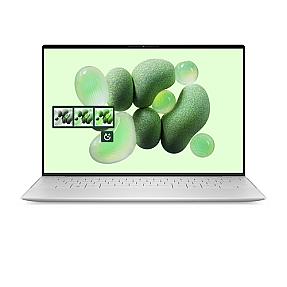
7. Dell XPS 13 9345
Qualcomm Snapdragon, 13.4", 32GB RAM, 1TB SSD, Windows 11 Pro. Dell's ARM-based XPS trades some app compatibility for genuinely long battery life and a fanless, silent design. A strong option for anyone who's tired of charging a laptop twice a day.
8. HP Dragonfly G4
Intel Core i7, 13.5", 32GB RAM, 512GB SSD, Windows 11 Pro. HP's Dragonfly line is built for executives and frequent travellers: light, well-specced, and finished to a higher standard than most business laptops in this price bracket.
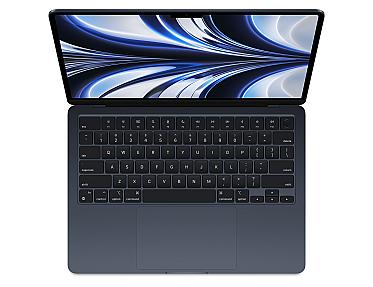
9. Apple MacBook Air 13" (M3)
8-core CPU/8-core GPU, 8GB RAM, 256GB SSD. If your work involves Apple's ecosystem, or you just want a fanless, all-day-battery machine for email, docs and browsing, the M3 Air still holds up well against most Windows alternatives on speed per watt.
10. Microsoft Surface 7
Qualcomm Snapdragon, 13", 16GB RAM, 512GB SSD. A lighter-specced sibling to the Surface Laptop 7, aimed at everyday office tasks rather than heavier workloads, with the same long-battery-life benefit of an ARM chip.
11. Acer TravelMate P6
Intel Core i5, 14", 16GB RAM, 512GB SSD, WUXGA display, Windows 11 Pro. Acer's business range rarely gets the attention Lenovo and HP do, but the TravelMate P6 matches their specs at a noticeably lower price, making it a smart pick for kitting out a small team.
12. ASUS ExpertBook B1 (Entry Option)
Intel Core i3, 15.6", 8GB RAM, 128GB SSD, Windows 11 Pro Education. The budget option on this list. Fine for basic office tasks, browser-based tools and light admin work, though anyone doing heavier multitasking should look further up this list.
Which One Fits Your Job?
If you're in finance, consulting or any role that lives in spreadsheets and video calls, prioritise RAM and battery life over raw processor speed. The ThinkPad T14, EliteBook 840 and Surface Laptop 7 all handle that mix comfortably. If you travel often, the Dragonfly G4 and Dell XPS 13 are built to be carried daily without weighing you down. Creative or technical roles that occasionally need more graphics grunt should lean towards the ASUS ExpertBook 15.6" or a higher-RAM configuration rather than the entry-level options. And if you're simply equipping a small office on a budget, the Acer TravelMate P6 and the entry ASUS ExpertBook give you Windows 11 Pro machines without the premium price tag.
Worth noting: an ultrabook and a mobile workstation aren't the same category. A workstation trades some battery life and portability for a dedicated graphics card, which matters for CAD or video rendering but is overkill for standard office work. Everything on this list is built for the latter.
Why Buy Your Work Laptop from PonDesk
PonDesk sources its laptop range directly and prices them competitively against the high street and other UK retailers, so you're not paying a premium for the same spec sheet. Orders to UK mainland addresses come with free delivery, and PonDesk also handles bulk and B2B orders directly if you're kitting out a team rather than buying one machine. Stock spans entry-level notebooks through to business ultrabooks and mobile workstations, so you can compare specs side by side before deciding.
How much RAM do I actually need for office work?
16GB is the comfortable minimum for 2026, especially if you keep a browser with dozens of tabs open alongside Teams, Outlook and Office apps. 8GB will get by for light admin work, but it's the first thing that'll slow you down as your workload grows.
Is a business laptop worth the extra cost over a standard consumer model?
Usually, yes, if you use it daily. Business ranges like the ThinkPad and EliteBook get sturdier builds, longer support windows, and security features like fingerprint readers and TPM chips that consumer laptops often skip.
Should I choose Windows or macOS for work?
It comes down to what your team and software already use. Windows still has wider compatibility with business and industry-specific software, while macOS suits teams already inside Apple's ecosystem or working in design and creative fields.
How long should a work laptop's battery actually last?
Aim for at least 8 hours of real-world use, not the manufacturer's best-case number. ARM-based laptops like the Dell XPS 13 9345, Surface Laptop 7 and MacBook Air tend to outlast Intel and AMD equivalents on battery, sometimes by several hours.
Browse the full range on PonDesk's laptops and notebooks page, filter by processor, RAM or screen size, and get in touch directly if you need a quote for multiple units.