Lenovo Yoga 7
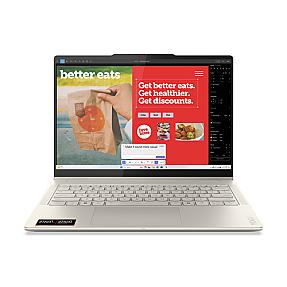
Product Code: LTHO-2098
Lenovo Yoga 7 2-in-1 14AKP10 Copilot+ PC, AMD Ryzen AI 5, 24GB/1TB, 14"Lap...
Product Code: LTHO-2125
Lenovo Yoga 7 2-in-1 14AKP10 Copilot+ PC, AMD Ryzen AI 5, 16GB/512GB, 14"...
Product Code: LTHO-2140
Lenovo Yoga 7 2-in-1 14AKP10, 14", 32GB/1TB, AMD Ryzen AI 7, Windows 11,La...
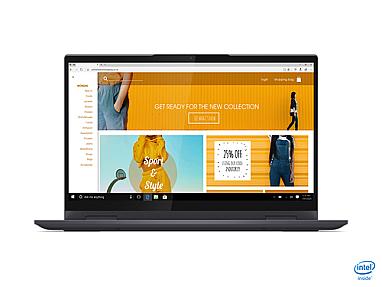
If you're looking at a Lenovo Yoga 7, you're probably choosing between a laptop that folds flat for note-taking and one that just gets on with word processing and Zoom calls. The Yoga 7 is Lenovo's mid-range 2-in-1: a 360-degree hinge, a touchscreen, and specs that sit comfortably between the budget Yoga Slim range and the pricier Yoga 9i. It's aimed at students, hybrid workers and anyone who wants a tablet mode without paying flagship money for it.
This guide covers what actually changes across the current Yoga 7 line-up, who each configuration suits, and the questions UK buyers keep asking before they check out.
What you're actually buying
The Yoga 7 name covers more than one machine, and that's where most of the confusion starts. You'll see it in 14-inch and 16-inch sizes, with either Intel or AMD processors depending on the generation, and it usually gets refreshed once a year with a new chip and sometimes a new screen option.
The core formula stays the same across generations:
- All-metal chassis with a 360-degree hinge (laptop, tent, stand and tablet modes)
- Touchscreen display, IPS or OLED depending on configuration
- Backlit keyboard and fingerprint reader
- Thunderbolt 4 ports plus at least one USB-A
- Battery life that comfortably covers a working day on lighter tasks
Where models diverge is processor generation, RAM, storage and screen. The newest 16-inch versions now offer an OLED panel option alongside the standard IPS display, which matters more than most spec sheets suggest.
Screen: IPS vs OLED, and why it's worth the upgrade
Reviewers who've tested both panels consistently land on the same conclusion: <cite index="15-1,15-2">the newer OLED option is a genuine step up from the IPS panels Lenovo used on earlier Yoga 7 models, with vibrant, deep colour and true blacks thanks to the infinite contrast ratio OLED provides.</cite> If you edit photos, watch a lot of video, or just want a screen that looks noticeably better out of the box, the OLED configuration is worth seeking out when it's offered.
That said, OLED isn't free of trade-offs. Some testers found the higher-resolution OLED panel sacrifices a bit of brightness in standard use compared with the lower-res option, so if you mainly work outdoors or near a window, it's worth checking the exact brightness spec of the configuration you're buying rather than assuming OLED always wins on every measure.
Performance: don't assume the newest chip is the fastest chip
This is the one buyers get wrong most often. Because Lenovo swaps processor vendors between generations, a newer Yoga 7 doesn't automatically outperform last year's model. One recent independent review found the newest AMD-powered refresh was <cite index="10-1">less efficient and at times slower than the Intel chip used in the previous year's model, depending on the workload, so the update effectively traded processor performance for the new OLED screen option rather than improving on both.</cite>
The practical takeaway: check the specific CPU in the configuration you're looking at, not just the year or the marketing name. For everyday browsing, email, video calls and document work, any recent Yoga 7 chip is more than enough. If you're doing heavier multitasking, light photo editing or running several demanding apps at once, it's worth comparing the exact processor model rather than assuming newer means faster.
RAM and storage: what's actually enough
Current Yoga 7 configurations typically range from 16GB up to 24GB of RAM, with SSD storage from 512GB to 1TB or more depending on the model. For students and everyday users, 16GB and 512GB covers browsing, streaming, office apps and moderate multitasking without issue. If you're planning to keep the laptop for several years, run a lot of browser tabs alongside creative apps, or work with large files, stepping up to the higher RAM configuration is the better long-term choice, since RAM isn't upgradeable after purchase on most Yoga 7 models.
Who the Yoga 7 is actually for
Students get a lot out of this range. Reviewers testing the Yoga 7 with typical coursework loads found it handled <cite index="25-1">everyday tasks like browsing, emailing and streaming comfortably, with the 2-in-1 hinge adding useful versatility for lecture notes and reading.</cite> For coding, writing and general study use it's a sensible pick; for heavier creative or engineering software, check the CPU tier before buying.
Hybrid and remote workers benefit from the tablet mode for video calls and annotating documents, plus Thunderbolt 4 for docking to an external monitor at a desk. The Yoga 7 isn't marketed as a business laptop the way the ThinkPad range is, but the build quality holds up well for daily commuting and home-office use.
Creative hobbyists who want a touchscreen for sketching or photo review will get the most value from the OLED configuration specifically, given how much of a jump reviewers found in colour accuracy and contrast over the standard IPS panel.
Yoga 7 vs Yoga 7i vs Yoga 9i
The naming trips a lot of buyers up:
- Yoga 7 typically runs AMD processors and sits at the more affordable end of the mid-range.
- Yoga 7i is the Intel-powered sibling with broadly similar specs and pricing, so the choice often comes down to whether you prefer AMD or Intel rather than a meaningful capability gap.
- Yoga 9i is the step-up premium model. Comparisons between the two consistently find the 9i has a <cite index="16-1">sturdier build, higher-quality display options, a better webcam and longer battery life, while the Yoga 7 can actually edge it out on multi-threaded performance with the right AMD configuration.</cite>
If your budget is flexible and you want the best possible screen and build quality, the 9i is worth the jump. If you want most of that experience for meaningfully less money, the Yoga 7 is the sensible middle ground.
Is the Lenovo Yoga 7 good for students?
Yes, for most coursework. It handles browsing, note-taking, essay writing and video calls without strain, and the 360-degree hinge is genuinely useful for reading and annotating PDFs in tablet mode. Students in demanding fields like video editing or CAD should check the specific processor tier before buying, since not every Yoga 7 configuration is built for sustained heavy workloads.
What's the difference between the Yoga 7 and Yoga 7i?
Mainly the processor brand. The Yoga 7 uses AMD chips, the Yoga 7i uses Intel. Screen, chassis and port options are usually very similar across both, so the decision often comes down to which CPU family performs better for your specific use case, or which one is priced better at the time you're buying.
Should I get the OLED screen or stick with IPS?
If colour accuracy and contrast matter to you, or you watch a lot of video, OLED is worth the extra cost. If you mainly do document work and want to save money, the IPS option is perfectly capable and won't hold you back for everyday tasks.
Is 16GB RAM enough on a Yoga 7?
For most students and everyday users, yes. If you plan to keep the laptop for several years or regularly run demanding software alongside dozens of browser tabs, the 24GB configuration is the safer long-term buy, since RAM can't be added later.
Quick answer
Is the Lenovo Yoga 7 worth buying in the UK? For students and everyday hybrid workers who want a 2-in-1 with a touchscreen and don't need flagship performance, yes. Check the exact processor generation and screen type before buying, since both vary significantly across configurations sold under the same "Yoga 7" name.
Why buy your Lenovo Yoga 7 through PonDesk
PonDesk sources genuine, verified Lenovo Yoga 7 configurations at competitive prices, with free UK delivery on orders. If you're not sure which configuration fits your budget and workload, our team can talk you through the current options rather than leaving you to decode spec sheets on your own. Browse the Lenovo Yoga 7 collection to see what's currently in stock.