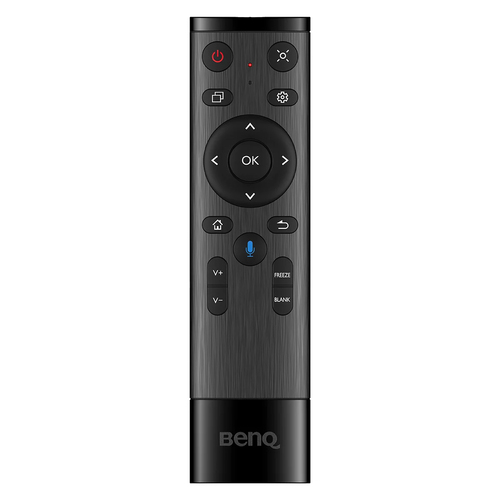
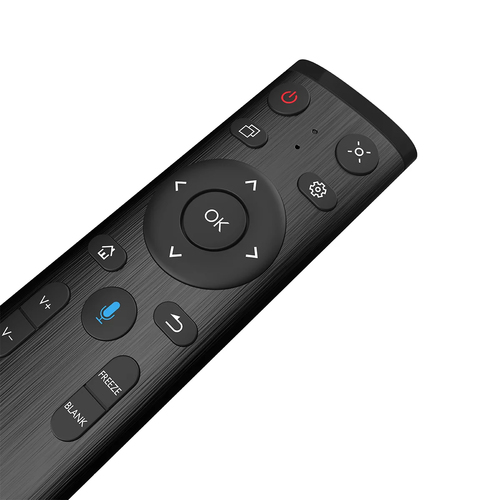
Tired of walking back to the front of the room every time you need to change a slide or turn up the sound? Those trips break your flow and leave your class waiting. A remote control made for interactive displays lets you run the lesson from wherever you stand, so you can keep students engaged and your teaching on track.
Usages of RF Wireless Remote Control
Picture a typical school day where you move around the room, check on students' work and chat with them up close. With this remote in your hand, you can change apps, switch sources or adjust the volume without returning to the board. It fits neatly into everything from morning starters to the final plenary.
Benefits of BenQ Remote Control
- Freedom to move: You can teach from any spot in the classroom and keep eye contact with your class.
- Clean hands: The coating helps you stay protected when the same device is shared around the school.
- Quicker lessons: Voice control means less time spent searching for the right tool.
- Better focus: The spotlight draws attention to the part of the screen that matters most.
- Easy start: Simple buttons feel familiar, so you can get going with no fuss.
Why a BenQ Remote Control Stands Out
A basic remote may only handle a few tasks, which leaves you walking back to the board for the rest. This model is built for BenQ Boards, so it works with the screen you already use and gives you a fuller set of controls in one small device.
You also gain a pointer, a spotlight and voice support, all in a design that is easy to hold. Choosing this option means fewer interruptions, more time with your students and a tool that suits the way modern classrooms work.
Key Features of RF Wireless Remote Control
- Brand compatibility: Benq. It is designed to work with BenQ boards, so you can pair it with the display you already own.
- Remote control proper use: Interactive display. It is made for controlling interactive displays during lessons.
- Interface: RF Wireless. It works from anywhere in the classroom, so you are never tied to one spot.
- Input type: Press buttons. Clear buttons give you quick, familiar control over the board.
- Screen control: Navigate the screen and switch between apps and sources. You can also adjust the volume without leaving your spot.
- Germ-resistant coating: TÜV-tested antimicrobial formula. It helps reduce the spread of germs that can pass by touch.
- Voice control: Works with the BenQ Board voice assistant and your web browser's voice search. It makes it easier to bring up content mid-lesson.
- Spotlight button: A dedicated button that highlights the area of the screen you want students to see.
- Pointer function: Doubles as a pointer, so you can guide student attention with ease.
Sources:
- [BenQ TRY01 product details, as supplied in the question]
Specifications
| Summary Details |
| Brand compatibility | Benq |
| Remote control proper use | Interactive display |
| Interface | RF Wireless |
| Input type | Press buttons |