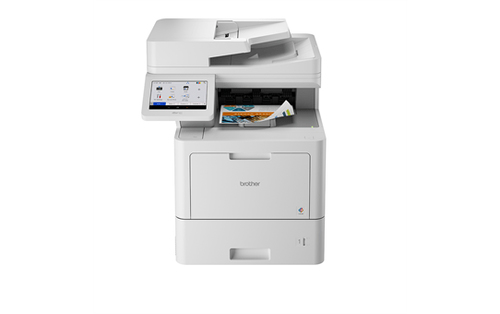
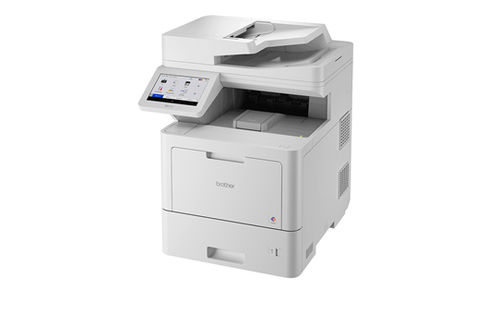
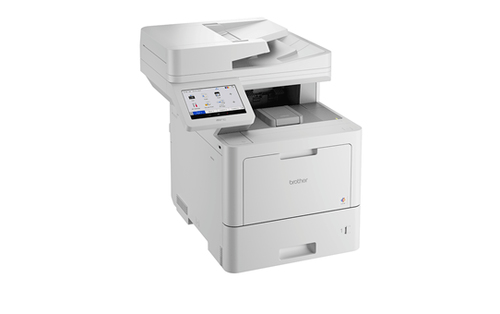
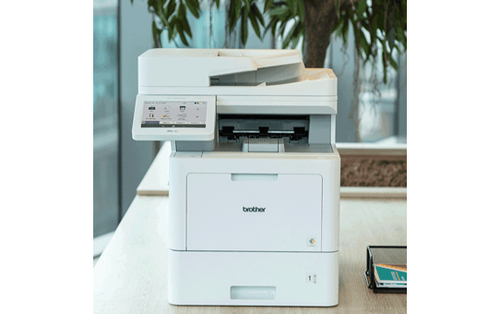
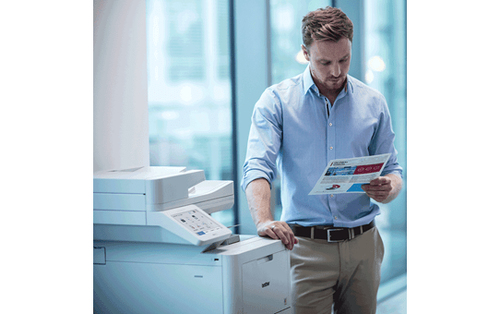
Struggling with slow, low-quality prints that hold up your workflow? The Brother MFC-L9670CDN (MFCL9670CDNZU1) 2400 x 600 DPI 40 ppm Printer is a high-speed colour laser all-in-one that prints, copies, scans and faxes, giving you crisp, professional results in seconds and keeping your office moving.
You enjoy faster turnaround with 40 pages-per-minute output, while automatic duplexing cuts paper waste and costs. The high-resolution 2400 × 600 dpi ensures every detail looks sharp, whether it’s a report or a marketing flyer. Integrated scanning and faxing mean fewer devices to manage, simplifying your desk space. Low standby power consumption reduces energy bills, and the large 620-sheet capacity means fewer reloads, letting you focus on work rather than maintenance.
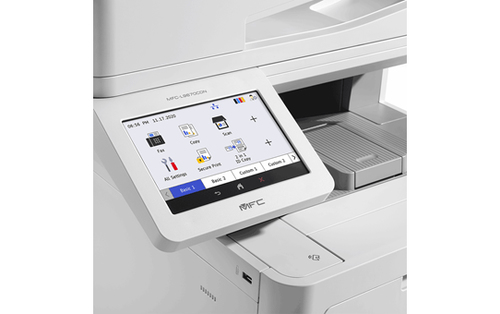
Many buyers worry about hidden costs and complex setups when selecting a multifunction printer. They fear low-quality output, frequent paper jams, and high energy use. The Brother MFC-L9670CDN dispels these doubts with its reliable laser technology, low operating costs, and easy-to-use touch screen interface. Its robust specifications-40 ppm speed, 2400 × 600 dpi clarity, and extensive media handling-ensure you get consistent, professional results without the usual headaches.
| Printing |
| Printing / Max Printing Speed | Up to 40 ppm (mono) / up to 40 ppm (color) |
| Printing / First Print Out Time Color | 10 sec |
| Printing / Max Printing Speed Color (ppm) | 40ppm |
| Printing / Printer Drivers / Emulations | PCL 5e, PCL 5c, PCL 6, PCL 6 (XL 3.0), BR-Script 3, PDF 1.7, XPS 1.0 |
| Printing / Automatic Duplexing | Yes |
| Printing / Max Resolution Color | 2400 x 600 dpi |
| Printing / First Print Out Time B/W | 10 sec |
| Printing / Max Resolution B/W | 2400 x 600 dpi |
| Printing / Max Printing Resolution | Up to 2400 x 600 dpi (mono) / up to 2400 x 600 dpi (color) |
| Printing / Max Printing Speed B/W (ppm) | 40ppm |
| Connections |
| Connections / Interfaces | 1 x USB 2.0 - 4 pin USB Type B ¦ 1 x Gigabit LAN - RJ-45 ¦ USB 2.0 host - 4 pin USB Type A |
| Connections / Software Included | Brother iPrint&Scan, Nuance PaperPort 14 SE, Brother BR-Admin Professional |
| Miscellaneous |
| Miscellaneous / Color Category | Gray |
| Miscellaneous / Consumables Included | 1 x toner cartridge (black) - up to 12000 pages ¦ 1 x toner cartridge (cyan) - up to 9000 pages ¦ 1 x toner cartridge (magenta) - up to 9000 pages ¦ 1 x toner cartridge (yellow) - up to 9000 pages ¦ 1 x drum ¦ 1 x belt ¦ 1 x waste toner collector |
| Miscellaneous / Compliant Standards | BSI |
| Copying |
| Copying / Max Copying Speed | Up to 40 ppm (mono) / up to 40 ppm (color) |
| Copying / Max Copying Resolution | Up to 600 x 600 dpi (mono) / up to 600 x 600 dpi (color) |
| Copying / Max Copying Resolution Color | 600 x 600 dpi |
| Copying / Max Copying Speed B/W | 40ppm |
| Copying / Max Document Reduction | 25% |
| Copying / Automatic Duplexing | Yes |
| Copying / Copying Features | N-in-1 |
| Copying / Max Copying Resolution B/W | 600 x 600 dpi |
| Copying / Max Document Enlargement | 400% |
| Copying / Max Copying Speed Color | 40ppm |
| Scanning |
| Scanning / Optical Resolution | 600 x 600 dpi |
| Fax Machine |
| Fax Machine / Max Transmission Speed | 33.6Kbps |
| Fax Machine / PC Faxing | Yes |
| Dimensions & Weight |
| Dimensions & Weight / Height | 23.1in |
| Dimensions & Weight / Width | 19.8in |
| Dimensions & Weight / Depth | 21.3in |
| Dimensions & Weight / Weight | 81.35lbs |
| Memory |
| Memory / Standard Memory | 2 GB |
| Dimensions & Weight (Shipping) |
| Dimensions & Weight (Shipping) / Shipping Weight | 95.02lbs |
| Dimensions & Weight (Shipping) / Shipping Depth | 26.1in |
| Dimensions & Weight (Shipping) / Shipping Width | 22.8in |
| Dimensions & Weight (Shipping) / Shipping Height | 28.9in |
| Office Machine |
| Office Machine / Printing Output Type | Color |
| Office Machine / Type | Fax / copier / printer / scanner |
| Office Machine / Functions | Scanner |
| Office Machine / Printing Technology | Laser |
| Office Machine / Fax Type | Plain paper |
| Header |
| Header / Model | MFC-L9670CDN |
| Header / Product Line | Brother |
| Header / Packaged Quantity | 1 |
| Environmental Parameters |
| Environmental Parameters / Min Operating Temperature | 50 °F |
| Environmental Parameters / Max Operating Temperature | 89.6 °F |
| Environmental Parameters / Sound Emission | 17.2 dBA (idle) / 56.5 dBA (operating) |
| Environmental Parameters / Humidity Range Operating | 20 - 80% |
| General |
| General / AirPrint Enabled | Yes |
| General / Office Machine Features | Scan to USB host, scan to e-mail, scan to image, scan to network folder, scan to e-mail server, scan to FTP, scan to SharePoint |
| General / Fax Type | Plain paper |
| General / Display Features | Touch screen |
| General / Interface | Gigabit LAN, USB 2.0, USB 2.0 host, NFC |
| General / Device Type | Multifunction printer |
| General / Recommended Monthly Volume | 15000 pages |
| General / Printing Technology | Laser - color |
| General / Connection Availability | Yes |
| Connectivity |
| Connectivity / Connection Availability | Yes |
| Connectivity / Interface | USB 2.0 host |
| Connectivity / AirPrint Enabled | Yes |
| Connectivity / Mobile Printing Capability | Mopria Print Service |
| Document & Media Handling |
| Document & Media Handling / Media Type Class | Other |
| Document & Media Handling / Output Trays Capacity | 250 sheets |
| Document & Media Handling / Standard Media Capacity | 620sheets |
| Document & Media Handling / Document Feeder Capacity | 100 sheets |
| Document & Media Handling / Supported Media Sizes | A4 (8.25 in x 11.7 in), 3 in x 5 in, 8.5 in x 14 in |
| Document & Media Handling / Original Type | Sheets |
| Document & Media Handling / Max Media Size | A4 (8.25 in x 11.7 in) |
| Document & Media Handling / Max Media Weight | 230 g/m² |
| Document & Media Handling / Bypass Feeder Capacity | 100 sheets |
| Document & Media Handling / Min Media Weight | 60 g/m² |
| Document & Media Handling / Supported Media Type | Envelopes, plain paper, thin paper, thick paper, recycled paper, bond paper, labels, glossy paper |
| Document & Media Handling / Document & Media Handling Details | Input tray - 520 sheets weight: 60 g/m² - 230 g/m² ¦ ADF - 100 sheets weight: 45 g/m² - 120 g/m² ¦ Multi-purpose tray - 100 sheets weight: 60 g/m² - 230 g/m² ¦ Output tray - 250 sheets |
| Document & Media Handling / Document Feeder | ADF |
| Document & Media Handling / Min Media Size | 3 in x 5 in |
| Document & Media Handling / Speed Details | Printing: up to 40 ppm (A4) - B/W ¦ Printing: up to 40 ppm (A4) - color ¦ Printing: up to 40 ipm (A4) - B/W duplex ¦ Printing: up to 40 ipm (A4) - color duplex ¦ Copying: up to 40 ppm - color ¦ Scanning: up to 100 ipm - B/W duplex ¦ Scanning: up to 100 ipm - color duplex |
| Document & Media Handling / Media Size Class | A4 |
| Power |
| Power / Power Consumption Operational | 770 watt |
| Power / Power Consumption Standby | 85 watt |
| Power / Power Consumption Sleep | 16.8 watt |
| RAM |
| RAM / Installed Size | 2GB |
| Summary Details |
| Print technology | Laser |
| Printing | Colour printing |
| Maximum resolution | 2400 x 600 DPI |
| Copying | Colour copying |
| Maximum copy resolution | 600 x 600 DPI |
| Scanning | Colour scanning |
| Optical scanning resolution | 600 x 600 DPI |
| Duplex functions | Copy |
| Maximum ISO A-series paper size | A4 |
| Product colour | White |