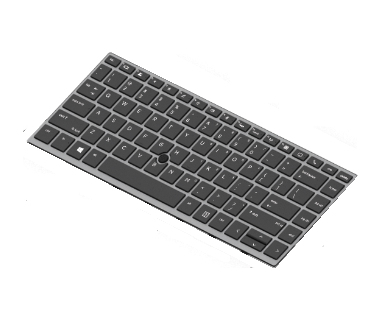
Frustrated by a broken laptop keyboard that slows down your work and forces you to type on a shaky external device? The HP L14377-071 Keyboard fits your EliteBook 745 G5 perfectly, restores full functionality, and brings back the comfort of a reliable, backlit Spanish layout in minutes.
HP L14377-071, Keyboard, Spanish, Keyboard backlit, HP, EliteBook 745 G5, Silver
This replacement keyboard is engineered specifically for the HP EliteBook 745 G5, ensuring a seamless match with the original chassis and connector. The black finish blends with the laptop’s sleek design, while the Spanish key legends let you type in your native language without confusion. Installation is straightforward—no special tools or technical expertise required—so you can have a fully operational keyboard up and running in under ten minutes.
Beyond the basic replacement function, the keyboard includes a built‑in backlight that illuminates every key, making it easy to work in dim offices, coffee shops, or during late‑night projects. The lack of a numeric keypad keeps the footprint compact, preserving the laptop’s thin profile while still delivering a comfortable typing experience for long documents, spreadsheets, and emails.
Benefits
With the HP L14377-071 Keyboard, you regain the productivity you lost when the original keyboard failed. The backlit feature reduces eye strain and eliminates the need to fumble for keys in low‑light environments, allowing you to stay focused and efficient. Because it matches the EliteBook’s original specifications, you won’t experience any lag or missed keystrokes, which means smoother workflow and fewer mistakes.
The Spanish layout eliminates the learning curve associated with foreign key placements, so you can type naturally and accurately right away. By choosing a genuine HP part, you also protect your warranty and ensure long‑term reliability, avoiding the compatibility issues that often arise with third‑party alternatives.
Features
- Exact fit for EliteBook 745 G5 – no modifications needed.
- Spanish language key legends for native typing comfort.
- Integrated backlit illumination for clear visibility in any lighting.
- Durable black finish that matches the laptop’s original aesthetic.
- Low‑profile design without a numeric keypad to keep the laptop slim.
- Plug‑and‑play connection simplifies installation to under ten minutes.
- HP brand compatibility guarantees warranty support and reliability.
- Single‑unit packaging includes one fully tested keyboard.
- Robust key travel provides tactile feedback for accurate typing.
- Designed for heavy‑duty business use, resisting spills and wear.
Usage
To install, power off the laptop, remove the damaged keyboard by gently releasing the retaining clips, and align the new HP L14377-071 Keyboard with the connector. Press down until the clips click into place, then secure any screws that were originally used. Power the machine back on and test each key; the backlight should activate automatically when you enable it in the operating system’s keyboard settings.
This keyboard performs best in professional environments where reliable typing and visibility are essential—such as remote work, travel, or shared office spaces. Its backlit feature and Spanish layout make it ideal for multilingual teams, while the sturdy construction ensures it can handle daily use without degradation.
Specifications
| Features |
| Product colour |
Black |
| Compatibility |
EliteBook 745 G5 |
| Brand compatibility |
HP |
| Type |
Keyboard |
| Keyboard |
| Numeric keypad |
No |
| Keyboard backlit |
Yes |
| Keyboard language |
Spanish |
| Packaging data |
| Quantity per pack |
1 pc(s) |