Buy Synology NAS - Network Attached Storage at Best Price in 2026
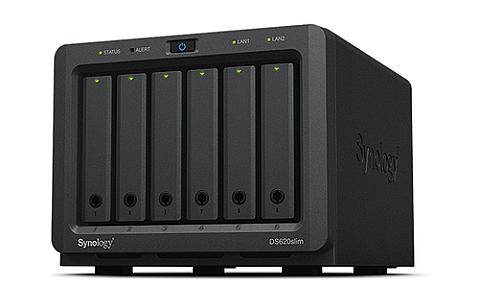
Product Code: NAHO-214
Synology DiskStation DS620SLIM, NAS Desktop, Intel® Celeron® J3355 2 GB DD...
Product Code: NAHO-233
Synology RackStation RS3618xs, NAS, Rack (2U), Intel® Xeon® D, D-1521, 8GB...
$4,149.99
Managing company data is a real headache when files are scattered across laptops, USBs, and random cloud tools. A Synology NAS solves this by giving your team one centralized location to store, share, and protect everything. Whether you run a small office or a large enterprise, Synology network attached storage fits right in. It is fast, reliable, and built for businesses that take their data seriously.
What is Synology NAS (Network Attached Storage)
A NAS device is basically a dedicated storage server that connects to your office network. Every person on your team can access files from it, upload documents, and share data without emailing attachments back and forth.
Synology NAS devices are known for being user-friendly and surprisingly powerful. You do not need an IT background to set one up. Businesses across industries use it to centralize their data in one secure spot and stop depending on scattered drives or expensive cloud plans.
Synology NAS Devices with DSM and Smart Backup Solution
Synology runs on DiskStation Manager (DSM), one of the most trusted NAS operating systems available today. DSM 7.3 brings a clean interface, powerful backup tools, and a wide range of apps that make managing your storage system genuinely easy. You can schedule automatic backups, restore files in real-time, and monitor your hard drives all from one dashboard. For B2B buyers especially, this kind of data management solution saves time and reduces the risk of data loss across teams.
|
Feature |
What It Does |
|
DSM 7.3 |
Latest NAS operating system with AI-assisted tools |
|
Hyper Backup |
Backs up to local, cloud, or remote NAS |
|
RAID Calculator |
Helps you pick the right RAID configuration |
|
Snapshot Replication |
Real-time file protection with recovery points |
|
Active Backup Suite |
Covers PCs, servers, and virtual machines |
The backup suite alone is worth it for any company that cannot afford to lose files.
Secure Network Attached Storage Solution for Cloud with Synology
One thing that sets Synology apart is how it handles the hybrid cloud. You get the security of a private cloud with the flexibility of cloud storage. Using cloud with Synology means your data stays under your control, not sitting on someone else's server.
Industries like healthcare, finance, and legal firms love this because data privacy is not optional for them. Synology uniquely enables businesses to scale from edge to datacenter without changing their entire setup. In fact, Synology is recognized as a trusted solution by half of Fortune 500 companies.
How to Connect to Synology NAS
Connecting to your NAS device is simpler than most people expect. Synology offers QuickConnect, a built-in tool that lets you access your storage system from anywhere without configuring complicated network settings.
Just log in with your Synology account and you are in. For office setups, you connect through your local network using the IP address. You can also use the Synology mobile app to access files from your phone. Remote teams use this every day to securely share files, sync folders, and collaborate without missing a beat.
Synology DS223j NAS
The DS223j is a solid 2 bay NAS built for small businesses and home users who want reliable centralized storage without spending too much. It supports RAID configurations like RAID 1, which means if one drive fails, your data is still safe on the other.
You can load it with up to several terabytes of storage depending on the hard drives you choose. It runs DSM smoothly and supports all the key apps including file sharing, backup, and multimedia. If you are just starting out, this is a cost-effective entry point worth considering.
Synology DS224+ NAS
The DS224+ steps things up with an Intel processor, making it noticeably faster for business workloads. It supports SSD caching, which means faster workflows when you are accessing files frequently.
You can run more demanding applications on this unit, including surveillance solutions with IP cameras support. It also handles heavier backup tasks without slowing down. For small to mid-sized companies that need more performance from a 2 bay NAS, the DS224+ is the one to go with. It is versatile, quick, and built to handle real daily business use.
Synology 2 Bay NAS
A 2 bay NAS is suitable for smaller teams, home offices, and businesses that are just building out their storage setup. Synology offers several 2 bay models with different performance levels depending on your budget.
You get RAID redundancy, private cloud access, and the full DSM platform even on these compact units. They are desktop sized so they fit on any desk without taking up space. If your storage needs grow, you can always swap in larger hard drives or move up to a bigger unit later. Simple, affordable, and reliable.
Synology 4 Bay NAS
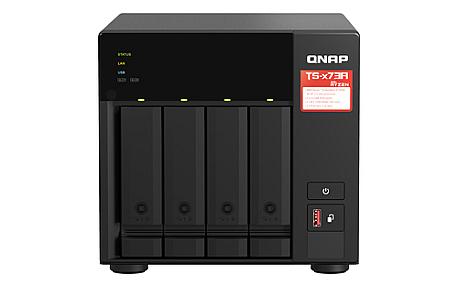
The 4 bay NAS category is where things get serious for growing businesses. With four drive slots, you have much more storage capacity and more flexible RAID configurations to choose from.
You can mix SSDs and hard drives, add expansion units later, and run a comprehensive suite of apps including surveillance, collaboration tools, and data management solutions. Synology's 4 bay models are built for teams that need to centralize large amounts of data and protect their data long term. If your company is scaling, a 4 bay NAS gives you the room to grow without switching systems.
Best home NAS devices for media streaming
The best home NAS devices for media streaming let you store movies, music, and photos in one place and watch them on any device. Synology NAS models support media apps that stream smoothly to TVs, phones, and tablets without buffering. You get your own private Netflix-style library at home.
How to set up a personal cloud storage device at home
You can create personal cloud storage by connecting a NAS to your home router and completing the quick setup through DSM. After setup, you upload files and access them from anywhere using secure login access. This removes the need for third-party cloud subscriptions.
Where to buy reliable NAS units in the UK
If you want genuine Synology NAS devices in the UK, Pondesk offers trusted hardware with business-grade reliability. You can choose from entry-level to advanced NAS solutions based on your storage needs. Buying from Pondesk ensures authentic products and dependable support.
Best NAS devices for home data backup
A NAS device protects your files by automatically backing up computers, phones, and folders in one place. Synology NAS systems include smart backup tools that run on schedule without manual work. Your data stays safe even if a device fails.
How to set up a home network storage device for the first time?
Start by installing hard drives into the NAS and connecting it to your router using an Ethernet cable. Follow the on-screen DSM setup guide to create users and storage pools. Within minutes, your home network storage becomes ready for file sharing.
How to set up a personal cloud storage system with a NAS
Enable remote access features like QuickConnect after completing NAS installation. This allows secure file access outside your home network without complex settings. You can sync folders, share links, and manage files just like a cloud service you fully control.
Where to buy reliable NAS hardware in the US
Pondesk provides reliable NAS hardware options for US customers looking for secure storage solutions. You can explore different Synology models suitable for home users and businesses. The platform focuses on quality devices built for long-term performance.
What are the essential applications for a private home server?
A private home server works best with apps for backup, file sharing, media streaming, and surveillance management. Synology DSM includes tools like Active Backup, media servers, and collaboration apps that run directly on the NAS. Pondesk helps users choose devices that support these essential applications smoothly.
How to stream media from a network storage appliance to a smart TV?
Install a media server app on your NAS and connect your smart TV to the same network. The TV detects the NAS automatically, allowing you to play movies or music directly without copying files. This setup turns your NAS into a central home entertainment hub.