In today’s digital world, business efficiency relies heavily on reliable, high-performance servers. From managing databases and hosting applications to supporting virtualization and cloud services, servers are the backbone of modern enterprises. Choosing the right rackmount server not only ensures smooth operations but also boosts productivity, scalability, and long-term business growth.
But with so many options available—1U, 2U, 3U servers, and various brands—how do you select the perfect server that fits your business needs? The key is understanding your workload requirements, storage needs, and future growth plans. Whether it’s a small office, a growing startup, or a large enterprise, selecting the right server will save you time, money, and headaches in the long run.

How to Choose the Right Server for Your Business
Choosing the perfect server isn’t just about picking the most expensive model—it’s about matching your business needs with the right performance, storage, and scalability options. The right server ensures smooth operations, faster data processing, and reliable uptime, allowing your business to grow without interruptions.
When selecting a server, consider these key factors:
-
Workload Requirements:
-
Identify what your server will handle—file storage, virtualization, databases, cloud services, or business applications.
-
Small workloads may be fine with 1U servers, while heavy virtualization or enterprise applications may require 2U or 3U servers.
-
Performance Needs:
-
Look at CPU type, cores, and clock speed. More demanding applications require Xeon or Ryzen embedded processors with multiple cores.
-
Memory (RAM) is crucial—more RAM allows smoother multitasking and faster data processing.
-
Storage and Expansion:
-
Determine how much storage you need now and in the future.
-
Check drive bays, RAID support, and compatibility with SSD/NVMe or HDD storage.
-
Form Factor & Space:
-
1U servers are compact and space-saving.
-
2U servers offer more drive bays and better cooling.
-
3U servers maximize storage and expansion for enterprise workloads.
That’s where Pondesk’s rackmount server recommendations come in.
Carefully curated, we provide reliable, high-performance options for every business size. From compact 1U servers to high-capacity 3U machines, Pondesk has a solution tailored for your business.
1U Rackmount Servers
1U rackmount servers are compact and efficient, designed to save rack space while providing essential performance. Ideal for small to medium workloads, they handle network management, file storage, and basic virtualization without taking up much physical space. Their small footprint makes them perfect for home labs, small businesses, and remote offices.
Pondesk 1U Rackmount Servers
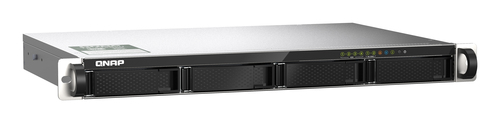
QNAP TS-435XEU NAS – Up to 32GB DDR4, 1U Rackmount Server
Reliable 1U NAS server with Marvell CN9131 processor supporting up to 32GB DDR4 memory. Perfect for small business storage and network applications.
Key Points:
-
Compact 1U design
-
Up to 32GB DDR4 memory
-
Efficient for small business workloads
-
Ideal for NAS and basic virtualization
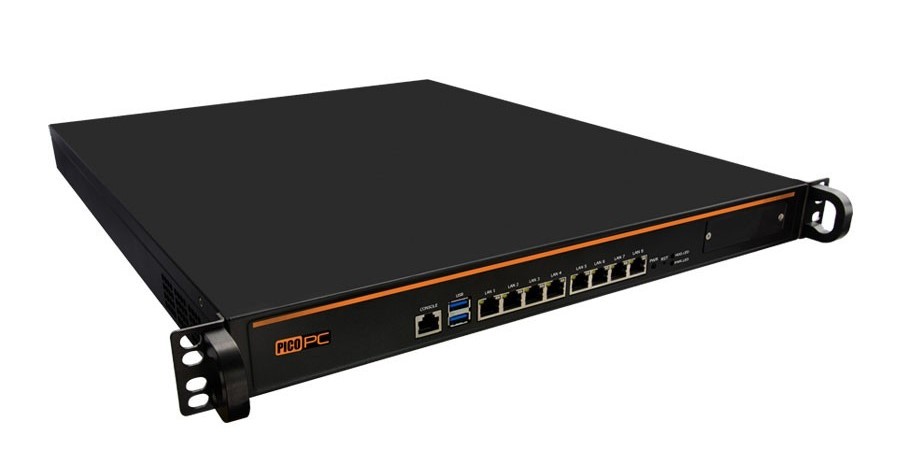
Intel i7-11700 1U Rackmount Server with RAID, WiFi6, Redundant Power
1U server with Intel i7 processor, WiFi6 support, and redundant power supply for stable and efficient performance.
Key Points:
-
Intel i7 CPU for multitasking
-
RAID support for data protection
-
Compact and reliable
-
Hot-swappable drives for easy maintenance
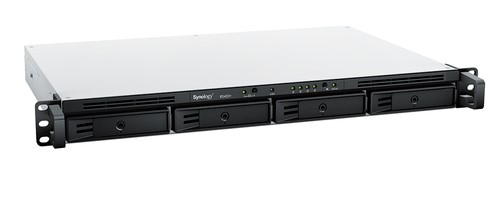
Synology RackStation RS422 NAS – Ryzen Embedded R1600, 2GB DDR4, 1U Rackmount
1U NAS server for efficient file storage and business applications, featuring Ryzen Embedded R1600 processor and energy-efficient operation.
Key Points:
-
Ryzen Embedded R1600 CPU
-
2GB DDR4 memory
-
Energy-efficient 1U design
-
Perfect for small office file management
2U Rackmount Servers
2U rackmount servers are slightly taller than 1U, providing better cooling, more drive bays, and higher performance capabilities. They are suitable for medium to large businesses, handling virtualization, database management, and multi-user environments. The extra space allows for more memory, expansion cards, and redundant power supply options.
Pondesk 2U Rackmount Servers
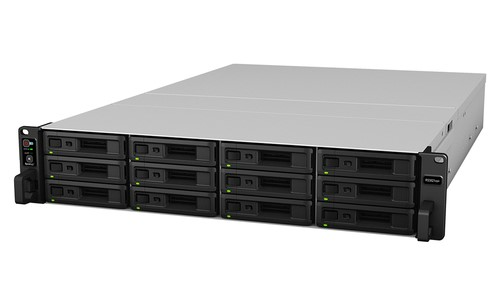
Synology RackStation RS3621xs NAS – Intel Xeon D-1541, 8GB DDR4, 2U Rackmount Server
High-performance 2U NAS server with Xeon D processor and 8GB DDR4 memory, ideal for virtualization, business-critical applications, and heavy file storage.
Key Points:
-
Intel Xeon D CPU
-
8GB DDR4 memory
-
Multiple drive bays for storage expansion
-
Perfect for medium businesses
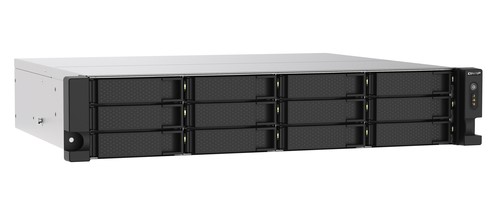
QNAP TS-1273AU-RP 2U Rackmount Server – Ryzen Embedded V1500B, 8GB DDR4
2U NAS server with Ryzen Embedded processor providing high-speed performance, RAID support, and multiple storage options.
Key Points:
-
Ryzen Embedded V1500B CPU
-
8GB DDR4 memory
-
2U form factor with better cooling
-
Ideal for medium workloads and virtualization
3U Rackmount Servers
3U rackmount servers are tall, high-capacity machines designed for heavy-duty business applications. They provide maximum storage, enhanced cooling, and support for multiple expansion cards or GPUs. Ideal for large-scale storage, enterprise workloads, virtualization, and AI applications, 3U servers ensure reliability, scalability, and future-proof performance.
Pondesk 3U Rackmount Servers
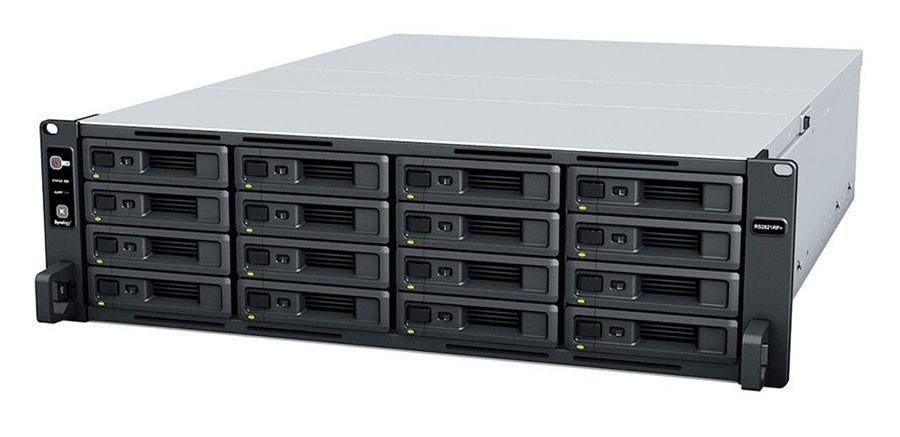
Synology RS2821RP – AMD V1500B, 4-Core, 4GB, 16x Drive Bay NAS, 3U Rackstation
High-capacity 3U server featuring 16 drive bays, AMD V1500B processor, and reliable redundant power supply, perfect for enterprise storage, virtualization, and large workloads.
Key Points:
-
AMD V1500B 4-core CPU
-
16 drive bays for maximum storage
-
Redundant 550W power supply
-
Suitable for enterprise and high-performance tasks
Final Thoughts
Choosing the right rackmount server is critical for business efficiency, reliability, and scalability. 1U servers are ideal for compact spaces and small workloads, 2U servers suit medium businesses with higher demands, and 3U servers are perfect for enterprise-level, heavy-duty applications.
Explore all 1U servers: Pondesk 1U Rackmount Servers
Explore all 2U servers: Pondesk 2U Rackmount Servers
Explore all 3U servers: Pondesk 3U Rackmount Servers
Frequently Asked Questions (FAQS)
Q1. What’s the difference between 1U, 2U, and 3U servers?
1U servers are compact, saving rack space, ideal for small workloads. 2U servers offer better cooling, more drive bays, and higher performance for medium businesses. 3U servers provide maximum capacity and expansion for enterprise-level, heavy-duty applications.
Q2. How do I choose the right server for my business?
Consider your workload, storage needs, scalability requirements, and future growth. Small offices can use 1U, medium workloads benefit from 2U, and enterprise systems require 3U servers for maximum performance and reliability.
Q3. Are rackmount servers better than tower servers for businesses?
Rackmount servers save space and allow better cooling, making them ideal for data centers or offices with multiple servers. Tower servers are easier to set up but less scalable for large operations.
Q4. Can I expand storage or memory in rackmount servers later?
Yes, 2U and 3U servers are designed for scalability, allowing you to add additional RAM, drives, or expansion cards as your business grows. 1U servers have limited expansion but still support upgrades within their compact design.
Q5. What is a hot-swappable drive, and why is it important?
Hot-swappable drives can be replaced or added without shutting down the server, ensuring continuous operation. This is critical for businesses that require high uptime and reliability.


Comments (0)