Big Dreams, Small Footprint
Picture this: you're setting up your dream PC. You want blazing FPS in games, smooth multitasking during work calls, but you don’t want a large tower crowding your desk. Maybe you also move your rig around sometimes, or want a setup that doesn’t look like it belongs in a server room.
Enter Mini-ITX motherboards. Tiny in size, but full of power. Think of them like performance ninjas—small, efficient, and capable of taking on big challenges. Whether you’re gaming, streaming, working, or designing, a Mini-ITX motherboard helps you build a setup that’s stylish, compact, and high-performing.
In this article, we’ll explore some of Pondesk’s top Mini-ITX motherboards, see what makes them stand out, and help you decide which one fits your gaming + work lifestyle best.
Why Mini-ITX Matters: Key Advantages
The heart of any PC is its motherboard, and the Mini-ITX form factor has redefined what’s possible. Here’s why it’s gaining so much love from people.
-
Compact Size, Big Power – Mini-ITX boards are only 6.7 x 6.7 inches, yet they can pack the same punch as their ATX cousins.
-
Versatility – From gaming rigs to home office builds, they’re designed to fit anywhere without sacrificing performance.
-
Clean Aesthetic – Smaller cases mean tidier setups, perfect for modern minimalist workspaces.
-
Efficiency – Better airflow and smart layouts keep your system cool and quiet.
-
Future-Ready – Many Mini-ITX boards now support the latest CPUs, DDR5 memory, WiFi 6E, and PCIe 5.0—futureproofing your build.
In short: Mini-ITX is no longer a “compromise.” It’s a smart choice for anyone who wants performance with elegance.
Pondesk’s Mini-ITX Motherboards & What Makes Them Special
If you’re ready to build or upgrade your setup, Here are some great Mini-ITX motherboard options from Pondesk. I’ll tell you what makes each one shine, especially for gaming + home office.
ASRock B650I Lightning AM5 (Ryzen-7000, WiFi 6E) Mini-ITX Motherboard
What you get:
-
Support for AMD Ryzen-7000 CPUs, meaning next gen performance.
-
DDR5 memory support (faster speeds, more bandwidth).
-
Built-in WiFi 6E for fast wireless networking—great for gaming or home office without dealing with cables.
-
Solid power phases to handle heavy gaming loads or productivity tasks without throttling.
Why this board could be for you:
If you want a board that can handle both competitive gaming and heavy multitasking (video editing, streaming, etc.), this one gives you modern CPU + RAM technologies. The inclusion of WiFi 6E helps if your setup isn't wired 100%—lag or latency in online gaming or video calls drops significantly.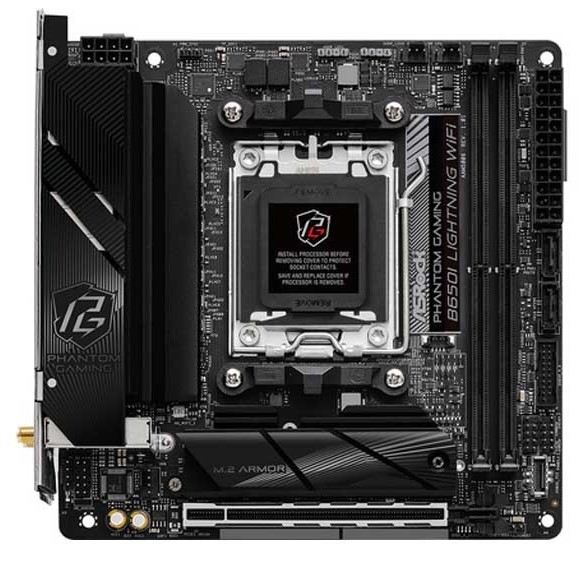
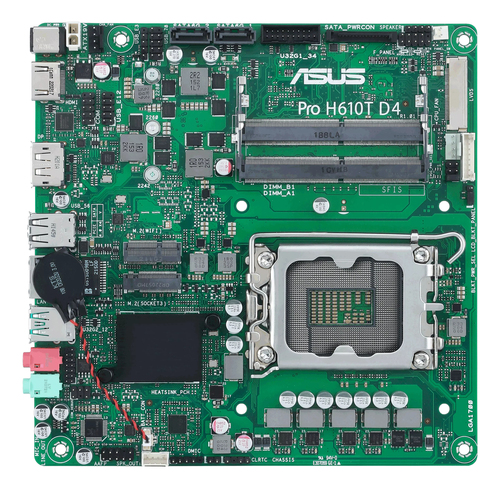
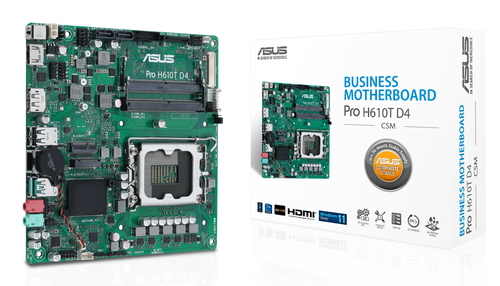
ASUS Pro H610T-D4 CSM Thin Mini-ITX (H610) Business Motherboard
What you get:
-
A “thin” form factor design for ultra-compact builds (especially in tight spaces).
-
Reliable ASUS build and components aimed at business/home office use.
-
Enough ports for business needs—USBs, display, etc.
Why this board shines for home office setups:
If your focus is more on productivity, video conferencing, spreadsheets, lightweight gaming, or office tasks, this motherboard offers exactly what you need without extra bulk. Plus, thin designs help with airflow in compact cases and give a cleaner look.
Gigabyte A620I AX Socket AM5 Mini-ITX Motherboard
What you get:
-
AM5 socket support (future proof for multiple upcoming Ryzen generations).
-
WiFi + Bluetooth built in (AX = latest wireless).
-
Modern I/O and M.2 slots for fast SSDs.
Why this is a solid middle ground:
It’s great if you want newer technologies, but don’t need all the ultra-top specs. For gamers who aren’t pushing the highest overclocks, or home office folks who want to ensure their rig lasts several years, this board offers balance and value.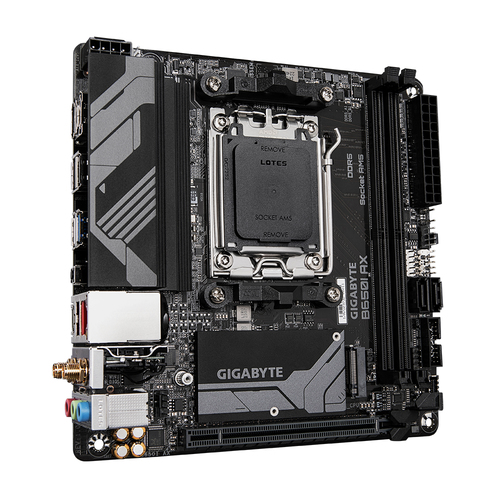
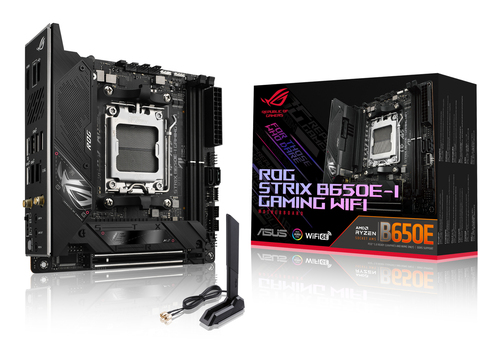
ASUS ROG Strix B650E-I Gaming WiFi Mini-ITX AM5 Motherboard
What you get:
-
High-end VRMs and components to handle top CPUs.
-
Strong support for high performance GPUs.
-
Top tier I/O, fast storage options, likely PCIe 5.0 in places.
-
WiFi + premium features for gamers and creators.
Why this is for power users:
If you want top performance in a small case—competitive gaming, streaming, editing—this one gives you breathing room. You’ll pay more, but get more. Great cooling required, but worth it if you want the best.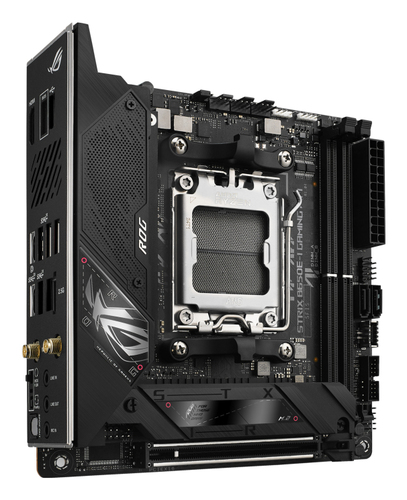
Gigabyte B650I AX Mini-ITX AM5 Motherboard
What you get:
-
Solid AM5 support, likely strong connectivity and robust build.
-
WiFi AX wireless, modern networking.
-
Good features without some of the “bling” of premium boards.
Why this might appeal:
If you want a high-quality board that doesn’t go overboard on cost but still gives modern features and good performance, this one is a sweet spot.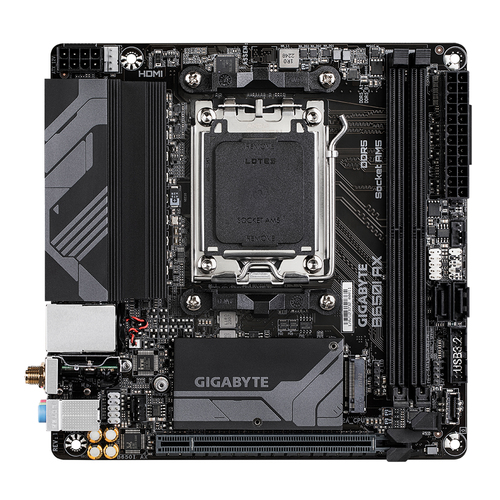
Gigabyte B850I Aorus Pro Mini-ITX AM5 Motherboard
What you get:
-
Newer chipset (B850) for more cutting-edge support and features.
-
Likely more refined power delivery, possibly more I/O, better memory speed support.
-
Geared towards enthusiasts who want bleeding-edge without completely premium price.
Why choose this if you want future-proofing:
If you’re building something now that you want to last, able to take future Ryzen CPUs, faster RAM, better connectivity—it’s a great choice. Especially if you mix work + gaming + creative tasks.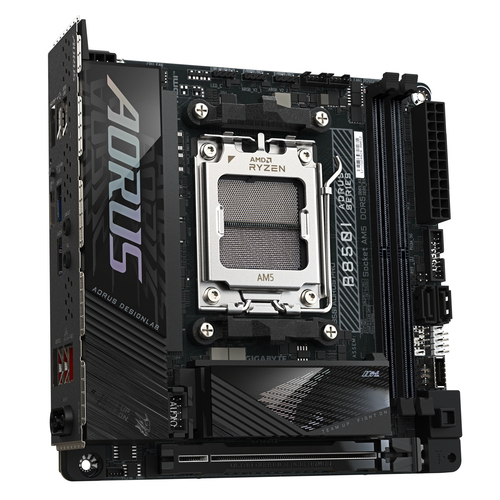
Mini-ITX Use Cases: Gaming + Home Office
Here are some stories of how different users might benefit:
-
Competitive gamer with limited desk space: They choose a high-end Mini-ITX board with good VRMs (like the ROG Strix B650E-I), a compact powerful GPU, and fast cooling—max FPS without a bulky case.
-
Hybrid worker / streaming creator: Uses a Mini-ITX build that’s sleek in the living room, handles Zoom, editing, lighter gaming. Boards like the ASRock B650I Lightning or Gigabyte A620I AX would work well.
-
Home office only: Needs reliability, decent ports, less noise, maybe integrated WiFi. The ASUS Pro H610T-D4 is perfect for that scene.
Final Word
Mini-ITX isn’t just a niche—it’s a smart, modern choice for people who want high performance without the bulk. Whether you’re pushing frame rates or managing meetings, these motherboards from Pondesk offer something for everyone.
If you want to explore more Mini-ITX options and compare prices, styles, and features, head over to the full Mini-ITX Motherboards Collection at Pondesk.
FAQs
Q1: Can a Mini-ITX build match full-sized ATX builds in performance?
Yes—especially for gaming and general productivity. The difference comes down to cooling, VRM quality, and thermal headroom. With a good Mini-ITX board and proper cooling, you can get very close in many cases. But for extreme multi-GPU setups or highly overclocked CPUs, ATX/E-ATX still offer more flexibility.
Q2: Are Mini-ITX builds more expensive?
Often, yes. Because engineering is more difficult in a small form factor (shorter traces, compact design), Mini-ITX boards tend to cost more per feature. Also, cases and cooling solutions for small form factor can also be pricier. But many of the Pondesk boards listed offer great value, balancing modern chipsets, WiFi, etc.
Q3: What kind of case do I need for a Mini-ITX motherboard?
You’ll need a case compatible with Mini-ITX size (check the mounting points). Also ensure there’s room for the GPU length, CPU cooler height, and enough airflow. Some cases are very tight, so measure everything.
Q4: Is cooling a big issue?
It can be. Small cases trap heat. To avoid problems: choose efficient airflow cases, low-profile or all-in-one (AIO) coolers designed for small space, manage cables well, and ensure quality VRMs on the motherboard so voltage delivery stays stable under load.
Q5: Are WiFi & wireless features reliable on Mini-ITX boards?
Modern Mini-ITX boards almost always include solid WiFi (AX, WiFi 6E) and Bluetooth. As always, the internal antenna placement and your router strength matter. They tend to perform well for both gaming and home office calls when setup properly.


Comments (1)