Choosing the right firewall is one of the most important decisions for ensuring a secure and efficient network. Firewall sizing is not just about comparing datasheets or buying the most expensive model. It is a process that requires careful evaluation of network demands, growth expectations, and security features. Organizations that underestimate their needs often face performance bottlenecks, while those that overspend end up paying for unused capacity. To strike the right balance, it is crucial to understand the key metrics that define firewall performance: throughput, concurrent sessions, VPN performance, and connections per second (CPS).
Throughput: The First Layer of Performance
Throughput represents the maximum amount of traffic a firewall can process, usually measured in gigabits per second (Gbps). Different types of throughput are advertised, such as firewall throughput, IPS throughput, and SSL inspection throughput.
Real-world throughput, however, is often lower than vendor claims because advanced features like IPS, SSL/TLS inspection, and antivirus scanning consume additional resources. For example, enabling these features can reduce performance by 30–50 percent.
When estimating, start with your organization’s peak internet bandwidth. If you have a 1 Gbps internet link and expect to enable multiple security features, choose a firewall with at least 2–3 Gbps of effective throughput. This ensures smooth operations and allows room for future growth.
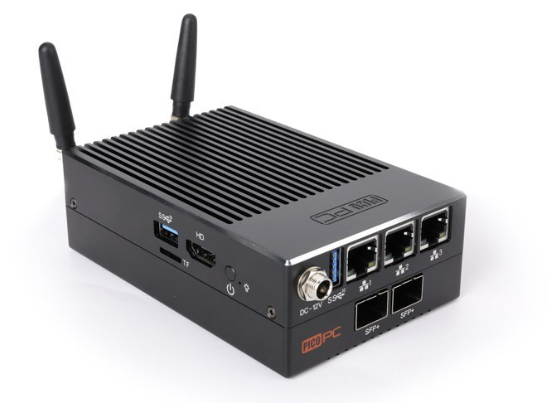
PICO PC Firewall Router Intel N6005, 16GB/128GB, 3x 2.5GbE, WiFi6, Dual Intel 10Gig SFP Fiber
This model stands out for high-throughput environments thanks to its dual 10Gig SFP fiber ports combined with WiFi6 support. It is ideal for enterprises that want headroom for growth while enabling advanced security services without sacrificing speed.
Concurrent Sessions: Handling Network Scale
Concurrent sessions refer to the number of simultaneous TCP or UDP connections a firewall can manage. Each user activity—such as browsing, video streaming, or cloud application access—uses session capacity.
If a firewall cannot handle enough sessions, it leads to dropped connections, timeouts, and degraded user experiences. For example, an organization with 500 employees using cloud services and VPN access may need a firewall capable of supporting hundreds of thousands, if not millions, of concurrent sessions.
By estimating user numbers, connected devices, and applications, you can calculate the right session handling requirements for your environment.
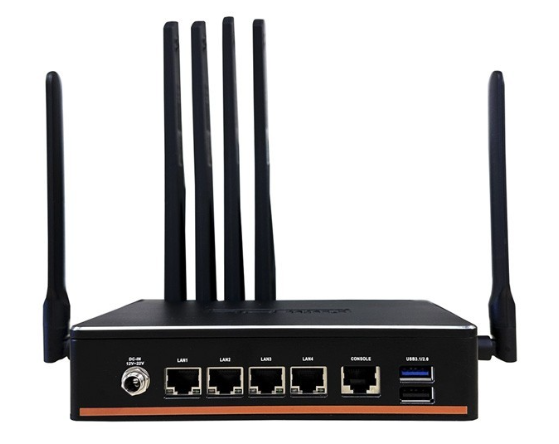
Intel N5105, 4-LAN i211, 5G CPE Fanless Network Appliance with TPM
This fanless model is perfect for SMBs that need stable session handling with hardware TPM security. It’s designed for reliability and scalability in cloud and SD-WAN environments.
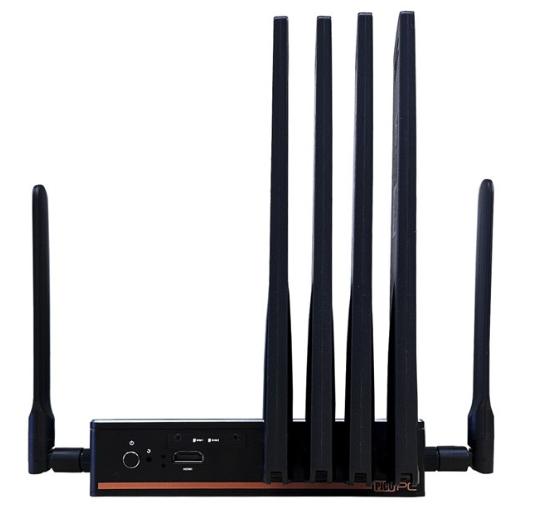
Intel N5105, 4-LAN 2.5GbE, 5G CPE Fanless Network Appliance with TPM
An upgraded version with 2.5GbE ports, making it more future-ready for networks with higher device density and heavier session requirements.
VPN Performance: Secure Connectivity Without Bottlenecks
For organizations that rely on remote access or site-to-site connectivity, VPN performance is critical. It is measured in terms of tunnel capacity (how many VPN users can connect at once) and encryption throughput (how quickly traffic is processed with IPSec or SSL/TLS encryption).
Limited VPN performance can slow down file transfers, impact video conferencing quality, and reduce employee productivity. If, for example, 200 remote workers each require 10 Mbps, the firewall should be able to deliver at least 2 Gbps of VPN throughput, plus extra headroom for spikes.
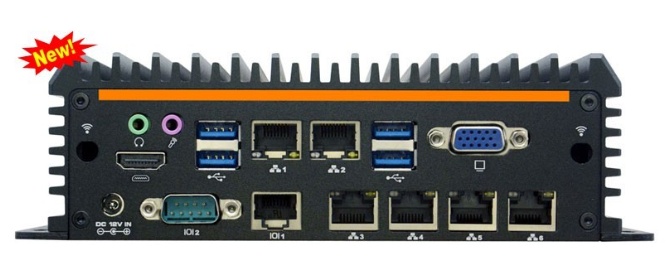
Intel i3-8145U, 6-LAN 4G Fanless Security Gateway Appliance
With six LAN ports and 4G support, this appliance is well-suited for organizations with multiple VPN tunnels and remote access requirements. Its fanless design ensures reliability during heavy VPN traffic.
Connections Per Second (CPS): Managing Bursty Traffic
CPS measures how many new connections a firewall can establish every second. This becomes essential for environments with high transaction volumes such as e-commerce platforms, online trading systems, or streaming services.
Even if throughput and session limits are sufficient, low CPS can lead to performance issues during sudden traffic spikes. Logs and flow data can help identify peak CPS demands. For instance, a busy online store experiencing thousands of logins during sales events will require a firewall optimized for high CPS rates.
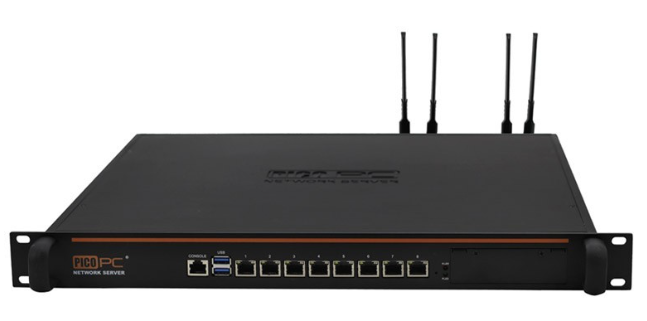
Intel Core i7-9700, 8-LAN, 4x 10Gig SFP, 1U Rackmount SD-WAN Appliance
A true powerhouse for handling high CPS and throughput simultaneously, this rackmount server is built for large enterprises and data centers that experience massive traffic spikes.
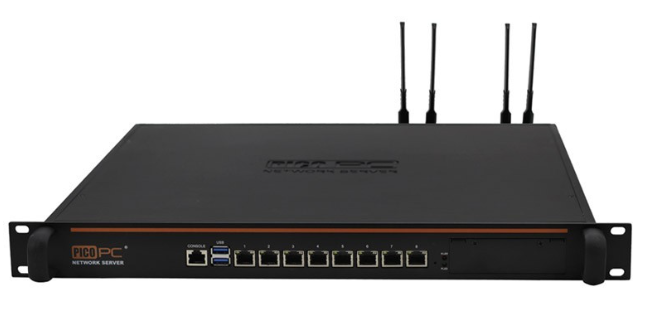
Intel 5205U, 6-LAN, 1-COM, 4G/5G Firewall 1U Rackmount Server
Best suited for medium to large organizations needing high CPS rates and reliable scalability, this model offers multiple LAN interfaces and 4G/5G support for hybrid environments.
The Role of Advanced Security Services
Modern firewalls integrate features like intrusion prevention, deep packet inspection, sandboxing, and SSL decryption. These features add strong layers of security but also reduce performance capacity.
Because vendors often publish performance numbers with minimal features enabled, real-world performance may be up to 50 percent lower. The best practice is to size for the worst-case scenario, assuming that all critical protections will be active.
Planning for Growth and Scalability
Networks rarely stay the same. Bandwidth demands rise, employee numbers grow, and cloud adoption accelerates. To avoid frequent upgrades, always plan for growth.
A reliable rule of thumb is to add 30–50 percent more capacity than current requirements. For example, if your network uses 500 Mbps today, select a firewall that supports at least 750 Mbps to 1 Gbps with all features enabled.
Why Real-World Testing Matters
Datasheets are useful for comparisons, but they do not always reflect actual performance. Third-party benchmarks or pilot testing under simulated workloads can provide more accurate insights. Testing ensures that your firewall performs as expected in your specific environment.
Conclusion
Firewall sizing is not about picking the biggest model available. It is about carefully balancing throughput, concurrent sessions, VPN performance, and CPS, while also accounting for advanced security features and future scalability. Organizations that size their firewalls based on real-world requirements avoid performance bottlenecks, reduce costs, and strengthen network security.
By translating your organization’s traffic patterns, user needs, and growth plans into measurable metrics, you can choose a firewall that performs reliably today and continues to support you in the years ahead.
Frequently Asked Questions
1. How do I know what firewall throughput I need?
You can calculate firewall throughput needs by analyzing your peak internet usage. If your organization has a 1 Gbps internet link, select a firewall that can handle at least 2–3 Gbps of real-world throughput after security features are enabled.
2. What happens if my firewall cannot handle enough concurrent sessions?
When session limits are exceeded, users experience dropped connections, application failures, and slower performance. Choosing a firewall with enough session capacity prevents these issues.
3. How much VPN performance is enough for remote workers?
Multiply the number of expected remote users by their average bandwidth usage. For instance, 200 employees using 10 Mbps each would require at least 2 Gbps of VPN throughput, plus some headroom for spikes.
4. Why is CPS important in firewall sizing?
Connections Per Second (CPS) determines how quickly a firewall can handle new requests. For websites or services with high login traffic, a low CPS limit can cause delays even if throughput seems sufficient.
5. Should I oversize my firewall to prepare for the future?
Yes, it is recommended to add 30–50 percent extra capacity to account for growth in bandwidth, users, and applications. This reduces the need for frequent hardware replacements.


Comments (0)