Looking for a budget Android tablet that actually works without making you want to throw it across the room? The Lenovo Tab M11 keeps coming up in searches, and for good reason. This Lenovo Tab M11 review covers everything you actually need to know before spending your money, battery life, including real performance, display quality, and whether the 4GB RAM holds up in daily use.
Lenovo Tab M11 Variants Available at Pondesk
Before we get into the full breakdown, here are the three Lenovo Tab M11 options you can grab right now at the best prices:
| Product | Key Specs | Notes |
|---|---|---|
| Lenovo Tab M11- 4 GB , 128 GB | 11 Inch, 128GB, 4GB RAM, Android 13, LTE | With LTE + stylus included |
| Lenovo Tab M11- 4 GB , 128 GB | 11", 1920x1200, 128GB, 4GB, Android 13 | Wi-Fi only, stylus included |
| Lenovo Tab M11- 4 GB , 128 GB | 11", 1920x1200, 128GB, 4GB, Android 13 | 2-year warranty, stylus included |
All three ship free in the UK. Buying 5 or more units? Pondesk unlocks priority discounts. For 20+, you get exclusive volume pricing. Email [email protected] or hit "Request Quote" for bulk orders.
Lenovo Tab M11 Review: A Tablet Worth Buying?
Most budget tablets disappoint you within a week. The screen looks washed out, apps stutter, the battery dies by lunch, and you end up wishing you just spent more. The Lenovo Tab M11 tries to break that pattern. After spending real time with this tablet, here is what we found.
Lenovo Tab M11 Overview and First Impressions
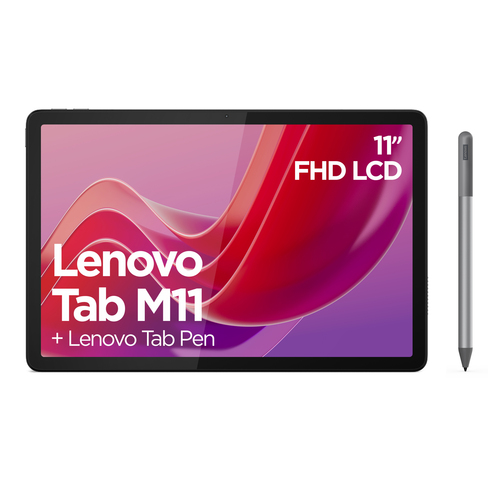
The M11 tablet is Lenovo's answer to the growing demand for affordable Android tablets that do not cut corners in the wrong places. It runs Android 13 out of the box, comes with 4GB of RAM and 128GB storage, and packs an 11-inch IPS display with a 90Hz refresh rate. That combination is genuinely unusual for a budget tablet.
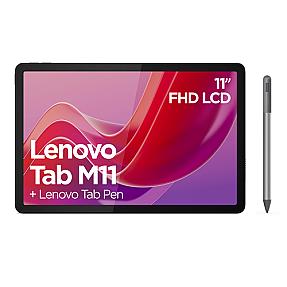
Out of the box, the Luna Grey finish gives it a clean, understated look. It does not scream "cheap." The metal chassis feels solid in hand, and at 465g it is light enough to hold during a long reading session without your arm giving out. The included stylus is a nice touch, and we will get into how useful that pen actually is later.
One thing worth flagging upfront: the charger is not included in the box. You get a USB-C cable but no adapter. That is a small but real annoyance if you do not already have a compatible charger lying around.
Lenovo Tab M11 Design and Build Quality
The build quality on this Lenovo tablet is better than the price suggests. The metal housing feels rigid, and there is no flex or creaking when you hold it. The 7.15mm profile keeps it genuinely slim, which makes it easy to slip into a bag.
The Luna Grey color is simple and professional. It does not attract fingerprints the way glossy black tablets do. Around the edges you get a 3.5mm audio jack, which is increasingly rare and worth appreciating, plus a USB-C port for charging and data. There is also a microSD card slot that supports up to 1TB, which is genuinely generous on a tablet at this price.
IP52 rating means it can handle light splashes and dust. It is not waterproof, but it will survive a bit of rain or a spilled drink nearby. For students or anyone using this tablet in messier environments, that matters.
The front and rear cameras are both 8MP. They are fine for video calls. You would not use either camera for photography you care about, but for quick document scans using the built-in smart scanner, the rear camera works well.
Display Performance: 11-Inch 90Hz Screen Tested
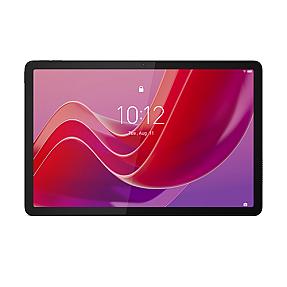
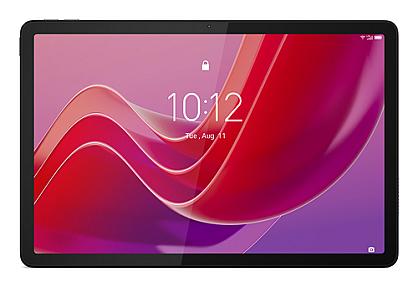
The display is where this tablet genuinely impresses. The 11-inch IPS panel runs at 1920 x 1200 pixel resolution, which gives you a sharp, clear picture. The 16:10 aspect ratio suits both video and documents better than the standard 16:9 most tablets use.
The 90Hz refresh rate makes scrolling feel noticeably smoother than most tablets in this price range. Switching from a 60Hz screen to this one is immediately obvious. Pages scroll cleanly, apps animate without choppiness, and light gaming looks fluid.
Brightness hits 400 cd/m², which is enough for indoor use in well-lit rooms. Outside in direct sunlight it can struggle a bit, but that is true of almost every budget tablet. The fingerprint-resistant coating keeps the screen looking cleaner for longer than you might expect.
Lenovo's Immersive Reading Mode adjusts the display's colour temperature and adds ambient sound for reading sessions. It works. Sitting and reading through a long document with reading mode on is genuinely more comfortable than staring at a default screen. The TÜV Rheinland Low Blue Light certification backs this up with actual testing.
The four built-in speakers with Dolby Atmos support produce noticeably better audio than most tablets manage. Watching a film on this screen with the speakers up sounds surprisingly full. It is not a replacement for headphones, but it is better than the flat, thin sound you usually get from budget Android tablets.
4GB RAM and 128GB Storage: Real World Experience
The MediaTek Helio G88 processor is an octa-core chip with two performance cores running at 2GHz and six efficiency cores at 1.8GHz. Paired with 4GB of RAM and LPDDR4x memory type, everyday use is smooth.
Here is where it gets honest: this is not a powerhouse. If you load up a browser with 15 tabs, switch to YouTube, then open a split screen with a document app, you will occasionally feel it hesitate. The tablet does not freeze or crash, but demanding multitasking does push the 4GB RAM close to its limit.
For everyday use though, it handles well. Streaming video, browsing the web, checking emails, taking notes with the Lenovo Tab Pen, managing documents with WPS, using the Nebo app for structured note-taking, all of that runs without frustration. The generous 128GB storage means you are not constantly deleting files to make room, and the microSD slot gives you room to grow.
Light gaming is fine. The Helio G88 was designed with gaming in mind, and casual titles run at 90Hz without dropping frames. Demanding 3D games will see the frame rate dip, but most mobile games are not that demanding.
The split screen feature works well for students. Having lecture notes open on one side and a browser on the other is practical on an 11-inch display. You can genuinely use this tablet for school and get real work done.
Quick Specs Reference
| Feature | Detail |
|---|---|
| Processor | MediaTek Helio G88 Octa-Core |
| RAM | 4GB LPDDR4x |
| Storage | 128GB eMMC + microSD up to 1TB |
| Display | 11" IPS, 1920x1200, 90Hz |
| OS | Android 13 |
| Battery | 7040 mAh |
| Cameras | 8MP front + 8MP rear |
| Connectivity | Wi-Fi 5, Bluetooth 5.1, USB-C |
| Weight | 465g |
| Build | Metal, Luna Grey, IP52 |
Lenovo Tab M11 Battery Life: How Long Does It Last?
The 7040 mAh battery is one of the strongest arguments for buying this tablet. In real use, you can expect around 10 hours of video playback, and audio playback stretches to around 50 hours. Those are not marketing numbers pulled from ideal conditions, they match what users actually report.
A full day of mixed use, which means some streaming, some browsing, some note-taking and some time with the reading mode on, gets you through comfortably without needing to find a charger. For students going from morning lectures through to evening studying, that matters a lot.
The 15W fast charging via USB-C brings the battery back up reasonably quickly. It is not the fastest charging out there, but it works. The battery is rated for 1000 cycles, which means several years of daily charging before capacity starts to degrade noticeably.
If you are looking at this tablet for school, travel, or long days away from power outlets, the battery life is a genuine strength.
If you want the LTE version for use on the go without Wi-Fi, grab the Lenovo Tab M11 - TBEL-105 at Pondesk and get free UK shipping. Best price, bulk discounts available.
Lenovo Tab M11 Final Review
After spending time with this tablet, the honest summary is this: Lenovo built a tablet that covers the important bases without overreaching. The display is sharp and smooth. The battery lasts a full day. The build feels solid. The stylus works well for note-taking and drawing with 4096 levels of pressure sensitivity. The Nebo app and MyScript Calculator 2 make it a practical student tablet rather than just a media device.
The weak points are real but predictable for the price. The 4GB RAM can feel tight under heavy multitasking. The cameras are average. The charger is not in the box. There is no NFC. If you need 8GB RAM or a premium camera, this is not your tablet.
Compared to something like the Samsung Galaxy Tab entry range, the M11 tablet holds up well on display quality and battery. Samsung has a stronger software ecosystem and better long-term Android updates, but the Lenovo costs less and delivers more storage at the same price point.
Should You Buy This Lenovo M11 Tablet in 2026?
If you need an affordable tablet for everyday use, studying, streaming, reading, and light work, the answer is yes. The Lenovo Tab M11 is one of the better budget tablets you can buy right now. The 90Hz display and good battery life make it genuinely pleasant to use every day. The included stylus and note-taking app make it a solid student tablet without paying extra.
It is not going to replace a high-end tablet for demanding workflows. But for most people reading this, it does not need to. It needs to work reliably, look decent, last all day, and not cost a fortune. This one does all of that.
We would particularly recommend it for students, parents buying a first tablet for older kids, and anyone who wants a lightweight tablet for travel and entertainment without the Samsung Galaxy Tab price tag.
Ready to buy? Here are your options at Pondesk with free UK shipping:
- TBEL-105 – LTE version with stylus, for use with a SIM card
- TBEL-171 – Wi-Fi only with stylus, great for home and school
- TBEL-019 – Wi-Fi version with 2-year warranty and stylus
Volume buyers get priority or exclusive discounts at 5 and 20 units respectively. Email [email protected] or use the Request Quote button for special pricing on bulk orders.
Is the Lenovo Tab M11 good for watching videos?
Yes. The Lenovo Tab M11 has an 11-inch IPS display with 1920x1200 resolution, a 90Hz refresh rate, and four Dolby Atmos speakers. Video playback is smooth and the audio is noticeably better than most budget tablets. Battery lasts around 10 hours of continuous video. Pondesk stocks all three variants with free UK shipping.
What are the battery life reviews for the Lenovo Tab M11?
Users consistently report a full day of mixed use on a single charge. The 7040 mAh battery delivers around 10 hours of video and up to 50 hours of audio playback. The battery is rated for 1000 charge cycles.
How does the display quality compare to other budget devices?
The Lenovo Tab M11 stands out with its 90Hz refresh rate most budget tablets are still at 60Hz. The 1920x1200 IPS panel with TÜV Rheinland Low Blue Light certification and a 16:10 aspect ratio makes it one of the better displays at this price point.
Where can I find user reviews of the Lenovo Tab M11?
Pondesk has a detailed hands-on Lenovo Tab M11 review covering display, battery, performance, and build quality based on real use not just spec sheets.
Are there any significant performance issues reported for this model?
Heavy multitasking with 10+ browser tabs can push the 4GB RAM close to its limit. For everyday tasks streaming, browsing, note-taking, light gaming the MediaTek Helio G88 handles everything without stuttering or crashes.
How does the Lenovo Tab M11 compare to other 11-inch Android tablets?
At 11 inches with 128GB storage, a 90Hz display, stylus included, and a metal build, the Lenovo Tab M11 offers more than similarly priced tablets. It costs less than Samsung Galaxy Tab models while matching them on display quality and beating them on included storage. Pondesk offers all three variants with bulk pricing for 5+ units.
Is the Lenovo Tab M11 suitable for gaming?
Yes, for casual and mid-range games. The Helio G88 was built with gaming in mind and runs most mobile titles smoothly at 90Hz. Demanding 3D games may see some frame drops, but the majority of Android games run without issues.
What is the typical battery duration reported by users?
Users report 10 hours of video playback and a full day of mixed use (streaming, browsing, note-taking) on one charge. Audio-only playback can reach 50 hours. .
Where can I find detailed video assessments of this tablet?
For a written deep-dive covering every aspect of the Lenovo Tab M11 display, battery, RAM, cameras, build visit Pondesk. The full review covers both strengths and honest weaknesses.
What are common user experiences with the Lenovo Tab M11?
Users find it reliable for studying, streaming, and reading. The 90Hz screen and all-day battery are the most praised features. The missing charger in the box and average cameras come up as minor complaints. Students especially appreciate the included stylus and the Nebo app for note-taking.
Should I buy the Lenovo Tab M11 in 2026?
If you need a reliable everyday tablet for under a budget-friendly price , yes. The Lenovo Tab M11 delivers on display, battery, and build. Available at pondesk.com with free UK shipping, LTE and Wi-Fi options, and bulk discounts for orders of 5 or more units.






Comments (1)