In today’s digital world, businesses rely heavily on servers to power applications, manage databases, run virtual machines, and handle cloud services. But the secret to keeping these workloads running smoothly often comes down to one critical component—RAM (Random Access Memory).
RAM acts as the high-speed workspace of your server, storing and accessing active data instantly. Unlike storage drives (HDDs or SSDs), which are designed for long-term storage, RAM determines how quickly your server can process requests, manage multiple tasks, and prevent slowdowns.
Choosing the right RAM for servers isn’t just about adding “more” memory—it’s about selecting the right type (DDR3, DDR4, or DDR5), the right form factor (DIMM vs RDIMM), and the right speed (MHz) to match your server’s architecture and workload. For businesses running mission-critical operations, the wrong RAM choice can lead to bottlenecks, downtime, or even data integrity issues.
Upgrading to reliable, high-performance server RAM is one of the smartest investments you can make. With trusted options available at Pondesk, you can be confident you’re choosing memory that delivers both performance and stability.
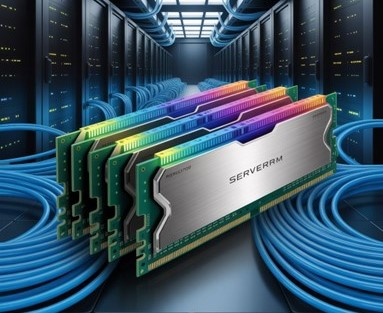
Why the Right RAM Choice Matters for Servers
Server performance is critical for businesses that rely on uninterrupted operations, fast data processing, and seamless multi-tasking. Choosing the right RAM ensures that your server can handle high workloads, large datasets, virtualization, and multi-user environments without bottlenecks or crashes.
Factors like capacity, speed, latency, and compatibility must be considered. Additionally, choosing the right type—DDR4, DDR5, or DDR3 for legacy systems—can significantly improve system efficiency, reliability, and scalability.
Key Factors for Server RAM
-
Performance & Speed
Faster RAM (higher MHz) improves data transfer and ensures applications run smoothly without bottlenecks. -
Reliability with ECC (Error-Correcting Code)
ECC RAM detects and corrects errors in real-time—essential for mission-critical operations where downtime or data corruption is unacceptable. -
Scalability & Future-Proofing
DDR5 brings cutting-edge performance, while DDR4 remains a cost-effective and reliable standard for most setups. -
Compatibility
Servers require the correct DIMM type: -
UDIMM (Unbuffered DIMM): Best for entry-level servers and workstations.
-
RDIMM (Registered DIMM): Used in enterprise servers for higher stability and capacity.
Pondesk Recommended Server RAMs
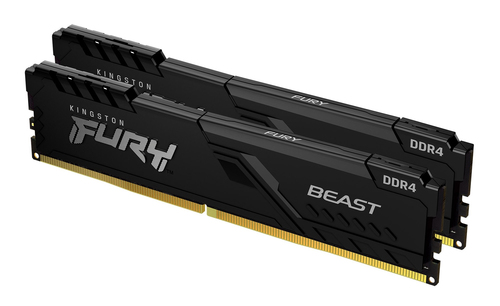
Kingston FURY Beast 32GB 3200MT/s DDR4 288-Pin DIMM RAM for PC/Server
The Kingston FURY Beast 32GB DDR4 RAM offers fast 3200MT/s speed, making it ideal for high-performance servers. It ensures smooth multitasking, data-intensive operations, and supports stable server performance.
Key Points:
-
32GB capacity
-
3200MT/s speed
-
288-pin DIMM
-
Reliable for enterprise workloads
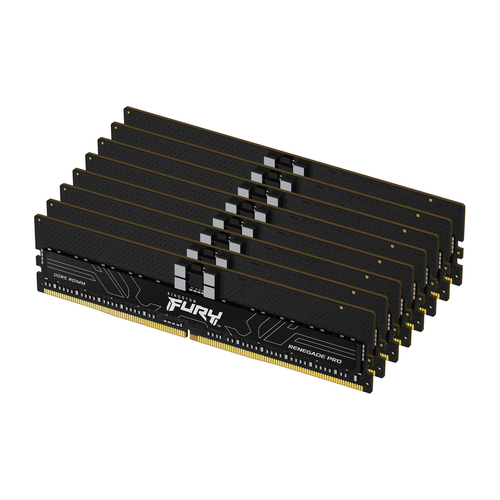
Kingston Technology FURY 256GB 6400MT/s DDR5 ECC DIMM RAM for PC/Server
A high-capacity DDR5 ECC RAM module designed for enterprise servers requiring maximum reliability, error correction, and extreme performance. Ideal for virtualization, AI workloads, and large-scale databases.
Key Points:
-
256GB capacity
-
6400MT/s DDR5
-
ECC support for data integrity
-
Ideal for virtualization, AI, and enterprise databases
G.SKILL Trident F5 6400J3239G16GX2 TZ5RS 32 GB DDR5 6400 MHz 288-Pin DIMM Memory for PC/Server
A high-speed DDR5 32GB RAM with 6400MHz performance, built for next-generation servers and workstations. Ensures fast data processing, low latency, and reliable operation for demanding enterprise applications.
Key Points:
-
32GB capacity
-
6400MHz DDR5
-
Low latency for smooth multitasking
-
Ideal for high-performance servers and workstations
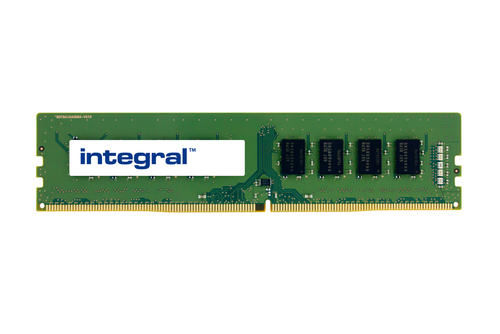
Integral S26361-F4101-L5-IN 16GB DDR4 2666MHz 288-Pin DIMM RAM for PC/Server
The Integral 16GB DDR4 RAM is built for servers that require balanced performance and cost efficiency. With 2666MHz speed, it handles general server workloads reliably.
Key Points:
-
16GB capacity
-
2666MHz speed
-
288-pin DIMM
-
Suitable for mid-range server applications
Origin 8GB UDIMM DDR4 Non-ECC 3200MHz Server Memory
The Origin 8GB DDR4 RAM is perfect for servers with moderate workloads. Its 3200MHz speed ensures responsive system performance for virtualization and general server tasks.
Key Points:
-
8GB capacity
-
3200MHz speed
-
Non-ECC UDIMM
-
Cost-effective option for small servers
V7 V71700032GBR 32GB DDR4 2133MHz 288-Pin DIMM Server Memory Module
The V7 32GB DDR4 RAM offers reliability and stable server operation at 2133MHz. Ideal for standard server configurations that prioritize stability over extreme speed.
Key Points:
-
32GB capacity
-
2133MHz speed
-
288-pin DIMM
-
Reliable for enterprise server workloads
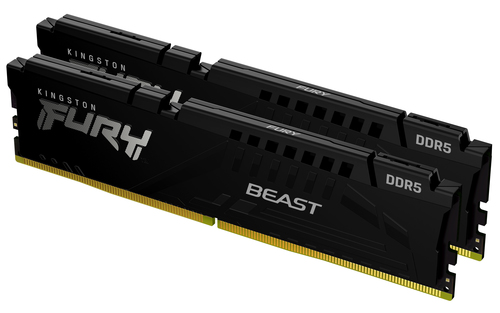
Kingston Technology FURY Beast 64GB 6000MT/s DDR5 288-Pin DIMM RAM for PC/Server
The Kingston FURY Beast 64GB DDR5 RAM delivers ultra-fast 6000MT/s speeds for modern servers requiring high throughput and low latency, perfect for virtualization and large-scale applications.
Key Points:
-
64GB capacity
-
6000MT/s speed
-
DDR5 for next-gen server performance
-
Optimized for heavy workloads
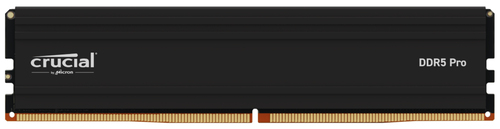
Crucial PRO CP64G56C46U5 64GB DDR5 5600 MHz 288-Pin DIMM RAM for PC/Server
The Crucial PRO 64GB DDR5 RAM provides high-speed 5600MHz performance and 64GB capacity, supporting intensive server tasks like databases, virtualization, and AI workloads.
Key Points:
-
64GB capacity
-
5600MHz speed
-
DDR5 DIMM
-
Perfect for modern enterprise servers
Final Thoughts
Choosing the right RAM for your server is essential for performance, stability, and efficiency. From DDR3 legacy systems to DDR5 high-speed modules, selecting the correct type and capacity ensures that your server can handle workloads, multitask efficiently, and provide reliable performance for years.
Explore all Pondesk DDR4, DDR5, and DDR3 RAM for high-performance server solutions:
Frequently Asked Questions (FAQs)
Q1: What’s the difference between DDR4 and DDR5 server RAM?
A1: DDR5 offers higher bandwidth, faster speeds, and better power efficiency than DDR4, making it ideal for handling large datasets, virtualization, and modern enterprise workloads. DDR4 is still reliable, cost-effective, and sufficient for most businesses that don’t require extreme performance.
Q2: Can I mix different RAM types in my server?
A2: No, servers support only one RAM generation at a time—DDR3, DDR4, or DDR5. Mixing different types can cause compatibility issues, system instability, or even prevent the server from booting. Always verify the motherboard’s supported RAM type before adding memory.
Q3: Do servers always need ECC RAM?
A3: ECC RAM is highly recommended for enterprise-grade servers because it detects and corrects memory errors automatically. This prevents system crashes and data corruption. Smaller or entry-level servers may run on Non-ECC RAM, but reliability is lower.
Q4: How much RAM does my server really need?
A4: RAM requirements depend on the workload. Basic file sharing or hosting needs 8–16GB, virtualization and database tasks need 32–64GB, and high-performance computing or AI workloads often require 128GB or more. Planning for future scalability is essential.
Q5: What’s the role of Registered (RDIMM) RAM in servers?
A5: RDIMM reduces the electrical load on the memory controller, allowing servers to support more memory modules and higher capacities. This ensures greater stability for enterprise setups, while UDIMM is suitable only for small or entry-level servers.
Q6: Is DDR3 still relevant for servers?
A6: DDR3 is still used in legacy servers and older systems. It is cost-effective and compatible with older motherboards. For new server builds, DDR4 or DDR5 is preferred because they offer faster speeds, higher capacities, and improved energy efficiency.
Q7: How do I check if a RAM module is compatible with my server?
A7: Check the server motherboard manual for supported RAM types, speeds, capacities, and form factors. Tools like CPU-Z or manufacturer compatibility checkers can help. Verify ECC, UDIMM/RDIMM support, and maximum capacity per slot.



Comments (0)