Best MacBook Pro for Music Production
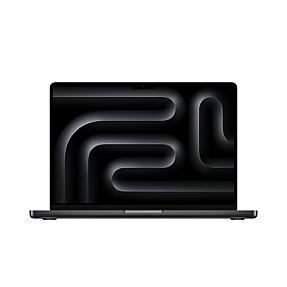
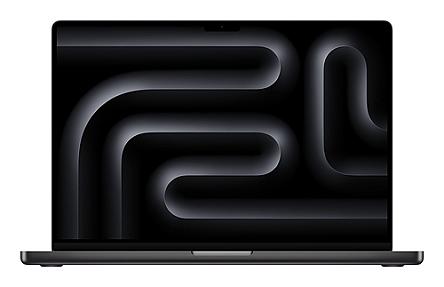
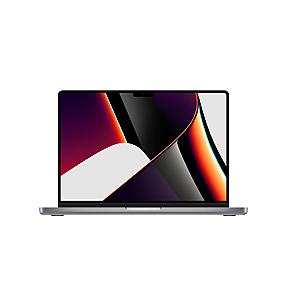
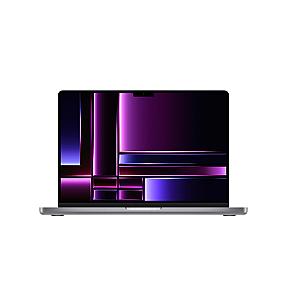
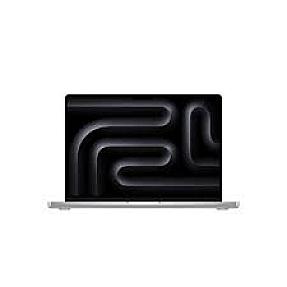
Product Code: LTHO-1696
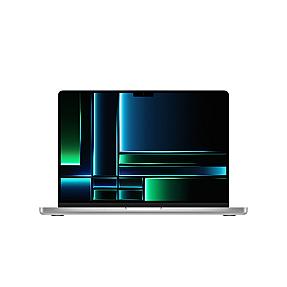
Apple MacBook Pro 14" Apple M4 Pro Chip 12C/16C, 24GB, 512GB - Silver Lapt...
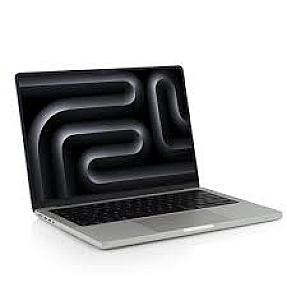
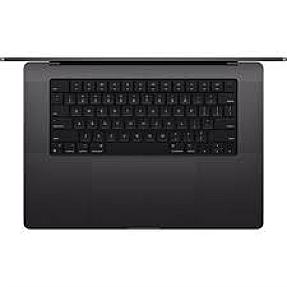
If you're a music producer shopping for a laptop, you already know the struggle. Too little RAM and your sessions start glitching. Wrong chip and your plugins choke. Finding the right MacBook Pro for music production matters more than most people think. This page breaks down every model worth your attention, from entry-level M2 options to the latest M5 MacBook Pro, so you can buy with confidence and get back to making music.
Best MacBook Pro for Music Production
The best MacBook Pro for music production depends on your projects and budget. Many music producers prefer Apple silicon because it gives strong stable macOS performance, CPU power, and fast SSD speed. Whether you use Logic Pro X, Pro Tools, or GarageBand, a MacBook Pro handles audio tracks, plugins, and music files very well. For most users, the 14-inch MacBook Pro with M4 or M5 chip is a perfect balance of power and portability.
Best MacBook Pro for Music Production in 2026
Right now, the best MacBook Pro for music production depends on what kind of work you do. If you run 40+ tracks with heavy plugins in Logic Pro or Pro Tools, you want at least an M4 Pro chip with 24GB of RAM. If you're just starting out or working on smaller music projects, an M3 or even M2 Pro model gets the job done without breaking the bank.
The M4 Pro chip is where things really open up. You get a serious CPU boost over older models, and the unified memory architecture means audio processing stays smooth even on dense sessions.
| MacBook Pro Model | RAM | Storage | Best For |
|---|---|---|---|
| MacBook Pro 14" M2 Pro | 16GB | 512GB | Home studio, beginner to mid-level |
| MacBook Pro 14" M3 Pro | 18GB | 1TB | Mid-level producers, touring |
| MacBook Pro 14" M4 Pro | 24GB | 512GB | Professional music production |
| MacBook Pro 16" M4 Pro | 48GB | 1TB | Heavy sessions, audio + video |
| MacBook Pro 14" M5 | 24GB | 1TB | Future-proof, all-around workhorse |
| MacBook Pro 16" M4 Max | 64GB | 1TB | Large orchestral, film scoring |
These are the models we carry on Pondesk, so you can compare specs side by side without chasing around different sites.
MacBook Pro vs MacBook Air for Music Production
This comes up a lot. The MacBook Air is lighter and cheaper, but it has no fan. That sounds fine until you're running a 60-track session in Logic Pro with heavy reverb on every channel. The Air throttles under sustained CPU load because it can't cool itself down. The MacBook Neo has active cooling, so it stays consistent.
For casual music creation or simple recording, MacBooks Air doesn't hold you back. But for serious production work, even the base MacBook Pro 14-inch is a better long-term choice. The fan kicks in when things get heavy, and you won't hear crackles or dropouts mid-session.
Best Mac Models for Music Production (Mac Studio, Mac Mini, MacBook Air)
Not every music producer needs a laptop. If you work from a fixed studio setup, the Mac Studio and Mac Mini are worth a serious look.
The Mac Mini M4 Pro is a strong value pick. You get desktop performance at a laptop price, and it pairs well with any audio interface and external monitor setup. The Mac Studio M1 Ultra is older now but still handles large orchestral templates without stress.
The MacBook Air 13-inch works for basic music tasks. It runs GarageBand and Logic Pro just fine for smaller projects. But if you're asking whether the MacBook Air would replace a MacBook Pro for professional work, the answer is usually no.
For anyone who travels with gear, needs portability, or records on location, a MacBook Pro is the better fit. For studio-only setups, look at the Mac Mini Pro or Mac Studio too.
M2 Pro, M3, M4 MacBook Pro for Music Producers
The jump from Intel to Apple Silicon changed everything for music producers. Plugins that used to eat CPU now run almost effortlessly. Here's how the generations stack up in real use.
The M2 MacBook Pro and M2 Pro chip still hold up well. If you find one at a reduced price, it's a solid buy for most production workflows. Logic Pro and GarageBand both run efficiently on it.
The M3 models added better GPU performance and improved efficiency. Not a massive leap for audio-only work, but noticeable if you also handle music and video together.
The M4 Pro chip is the current sweet spot. It's faster, handles more simultaneous tracks, and the new memory bandwidth helps with large sample libraries. If you're buying new in 2026, M4 is the minimum you should consider for professional work.
Best Mac for Professional Music Production Workflows
Professional music producers working on film scores, large band arrangements, or live performance rigs need more than just a fast chip. They need consistent performance over long sessions, enough RAM to keep large sample libraries loaded, and fast SSD storage so projects load quickly.
For this kind of work, the MacBook Pro 16-inch with M4 Pro or M4 Max is the go-to choice. The 16" MacBook Pro gives you a bigger screen, better thermals, and higher RAM options. If you use Pro Tools on large sessions or run multiple virtual instruments at once, the 48GB or 64GB configurations stop you from hitting memory walls.
One real-world example: composers working on orchestral templates in Logic Pro often load 50GB+ of samples into RAM. A 64GB MacBook Pro M4 Max handles that with room to spare.
14 Inch MacBook Pro Model for Music Production
The 14-inch MacBook Pro is the portable production powerhouse most working musicians actually buy. It's compact enough for a backpack, powerful enough for serious sessions, and the Liquid Retina display is genuinely good to look at all day.
For music production, the 14-inch models with M4 Pro (24GB or 36GB RAM) hit the sweet spot. You get enough power for complex projects without the extra weight of the 16-inch. If you're moving between home and a recording studio regularly, this is the one.
The base 14-inch with 8GB RAM is fine for GarageBand and very simple Logic Pro sessions, but if you plan to grow into bigger projects, start at 16GB or higher.
MacBook Pro M5 for Music Production
The M5 MacBook Pro just launched, and it's a real step forward. The M5 chip brings faster CPU cores and improved neural engine performance, which matters more for music production than most people realize. Real-time plugin processing, pitch correction, and AI-assisted audio tools all run better on the M5.
The new MacBook Pro 14-inch M5 models start at 16GB RAM with 512GB storage. For music producers, the 24GB/1TB configuration (LTHO-2227) is the best value entry point. It gives you headroom for large projects and enough storage for samples and session files without relying too heavily on external drives.
macOS Tahoe ships with these models, and Logic Pro is fully optimized for the M5 chip. If you're buying in 2026 and want to be set for years, this is the one to get.
Apple MacBook Pro M4 Max for Music Production
The M4 Max is for producers who need everything. 48GB or 64GB of unified RAM, a 40-core GPU, and a CPU that handles even the most ridiculous plugin loads without flinching. This is the machine film composers, audio engineers, and heavy Pro Tools users reach for.
The MacBook Pro 16-inch M4 Max with 64GB RAM (LTHO-1947) is the top of our lineup. It's not cheap, but if you're running 100+ track sessions, mixing in spatial audio, or doing music and video in the same project, you'll feel the difference every single day.
The 48GB M4 Max options like LTHO-377 and LTHO-1703 are more accessible and still handle almost any professional music production workflow you can throw at them.
Can I Use My MacBook Pro for Music Production?
Yes, any modern MacBook Pro runs music production software well. Logic Pro, GarageBand, Ableton Live, Pro Tools, and most popular DAWs are fully supported on macOS and optimized for Apple Silicon.
The question isn't whether you can use it. It's whether your specific model has enough RAM and CPU to handle your project size. A MacBook Pro with 8GB RAM runs fine for simple sessions. Once you get into 30+ tracks with heavy effects, you'll want 16GB at minimum, and 24GB or more for comfortable headroom.
You'll also want an audio interface regardless of which Mac model you pick. The built-in mic is usable for rough recordings, but a dedicated interface improves latency and recording quality significantly.
Is the Mac Pro Good for Music?
The Mac Pro is Apple's desktop tower, and it's technically capable of anything. But for most music producers, it's overkill and poor value. A MacBook Pro M4 Max or Mac Studio M2 Ultra gives you equivalent or better performance at a much lower price.
The Apple Mac Pro makes sense in large post-production studios where expandability and PCIe slot access matter. For music production alone, a MacBook Pro 16-inch handles the same workload and costs a fraction of the price. Unless you have very specific hardware expansion needs, the Mac Pro isn't the right buy for most music work.
Is 64 GB of RAM Overkill for Music Production?
For most producers, yes. 64GB of RAM is really targeted at people running massive orchestral templates, scoring for film with 200+ instruments loaded simultaneously, or combining heavy audio production with 4K video editing in the same workflow.
If you're making beats, recording a band, or producing pop tracks, 16GB to 32GB handles it fine. Even professional producers working on complex electronic music rarely push past 32GB.
That said, 64GB future-proofs you completely. If you buy a MacBook Pro M4 Max with 64GB today, it won't feel slow for a very long time. It's not overkill if you know your work will grow into it.
Which MacBook Pro is Best for Music Production?
Here's the short answer. For most music producers in 2026, the MacBook Pro 14-inch M4 Pro with 24GB RAM is the best balance of price, power, and portability. It handles Logic Pro sessions comfortably, travels well, and has enough headroom for your projects to grow.
If portability matters less and budget allows, the MacBook Pro 16-inch M4 Pro with 36GB or 48GB RAM handles larger sessions and is easier to work on for long hours thanks to the bigger screen.
If you want the newest hardware, the MacBook Pro M5 models are excellent picks right now. The M5 chip runs cool, performs fast, and macOS Tahoe brings small but real improvements to audio production workflows.
For anyone on a tighter budget, an M2 Pro or M3 model is still a very capable machine. Many professional music producers run their entire setup on M2 MacBook Pro units without issue.
Browse the full range of MacBook Pro models listed on this page to find the spec that matches your needs and budget. Every model here is stocked and available directly from Pondesk.
Buy MacBook Pro in Bulk for Your Business
If you're sourcing MacBook Pro units for a team, studio, or corporate deployment, Pondesk is built for exactly that. We're a UK-based industrial technology platform supplying 100% genuine, fully verified Apple products to businesses worldwide, from recording studios and media companies to enterprise and regulated environments.
Buy 5 or more units and unlock priority discounts. Buy 20 or more and get exclusive volume pricing. Every order comes through a secure, compliant supply chain so your IT department, finance team, and procurement lead all get the paper trail and product authenticity they need.
Contact us at [email protected] or call +44 1296 925854 to discuss your bulk order requirements.
Best Audio Interfaces Compatible With MacBook Pro for Music Production
Focusrite Scarlett 2i2, Universal Audio Volt, and Audient iD4 all connect via USB-C and work perfectly with MacBook Pro. You can find compatible audio interfaces alongside MacBook Pro models at Pondesk.
What Specifications Are Ideal for a Laptop Used in Professional Audio Work?
For professional audio, look for at least an M4 Pro chip, 24GB RAM, and 1TB SSD. MacBook Pro models at Pondesk meet all these benchmarks.
Top DAW Software Recommended for MacBook Pro Users in Music Production
Logic Pro, Pro Tools, and Ableton Live are the top choices. All run natively on Apple Silicon MacBook Pro models available at Pondesk.
Best Audio Recording Software Compatible With MacBook Pro
Logic Pro and GarageBand are Apple-native and fully optimized. Both run on every MacBook Pro model stocked at Pondesk.
Where to Buy Studio Monitors Optimized for MacBook Pro Setups
Yamaha HS5 and Adam Audio T5V are popular picks for MacBook Pro studio setups. For the MacBook Pro itself, browse Pondesk's full range.
Recommended External Hard Drives for Large Project Files on a Performance Laptop
Samsung T7 Shield and WD My Passport SSD are reliable for music project storage. Pair either with a MacBook Pro from Pondesk for a fast, portable rig.
Affordable MIDI Controllers That Work Well With MacBook Pro
Arturia MiniLab and Akai MPK Mini connect plug-and-play to any MacBook Pro. No driver setup needed on macOS.
Optimizing Settings on a Powerful Laptop for Digital Audio Workstation Performance
Set your DAW buffer size between 128 and 256 samples, disable Wi-Fi during recording, and use Low Power Mode off. Any MacBook Pro M4 from Pondesk handles this with ease.
How to Connect Professional Microphones to a MacBook Pro for Recording
You need an audio interface with an XLR input. Connect the interface via USB-C to your MacBook Pro and you're ready to record.
Where Can I Find Deals on High-Performance Laptops for Creative Professionals
Pondesk carries genuine MacBook Pro models across all chip generations, including M2, M3, M4, and M5, with competitive pricing for both individual and bulk orders.
Which External SSD Drives Offer the Best Speed for MacBook Pro Music Projects
Samsung T9 and SanDisk Extreme Pro offer fast read/write speeds over USB-C and work great with MacBook Pro for large session files.
Is the Base Model Sufficient for Home Studio Production
The base MacBook Pro 14-inch with 16GB RAM handles GarageBand and small Logic Pro sessions well. For growing projects, 24GB is the safer pick. Pondesk stocks both.
Reviews of Popular Plugins That Run Smoothly on MacBook Pro
FabFilter, Waves, and Native Instruments plugins all run efficiently on Apple Silicon MacBook Pro. No Rosetta translation needed on M2 and later chips.
What Kind of Audio Interface Is Best for a Laptop-Based Studio Setup
A 2-in/2-out USB-C interface like the Focusrite Scarlett Solo is ideal for most laptop studio setups with MacBook Pro.
Guide to Setting Up a Home Studio With a MacBook Pro
You need a MacBook Pro, audio interface, studio monitors or headphones, and a DAW like Logic Pro. Pondesk supplies the MacBook Pro side of that setup.
Tips for Maximizing Battery Life During Live Music Performances
Lower screen brightness, close unused apps, and use a wired audio interface instead of Bluetooth. MacBook Pro M4 and M5 models from Pondesk offer strong battery life for live use.
Best Headphones for Mixing and Mastering With a MacBook Pro
Sony MDR-7506 and Beyerdynamic DT 770 Pro are reliable mixing headphones that pair well with any MacBook Pro.
Comparing Different Processor Options for Intensive Sound Design Tasks
M4 Pro handles most sound design work comfortably. M4 Max is worth it for very large sample libraries or film scoring. Both chip options are available in MacBook Pro models at Pondesk.
Online Stores Selling MacBook Pro Accessories for Music Producers
Pondesk focuses on genuine MacBook Pro hardware across all current models. For accessories like cables, hubs, and interfaces, pair your purchase from Pondesk with specialist audio retailers.
Essential Accessories for a Portable Music Production Rig
You need a USB-C hub, audio interface, quality headphones, and a MIDI controller. Start with the right MacBook Pro from Pondesk and build around it.
How to Optimize MacBook Pro Performance for Low-Latency Music Production
Use a wired audio interface, set buffer size low in your DAW, and keep background processes minimal. M4 and M5 MacBook Pro models from Pondesk handle low-latency work natively.
What Are Common Issues When Using a Laptop for Complex Audio Projects
Running out of RAM and slow SSD speeds are the two main culprits. Starting with 24GB RAM and 1TB SSD on a MacBook Pro from Pondesk avoids both problems.
Comparison of Portable Audio Interfaces for MacBook Pro on the Market
Focusrite Scarlett, Universal Audio Volt, and Audient iD series are the top three portable options. All connect over USB-C to any modern MacBook Pro.
How Much RAM Is Truly Necessary for Running Multiple Virtual Instruments Smoothly
16GB works for basic setups. 24GB is the comfortable minimum for multiple virtual instruments. Go 36GB or higher for large orchestral templates. Pondesk stocks MacBook Pro models across all RAM tiers.
Where to Find Sample Libraries Compatible With MacBook Pro Music Software
Splice, Native Instruments, and Spitfire Audio all offer macOS-compatible libraries that work with Logic Pro and other DAWs on any MacBook Pro from Pondesk.