Best Laptop for University Students
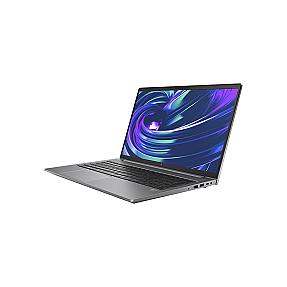
Product Code: LTHO-007
HP ZBook Power G10 Core i9-13900H 32GB 1TB Nvidia RTX 3000 Workstation Lap...
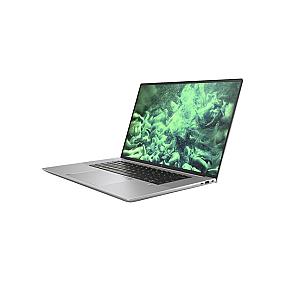
Product Code: LTHO-008
HP ZBook Studio G10 Core i7-13700H 32GB 1TB Nvidia RTX 3000 Mobile Worksta...
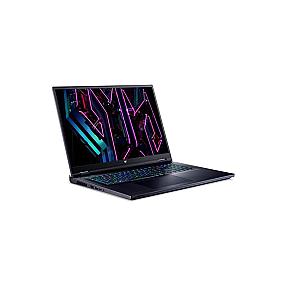
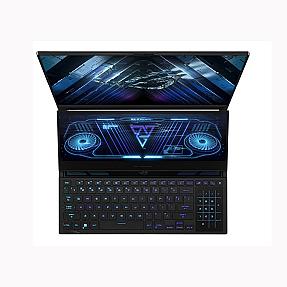
Product Code: LTHO-010
ASUS ROG Zephyrus Duo 16 GX650 Ryzen™ 9 7945HX 32GB 2TB Nvidia RTX 4090 Mo...
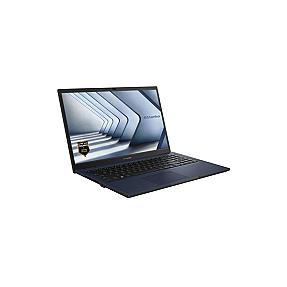
Product Code: LTHO-011
Asus ExpertBook B1 B1502CV-BQI515X Core i5-1335U 10 Core 16GB 512GB Mobile...
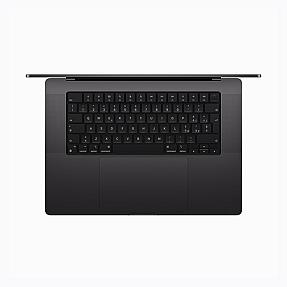
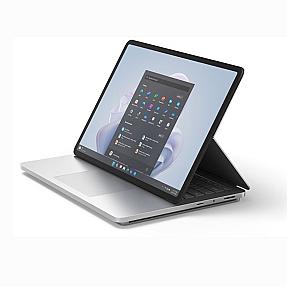
Product Code: LTHO-013
Microsoft Surface Studio 2 For Business Core i7-13800H 64GB 1TB RTX 4050 M...
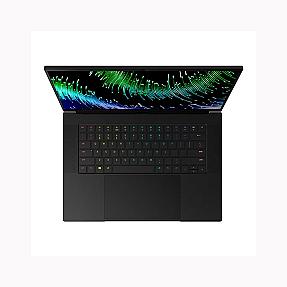
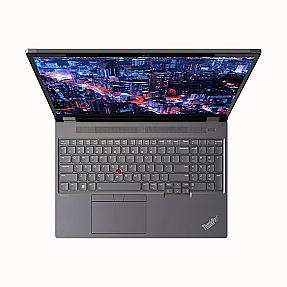
Product Code: LTHO-015
Lenovo 21FA004SUK ThinkPad P16 Gen 2 Core i7-14700HX 32GB 1TB RTX 2000 Mob...
The best laptop for university students isn't the one with the flashiest spec sheet. It's the one that matches what you'll actually be doing on it for the next three or four years. A history student writing essays and a mechanical engineering student running CAD software could both spend £700 on a laptop and end up with completely different machines, because their day-to-day workload has almost nothing in common.
For most UK students, 16GB RAM, a 512GB SSD and a recent Core i5 or Ryzen 5 processor cover lectures, research, essays and general multitasking without any strain. If you're on engineering, architecture, computer science or a design course, look at 32GB RAM and dedicated graphics once your course software actually demands it, not before.
What Is the Best Laptop for University Students?
For general university work, look for a laptop with:
| Specification | Good target for most students |
|---|---|
| RAM | 16GB |
| Storage | 512GB SSD |
| Processor | Recent Intel Core 5/Core Ultra 5 or Ryzen 5 |
| Screen | 13 to 14 inches for portability |
| Battery | Aim for strong real-world battery life |
| Weight | Around 1.5kg or less if you commute |
| Operating system | Windows or macOS, depending on course needs |
| Graphics | Integrated graphics for general work |
This setup handles common university tasks such as:
- Microsoft Word and PowerPoint
- Excel and spreadsheets
- Web research
- Multiple browser tabs
- Video calls
- Online learning platforms
- PDF textbooks and academic papers
- Note-taking
- Basic photo editing
- Programming coursework
- Streaming and everyday entertainment
You can spend less, but I would avoid buying a laptop that only meets today's requirements if you expect to use it throughout a three or four-year degree.
The laptop that feels "good enough" during your first semester may feel restrictive once your workload grows.
What to Look For in a Laptop for University
Five things matter far more than the badge on the lid.
RAM. 8GB used to be an acceptable baseline. It isn't anymore. Between browser tabs, Microsoft 365, video calls and coursework platforms running at the same time, 16GB is the realistic minimum if you don't want your laptop feeling sluggish by second year.
Storage. 256GB fills up faster than you'd think once lecture recordings, project files and software start piling on. A 512GB SSD gives you enough breathing room without constantly deleting things to make space.
Processor. A modern Intel Core i5 or AMD Ryzen 5 handles day-to-day study, research and office work comfortably. If you're doing engineering, data science or video editing, step up to a Core i7, Ryzen 7 or Core Ultra chip.
Battery life. Lecture halls and libraries don't always have a free socket near you. Aim for something rated at 9 hours or more so it survives a full day on campus without you hunting for a plug between lectures.
Weight and size. A 13 to 14-inch laptop under 1.5kg is far easier to live with than a 16-inch machine you're carrying between buildings all day. Larger screens do help with spreadsheets, code and design work, so there's a genuine trade-off here rather than an obvious right answer.
How Much RAM and Storage Does a University Student Actually Need
This is the question we get asked most, and the honest answer has shifted over the last few years. 8GB RAM used to be fine for general study. In 2026, with heavier web apps, cloud-based coursework platforms, and more students running virtual machines or AI tools alongside their notes, 16GB has become the practical standard rather than a nice-to-have. Only go for 32GB if you already know you'll be running several virtual machines, large datasets, local AI models or demanding creative software at the same time.
On storage, 256GB can feel tight surprisingly fast once lecture recordings, project files and installed software start adding up. A 512GB SSD is the safer target for most students, and anyone working with large media files, CAD models or research datasets should look at 1TB from the start rather than upgrading later.
Choosing the Right Laptop for Your Course
Course requirements matter more than any generic "best laptop" list, so match the machine to what you'll actually be running, not what looks impressive in a shop.
Humanities, social sciences and business. Essays, research, presentations and spreadsheets don't need dedicated graphics. A Core i5 or Ryzen 5 with 16GB RAM and a 512GB SSD is plenty here, and a lighter 14-inch laptop makes the daily commute a lot less annoying.
Computer science. Compilers, containers, databases and virtual machines eat memory fast. 16GB is a fair starting point, but 32GB is worth the extra spend if you expect to run several VMs or local development environments side by side. This is one of the few "general study" courses where the jump to 32GB genuinely pays off.
Engineering and architecture. CAD, simulation and BIM software often need dedicated graphics and more memory than you'd expect. Check your department's exact software requirements before buying, because some modules specify a minimum GPU or RAM figure, and finding that out after you've bought the laptop is a frustrating way to learn a lesson.
Graphic design and creative courses. A colour-accurate display, 16GB RAM minimum, and either dedicated graphics or a strong integrated GPU make editing and rendering far less painful. Screen quality matters here as much as raw processing power.
Gaming alongside study. A laptop with dedicated graphics can double up for coursework and gaming, but expect more weight, more fan noise and shorter unplugged battery life than a slim everyday laptop. It's a reasonable trade-off if gaming actually matters to you, less so if you're buying dedicated graphics "just in case."
Do You Need an AI Laptop for University?
Short answer: not really, at least not as the main reason to buy. NPUs (the chip that handles on-device AI tasks) can support some background features and local AI tools, but they don't replace the fundamentals. A laptop with an "AI-ready" badge and 8GB RAM is still a laptop with 8GB RAM.
Priority order should be: course compatibility first, then RAM, then storage, then battery life, and only then graphics performance and any AI-specific hardware. If a laptop already meets the core requirements and happens to have decent AI hardware at a competitive price, that's a genuine bonus. Don't pay extra for it at the expense of memory or storage you'll actually use every day.
Windows, Mac or Chromebook: Which Should You Choose
The operating system can become a major issue if your university uses specialist software.
Windows
Windows is the safest general-purpose option for many courses.
It offers broad software compatibility and a huge choice of laptops across different price ranges.
Choose Windows if you want maximum flexibility or your course lists Windows-only applications.
MacBook
MacBooks appeal to students who value portability, battery efficiency, build quality and the macOS ecosystem.
They can work particularly well for writing, research, creative work and many programming tasks.
But check your course software first.
Some specialist applications are designed specifically for Windows. Do not assume that compatibility layers or virtual machines will provide the same experience.
Chromebook
Chromebooks work well when most of your university work happens through a browser.
They can be useful for:
- Google Docs
- Web research
- Online learning
- Basic writing
- Cloud-based applications
They become less suitable when you need traditional desktop applications.
If your course involves CAD, specialist engineering software, serious creative applications or certain development tools, check compatibility before choosing a Chromebook.
If there's any chance your course will need a piece of Windows-only software in year two or three, a Chromebook is a risky bet now to save money.
Common Mistakes Students Make When Buying a University Laptop
A few patterns come up again and again when students choose the wrong laptop for their course.
Buying for year one, not the whole degree. A laptop that's fine for first-year lectures can struggle once dissertation research, group projects or specialist modules kick in. Buy for what your course becomes, not just what it looks like in week one.
Ignoring the department's software list. Engineering, architecture and computer science departments often publish minimum specifications for a reason. Skipping that check and finding out in week three that your laptop can't run the required CAD software is an expensive mistake to fix mid-term.
Choosing soldered RAM without realising it. Some slim, cheap laptops have RAM built into the motherboard, meaning you can't upgrade it later. If you're buying at the lower end of your budget, check this before you commit, not after.
Overspending on a GPU you won't use. Dedicated graphics matter for CAD, 3D work and gaming. They add very little for essay writing and web research, and they push the price up while shortening battery life. Match the graphics card to your actual workload, not to what sounds impressive.
Underestimating weight. A laptop that feels fine sitting on a desk in a shop feels very different after being carried between three lectures and a library session. If you'll be commuting or moving between buildings daily, weight deserves more attention than most students give it.
Why Buy Your University Laptop from PonDesk
PonDesk sources genuine, industry-verified laptops and prices them competitively, so you're not paying extra just for a brand name on the lid. Orders from the UK come with free delivery, which keeps your total cost down at a time when you're already budgeting for course materials and accommodation. Browse the PonDesk student laptop range to compare current stock against the specs above before you check out.
Frequently Asked Questions
Is 8GB RAM enough for university in 2026?
8GB can just about handle basic browsing, email and light document work, but 16GB is the safer choice if you want your laptop to stay comfortable through multitasking, coursework platforms and a full three or four years of study.
Do engineering students need a laptop with dedicated graphics?
Often, yes. CAD, simulation and BIM software benefit from a dedicated GPU, though the exact requirement depends on your modules. Check your department's official software list before buying rather than guessing.
What is the best laptop size for university?
A 13 to 14-inch laptop is the most practical for carrying between lectures, while a 15 or 16-inch screen suits students who spend long hours on spreadsheets, code or design work and don't mind the extra weight.
Is a Chromebook good enough for university work?
A Chromebook works well for browser-based study like research, email and cloud documents, but it won't run specialist Windows or macOS software that many engineering, design and computer science courses require.
Should a computer science student get 16GB or 32GB RAM?
16GB is a solid starting point for most programming coursework. Move up to 32GB if you expect to run multiple virtual machines, large containers, local databases or AI models at the same time.
Do I need an AI laptop for university?
Not as a first priority. AI hardware is a reasonable bonus once a laptop already meets your RAM, storage, battery and software requirements, but it shouldn't come at the cost of those basics.