If you're hunting for the best laptop for picture editing in the UK, the machine that matters most is the one with an accurate screen, enough RAM to keep Photoshop or Lightroom from stuttering, and a processor that doesn't choke halfway through a batch export. At PonDesk, the ASUS ProArt PZ13 is our top pick for photographers and designers: it pairs a 13.3-inch OLED panel with a Snapdragon X Plus chip and a 45 TOPS NPU, so RAW files, colour grading and AI-assisted retouching all run smoothly whether you're working from a studio desk or a client site.
What to look for in a picture editing laptop
A few specs matter more than the rest when you're editing photos day to day.
- Display and colour accuracy: an OLED or high-quality IPS panel with strong sRGB or DCI-P3 coverage matters more than raw resolution. If your edits need to look the same once they're printed or published, a colour-accurate screen saves you from constant re-edits.
- RAM: 16GB is the realistic minimum for Lightroom and Photoshop today, and 24GB or more gives you headroom for large RAW files, multiple open documents and browser tabs running alongside your editor.
- Processor: photo editing leans on single-core speed for filters, brushes and general responsiveness, so a recent Intel Core, AMD Ryzen or Snapdragon X chip with strong boost clocks will feel noticeably snappier than an older or lower-tier part.
- Storage: a fast PCIe NVMe SSD, ideally 512GB or above, keeps your image library and editing software loading quickly and gives you room to work locally before archiving to external storage.
- Graphics: a dedicated GPU isn't essential for basic photo editing, but it does help with GPU-accelerated tools like Lightroom's AI Denoise, Photoshop's Neural Filters, and any video work that tends to creep into a creative workflow.
ASUS ProArt PZ13: our pick for colour-critical photo work
The ProArt PZ13 is built specifically for creators, which shows the moment you open the lid. Its 13.3-inch OLED display hits 2880 x 1800 resolution with 500 cd/m² peak brightness, giving you deep blacks and true-to-life colour for grading and RAW review. The Qualcomm Snapdragon X1P-42-100 processor runs eight cores up to 3.4GHz, and the 45 TOPS Hexagon NPU speeds up AI-enhanced tools in modern editing apps without draining the battery.
With 16GB of RAM and a 1TB SSD, you get enough headroom for a working image library plus the software itself, and the detachable 2-in-1 design means you can review shots on location, then dock it back to a full keyboard setup at your desk. A built-in SD card slot with a microSD adapter also makes photo import straightforward, which is a small detail that a lot of "creator" laptops still get wrong.
Other picture editing laptops worth considering at PonDesk
Not every buyer needs the same thing from a picture editing laptop, so here are a few other options from our range depending on your priorities.
- ASUS V16 (Intel Core 5, RTX 4050): if your editing workflow spills into video work or 3D rendering, the dedicated RTX 4050 GPU and 16GB DDR5 memory on the ASUS V16 give you more muscle for GPU-accelerated exports and heavier multitasking, backed by a 16-inch 144Hz IPS display.
- Microsoft Surface Laptop 7 (Intel Core Ultra 7): for a more traditional clamshell with a colour-accurate PixelSense display, the Surface Laptop 7 offers an integrated AI NPU rated up to 48 TOPS, 16GB of RAM and a 512GB SSD in a slim, business-friendly design.
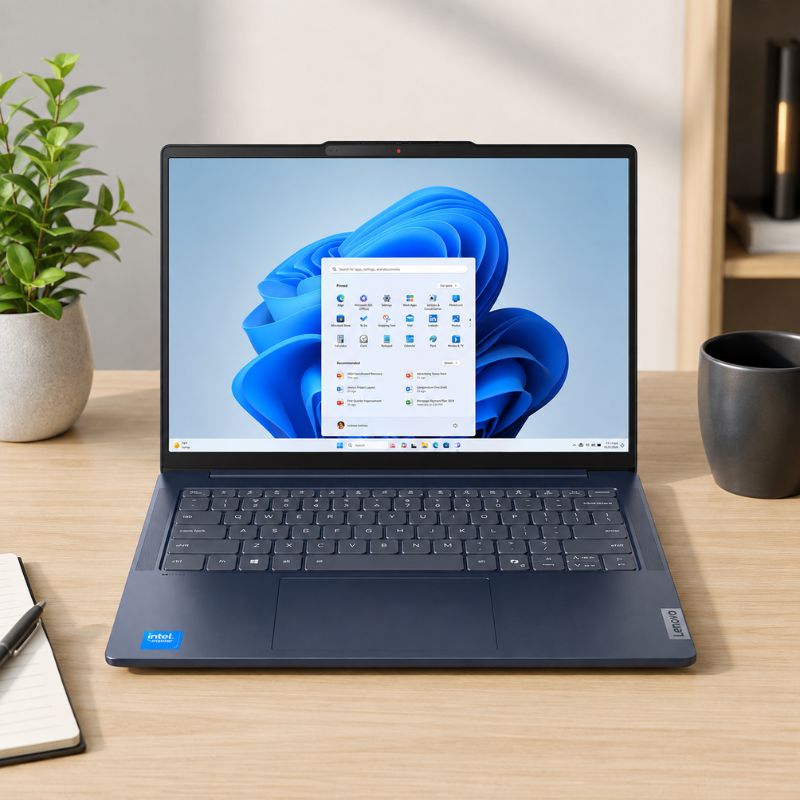
- Lenovo IdeaPad Slim 5 (14-inch, 24GB RAM): a lighter-weight option for hobbyist and semi-professional editing, with 24GB of RAM split across dual channels and a crisp 1920 x 1200 anti-glare display that's easy on the eyes during long sessions.
Who each laptop suits
If you're a working photographer or designer who needs the most accurate screen for client-facing colour work, the ProArt PZ13's OLED panel and detachable form factor make it the strongest all-rounder. If your projects regularly mix photo and video, or you use GPU-heavy AI tools, the ASUS V16's dedicated graphics card gives you more consistent performance under load. And if you're editing mostly for social media, print proofs or personal projects rather than professional delivery, the Surface Laptop 7 or IdeaPad Slim 5 will comfortably handle Lightroom and Photoshop without the premium price tag of a creator-focused machine.
Why buy your picture editing laptop from PonDesk
Every laptop on PonDesk is sourced directly from trusted suppliers, not picked up as a grey import with a mystery warranty. Pricing stays competitive against the rest of the UK market, and delivery is free, so the price you see at checkout is the price you pay. Buying for a studio or a small team? Get in touch and we'll help you sort bulk pricing and check stock across the range before you commit.
How much RAM do I need for photo editing?
16GB is the practical minimum for Lightroom and Photoshop on modern RAW files. If you regularly stitch panoramas, work with 40+ megapixel files, or run several editing apps side by side, 24GB to 32GB will keep things noticeably smoother.
Do I need a dedicated graphics card for photo editing?
Not strictly. Photo editing is mostly CPU and RAM dependent, but a dedicated GPU accelerates specific features like AI denoise, neural filters and any video editing that ends up mixed into your workflow, so it's worth having if your budget allows.
Is an OLED screen worth it for editing photos?
Yes, if colour accuracy matters for your output. OLED panels typically deliver deeper contrast and wider colour coverage than standard IPS screens, which reduces the gap between what you see on screen and what your client or printer sees.
What's the difference between sRGB and DCI-P3 for photo editing?
sRGB is the standard gamut for web and social media images, while DCI-P3 covers a wider range of colours and is closer to what's needed for print and premium digital output. A laptop with strong sRGB coverage is fine for most photographers; DCI-P3 becomes more valuable for professional or print-focused work.
The best laptop for picture editing in the UK is the ASUS ProArt PZ13, thanks to its colour-accurate OLED display, AI-accelerated Snapdragon chip and detachable 2-in-1 design, available now at PonDesk with free UK delivery.
Comments (0)