The Unsung Heroes of Your PC
Imagine this: you're deep into a gaming session or working on a demanding project, and suddenly, your PC starts to lag or shut down unexpectedly. What's the culprit? Overheating. Your CPU, the brain of your computer, generates a significant amount of heat during operation. Without proper cooling, this heat can cause thermal throttling, system instability, or even permanent damage to your components.
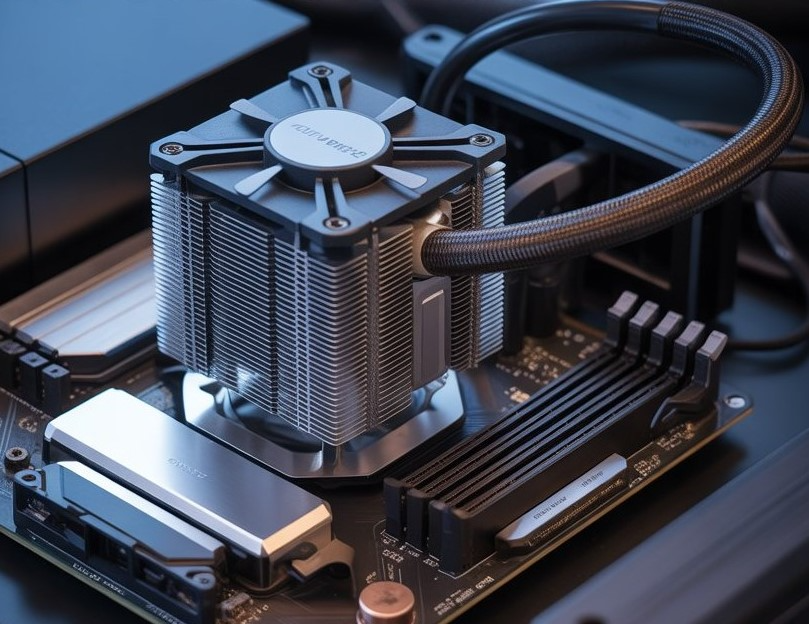
This is where Air Coolers shine. More than just a fan, a quality air cooler combines heatsinks, heat pipes, and fans to efficiently draw heat away from the CPU. It keeps your processor operating at safe temperatures, ensuring your PC runs smoothly and reliably. Air coolers are particularly valuable for users who want consistent performance, quiet operation, and long-term reliability without investing in more complex cooling solutions. From high-end gaming rigs to compact workstations and small form factor PCs, an effective air cooler is essential for maintaining system stability and prolonging hardware lifespan.
By selecting the right air cooler, you’re not just keeping your CPU cool, you’re safeguarding your investment, improving system efficiency, and enjoying peace of mind knowing your PC can handle even the most demanding workloads.
Why Air Coolers Matter
Air coolers are essential for several reasons:
-
Efficient Heat Dissipation: They draw heat away from the CPU and transfer it to the surrounding air, preventing overheating.
-
System Stability: By maintaining optimal temperatures, air coolers ensure your system runs smoothly without crashes or slowdowns.
-
Longevity of Components: Consistent cooling reduces the wear and tear on your CPU and other components, extending their lifespan.
-
Cost-Effective Solution: Compared to liquid coolers, air coolers are more affordable and require less maintenance.
Pondesk's Top Air Cooler Recommendations
At Pondesk, we understand the importance of reliable cooling solutions. Here are some top-rated air coolers that can help protect your CPU and enhance system stability:
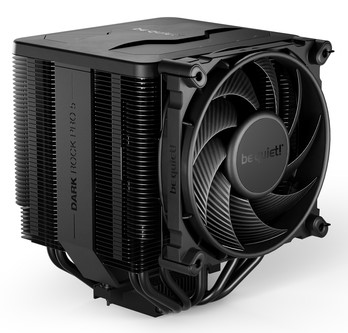
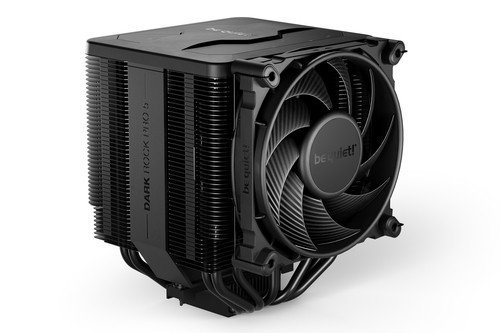
1. be quiet! Dark Rock Pro 5 Air Cooler
Why Choose It: The Dark Rock Pro 5 is the ultimate solution for high-performance systems. Its dual tower design, seven high-performance copper heat pipes, and two virtually silent fans ensure exceptional cooling for overclocked CPUs. Perfect for gamers and content creators seeking quiet and reliable operation.
Key Features:
-
Dual tower design for enhanced heat dissipation
-
Seven high-performance copper heat pipes
-
Two virtually silent fans
-
Ideal for high-end CPUs
2. be quiet! Pure Rock 2 CPU Cooler
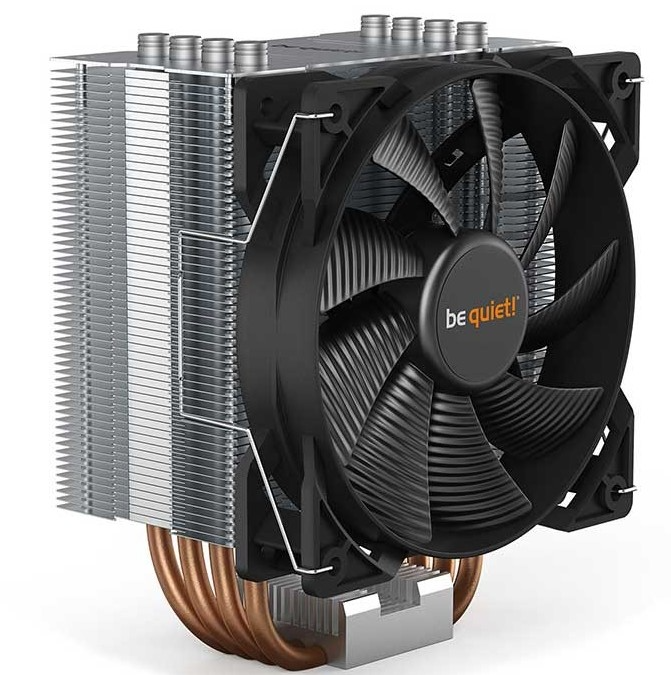
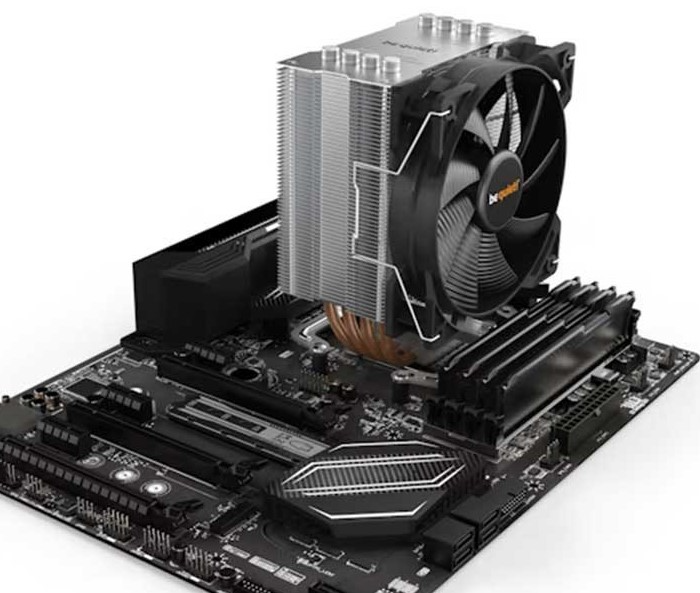
Why Choose It: The Pure Rock 2 is a cost-effective solution that doesn't compromise on performance. It's perfect for mid-range systems requiring reliable cooling.
Key Features:
-
150W TDP capacity
-
Single tower design with four heat pipes
-
Silent operation
-
Easy installation
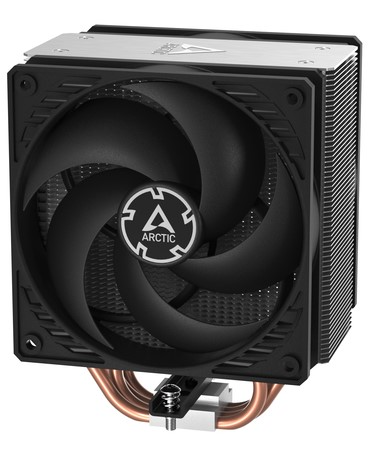
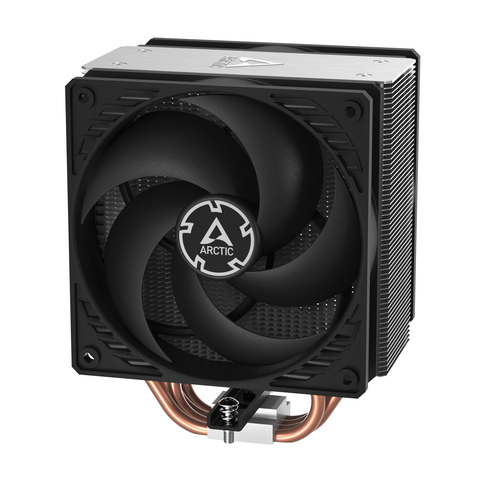
3. ARCTIC Freezer 36 Air Cooler
Why Choose It: The Freezer 36 is ideal for multi-compatible systems, offering dual-fan cooling that keeps temperatures low even under heavy load. Its versatile mounting system works with multiple CPU sockets.
Key Features:
-
Dual-fan design for optimal airflow
-
Multi-compatible mounting system
-
Low noise levels
-
High thermal dissipation
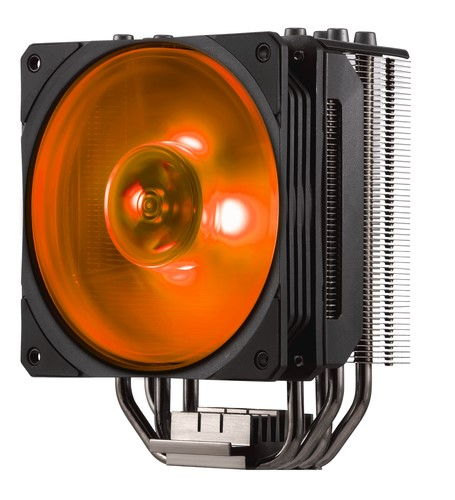
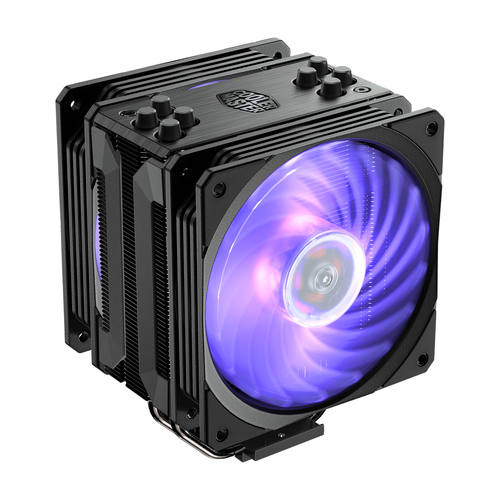
4. Cooler Master Hyper 212 RGB Black Edition
Why Choose It: The Hyper 212 RGB Black Edition combines performance with aesthetics, featuring customizable RGB lighting to match your build's theme.
Key Features:
-
Four heat pipes for efficient heat transfer
-
RGB lighting with multiple effects
-
Wide compatibility with Intel and AMD sockets
-
Budget-friendly pricing
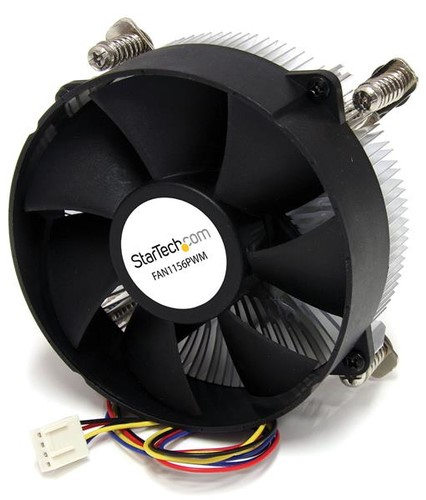
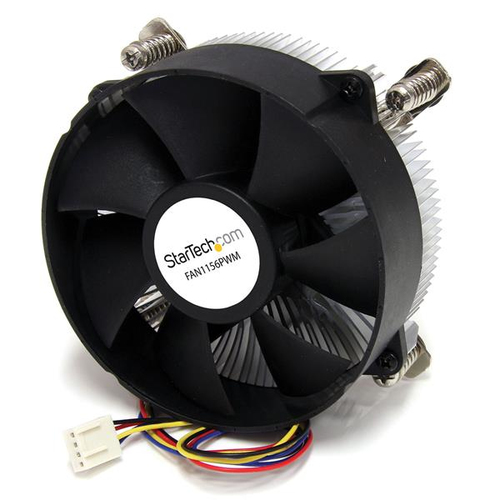
5. StarTech.com 95mm CPU Cooler Fan with Heatsink
Why Choose It: This compact cooler is ideal for small form factor builds, providing efficient cooling without taking up much space.
Key Features:
-
95mm fan with PWM control
-
Compatible with LGA1156/1155 sockets
-
Compact design for tight spaces
-
Reliable performance
Final Thoughts
Choosing the right air cooler is crucial for maintaining your CPU's health and ensuring system stability. Whether you're building a high-end gaming rig or a budget-friendly workstation, there's an air cooler suited to your needs. For a broader selection of air coolers,
check out Pondesk's full range of Air Coolers.
Remember, a well-cooled CPU is a happy CPU. Don't compromise on cooling; invest in a quality air cooler today to protect your system and enjoy smooth, uninterrupted performance.
Frequently Asked Questions (FAQs)
Q1: How do air coolers protect my CPU?
Air coolers prevent overheating by transferring heat away from the CPU through heat pipes and a fan system. This process ensures your processor remains within safe operating temperatures, preventing thermal throttling, crashes, and long-term damage while maintaining optimal performance during heavy workloads.
Q2: Are air coolers quieter than liquid coolers?
Many air coolers operate quietly, especially models designed with low-noise fans and large heatsinks. Unlike some liquid cooling systems that require pumps and multiple fans, air coolers minimize mechanical noise while providing consistent thermal management, making them ideal for home offices or quiet work environments.
Q3: How do I choose the right air cooler for my PC?
Selecting the right air cooler depends on your CPU’s thermal output (TDP), the size of your PC case, airflow requirements, and whether you plan to overclock. High-performance dual-tower coolers suit large systems, while compact tower or single-fan designs are perfect for smaller setups.
Q4: How often should I clean my air cooler?
To maintain efficiency, clean your air cooler every 3–6 months. Dust buildup on heatsinks and fan blades can significantly reduce airflow and cooling performance. Regular cleaning ensures consistent temperatures and extends the cooler’s lifespan.
Q5: Can I install an air cooler in a small form factor PC?
Yes, many air coolers are specifically designed for compact builds. Models like the StarTech 95mm CPU cooler provide effective cooling in tight spaces, ensuring your CPU remains stable without obstructing other components or limiting case airflow.

Comments (0)