In today’s fast-paced digital world, every PC, from personal desktops to professional workstations—needs efficient cooling to perform at its best. Whether you’re running demanding applications, multitasking with multiple programs, or just want a quiet and stable system, cooling fans play a critical role. Overheating can lead to reduced performance, system crashes, and even permanent hardware damage, making the right cooling solution essential.
High-quality cooling fans not only manage heat effectively but also enhance airflow, reduce system noise, and, in some cases, add a visual appeal with RGB lighting. Understanding the key aspects like RPM (speed), CFM (airflow), static pressure, and bearing type will help you select the perfect fan for your needs. Choosing the right fan is about balancing performance, noise, durability, and aesthetics—all of which can significantly impact your computing experience.
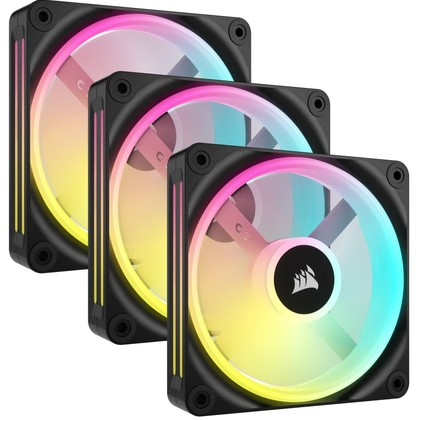
Why Cooling Fans Matter
Cooling fans are a small but vital part of any computer system. Here’s why they are essential:
-
Optimal Component Temperature: CPUs, GPUs, and other components generate heat while performing complex tasks. Fans ensure that excess heat is moved out of the system, keeping components at safe operating temperatures and preventing thermal throttling, which can slow down performance.
-
System Longevity: Overheating can cause permanent damage to sensitive electronics. Cooling fans extend the lifespan of your hardware by maintaining consistent temperatures and preventing stress caused by high heat.
-
Noise Management: High-quality fans are engineered to provide sufficient airflow without excessive noise. This balance ensures that your system remains cool while maintaining a quiet and comfortable workspace.
-
Enhanced Efficiency: With efficient cooling, your system can maintain peak performance even under heavy workloads. Fans help stabilize temperatures, ensuring that power-hungry components can function at their optimal speeds.
Pondesk Recommended Cooling Fans
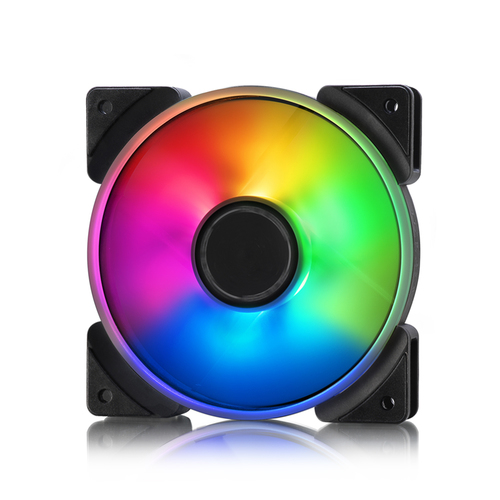
Fractal Design Prisma AL-12 PWM Fan – 12 cm, 2000 RPM, 32.7 dBA, 85.71 CFM
The Fractal Design Prisma AL-12 fan is designed for enthusiasts seeking high airflow with quiet operation. Its 85.71 CFM airflow ensures heat is efficiently expelled from your system while maintaining a noise level of just 32.7 dBA. The PWM control allows precise speed adjustments, making it perfect for custom cooling setups.
Key Points:
-
12 cm size fits most cases
-
2000 RPM for strong airflow
-
Quiet operation at 32.7 dBA
-
PWM control for speed adjustments
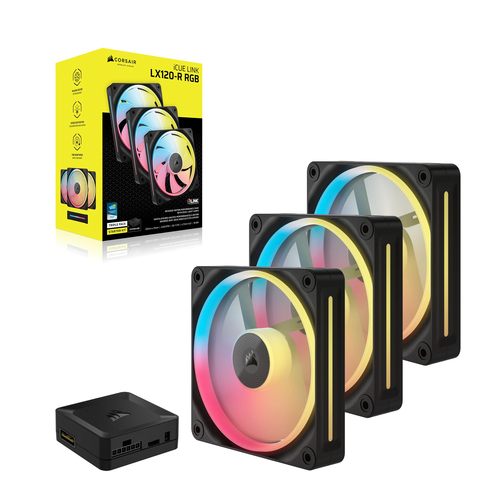
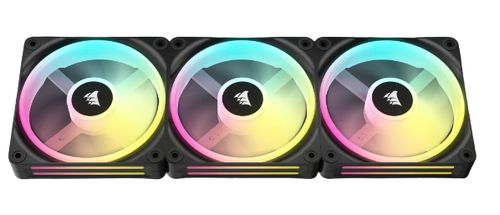
Corsair iCUE Link LX120 RGB Fan – 12 cm, 2400 RPM, Black
The Corsair iCUE Link LX120 combines high-performance airflow with stunning RGB aesthetics. Operating at 2400 RPM, it ensures maximum cooling efficiency while offering fully customizable RGB lighting via Corsair iCUE software. Ideal for users who want both performance and visual appeal in their builds.
Key Points:
-
12 cm high-performance fan
-
2400 RPM for optimal airflow
-
Customizable RGB lighting
-
Software-controlled for dynamic effects
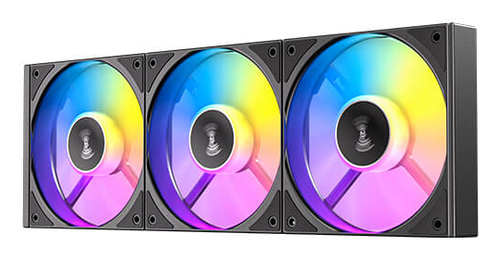
Antec 0-761345-40048-0 Fan – 12 cm, 800–1800 RPM, 43.2 m³/h, Black
The Antec 0-761345-40048-0 fan is a versatile choice for users who want adjustable performance. With an RPM range of 800–1800, it allows you to balance cooling and noise according to system demands. Its 43.2 m³/h airflow is efficient for standard desktops and office setups.
Key Points:
-
12 cm fan with dual RPM range
-
Adjustable performance for quiet or high airflow
-
Reliable build for long-term use
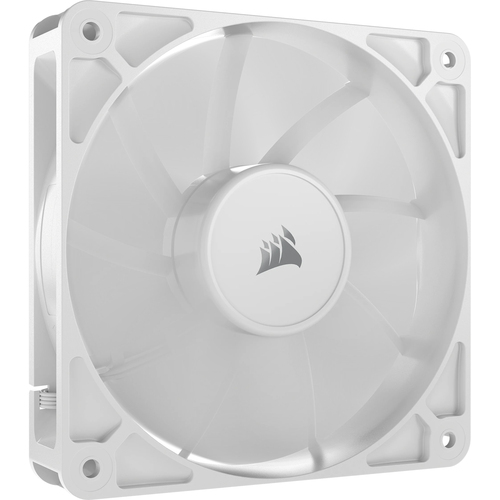
Corsair RS120 Fan – 12 cm, 420–2100 RPM, White
The Corsair RS120 is a flexible fan that can operate anywhere between 420 and 2100 RPM, giving you control over airflow and noise. Its sleek white design complements modern PC builds, while still providing efficient cooling for medium-performance systems.
Key Points:
-
Wide RPM range: 420–2100
-
12 cm fan suitable for most setups
-
White aesthetic for clean look
-
Good airflow for general cooling needs
Corsair Air CO-9051002-WW Fan – 12 cm, 480–2400 RPM, Black
The Corsair Air CO-9051002-WW is a robust cooling fan that delivers up to 2400 RPM for efficient heat dissipation. Its black design integrates easily into any PC build, providing consistent airflow without compromising on style or reliability.
Key Points:
-
12 cm fan with high RPM range
-
Black sleek design
-
Efficient airflow up to 2400 RPM
-
Durable and reliable for extended use
Final Thoughts
Choosing the right cooling fan is essential for maintaining system stability, performance, and longevity. Whether you need quiet operation, high airflow, or aesthetic appeal, the right fan can make all the difference.
Explore a wide selection of cooling solutions here: All Cooling Fans
FAQs (Frequently Asked Questions)
Q1. What is the ideal RPM for a cooling fan?
The ideal RPM depends on your system and cooling needs. High RPM fans (2000–3000 RPM) provide maximum airflow for performance setups, while moderate RPM (1500–2000) balances noise and cooling. Low RPM (<1500) fans are quieter but may struggle with heat under heavy workloads. Choosing a fan with adjustable RPM ensures flexibility.
Q2. How does CFM affect cooling performance?
CFM (cubic feet per minute) measures the volume of air a fan moves. Higher CFM means more air is circulated, which helps cool components faster. However, fans with high CFM may be louder, so balancing airflow and noise is key for a comfortable computing environment.
Q3. What bearing type is best for fan longevity?
Fluid dynamic bearings and dual ball bearings are ideal for longevity and quiet operation. They reduce friction, run smoothly for years, and are more durable than standard sleeve bearings, making them suitable for both high-performance and continuous-use systems.
Q4. Can I mix fans with different RPMs in one system?
Yes, mixing fans with different RPMs is possible, but it’s best to use PWM control or fan hubs to maintain balanced airflow. Uncontrolled variations can create uneven cooling and unnecessary noise.
Q5. Do RGB fans affect cooling efficiency?
No, RGB is mainly for aesthetics. Modern RGB fans are designed to provide the same airflow and efficiency as non-RGB fans, so you don’t sacrifice performance for visual appeal.


Comments (0)