Lenovo IdeaPad Slim 5 UK: Best Deals & Buying Guide
If you're looking at the Lenovo IdeaPad Slim 5 for work, study or everyday browsing, you're weighing up one of Lenovo's most popular mid-range laptops. It sits between the budget IdeaPad Slim 3 and the premium Yoga line, and in the UK it comes in 14-inch, 15.6-inch and 16-inch versions with a mix of AMD Ryzen and Intel Core processors. This guide breaks down which configuration actually suits you, what the specs mean in real use, and where to get one at a fair price.
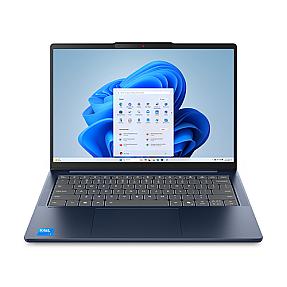
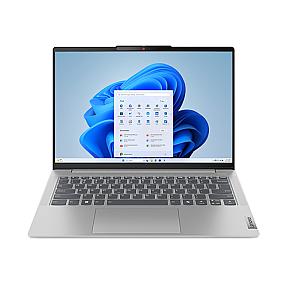
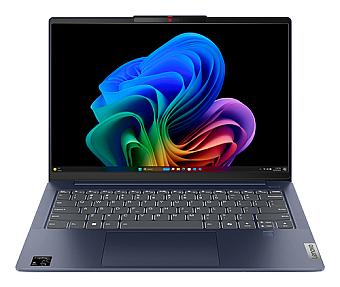
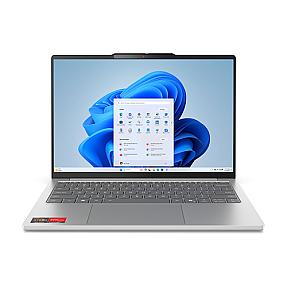
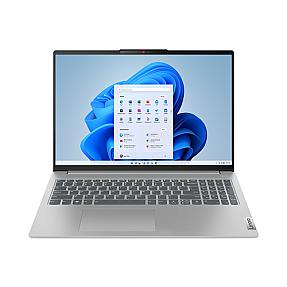
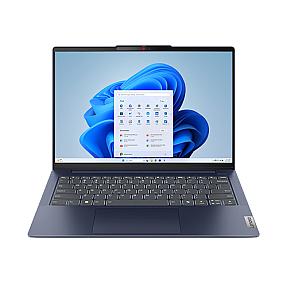
Screen Sizes and Design: 14-inch, 15.6-inch or 16-inch
The IdeaPad Slim 5 is really three laptops wearing the same name. The 14-inch model is the one to pick if portability matters most, it's thin, light, and easy to carry between lectures or meetings all day. The 15.6-inch and 16-inch versions trade some of that portability for a bigger canvas, which is worth it if you spend hours in spreadsheets, side-by-side documents, or video calls.
Build quality is consistent across the range. Most models use an aluminium top with a plastic base, so it feels sturdier than a pure budget laptop without the weight of a full metal chassis. Higher-spec configurations add a 2.8K OLED panel, while entry models ship with a standard 1920x1200 IPS screen, still sharp enough for text and photos, just not as punchy with colour and contrast.
Performance: AMD Ryzen vs Intel Core Options
Both chip families handle everyday tasks well, so the choice comes down to how you use the laptop. AMD Ryzen configurations (including the newer Ryzen AI models) tend to edge ahead on battery efficiency and multi-core tasks like exporting video or running several apps at once. Intel Core Ultra configurations generally offer stronger single-core speed, which shows up in everyday snappiness and light Copilot+ AI features on newer models.
Neither version is built for serious gaming or video editing, since graphics are handled by the integrated GPU rather than a dedicated card. For office work, browser-based tools, streaming, and student assignments, either chip is more than capable. If you're torn, 16GB of RAM is the more important upgrade than the CPU brand, since it's what actually keeps multitasking smooth two or three years down the line.
Battery Life and Everyday Use
Lenovo rates most IdeaPad Slim 5 configurations at up to 10 hours, though real-world use with the screen on and Wi-Fi active tends to land closer to 5 to 7 hours. That's a fair trade-off for a laptop this size and price, and it's in line with what similarly specced 16-inch machines from Asus, HP and Dell deliver.
Day to day, the Slim 5 handles the things most buyers actually need: web browsing, Office and Google Workspace, video calls, light photo editing, and streaming. Fan noise on entry-level configurations can get audible under sustained load, so if you'll be running the laptop plugged in for long stretches, it's worth checking reviews for the specific model number before you commit.
Who the IdeaPad Slim 5 Is Really For
This laptop is aimed squarely at students, hybrid workers, and anyone who wants a dependable everyday machine without paying for gaming-grade graphics they'll never use. It's a strong fit if you mainly work in documents, browsers, and video calls, and want a bigger screen than a typical 13 or 14-inch ultrabook offers.
It's less of a fit if you need a dedicated GPU for gaming or serious video editing, or if a fingerprint sensor and premium chassis are non-negotiable, some configurations skip both to keep the price down. For that heavier use, a ThinkPad or a gaming-focused model will serve you better.
Is the Lenovo IdeaPad Slim 5 good for students?
Yes. It's light enough to carry daily, the battery comfortably covers a full day of lectures on lighter use, and the larger screen options make it easier to work across multiple documents or tabs at once.
Is the Lenovo IdeaPad Slim 5 good for gaming?
Not for anything demanding. Integrated graphics can run older or lightweight titles, but it isn't built for modern AAA games. Casual games and cloud gaming services work fine.
What's the difference between the IdeaPad Slim 5 and Slim 3?
The Slim 5 generally offers a better display, faster RAM, and stronger processor options, while the Slim 3 is the budget line built for basic browsing and schoolwork at a lower price point.
How much RAM do I need on the IdeaPad Slim 5?
16GB is the sensible baseline for most buyers doing everyday multitasking. 8GB will handle browsing and documents but can feel tight once you add several tabs and background apps.
Why Buy Your IdeaPad Slim 5 From PonDesk
PonDesk sources the IdeaPad Slim 5 range directly, so you're getting a genuine, verified device rather than a grey-market listing. Pricing is kept competitive against the wider UK market, and every order ships with free delivery, so the price you see is the price you pay. If you're comparing configurations or need help matching a model to your budget, PonDesk's team can point you to the right one before you buy. Browse the current IdeaPad Slim 5 range to see what's in stock.





Comments (0)